New Participant
March 17, 2023
Answered

Can't edit text properties or appearance in form fields

  • March 17, 2023
  • 1 reply
  • 5541 views

I am filling out a form created the USFS and I am unable to format the text within the form fields. This is an issue because I need to copy and paste a bunch of content from a google doc (as opposed to manually retyping everything into the form) and I need to be able to resize, apply bullets, etc. I have tried using the Edit PDF tool, saving a copy that is "not restricted", and using the Prepare a Form tool, but the text is still uneditable. I cannot just overlay my own text box because many of the form fields allow for scrolling to accomodate all the content, which I need to retain. 


I attached the form with example placeholder content pasted into the field on page 5. Can someone help?
This topic has been closed for replies.
Correct answer try67

@try67 ,


This is the original download site: https://usfs-public.app.box.com/s/2sq5mkgecsmzxgowoz5dt9e74kipv47z


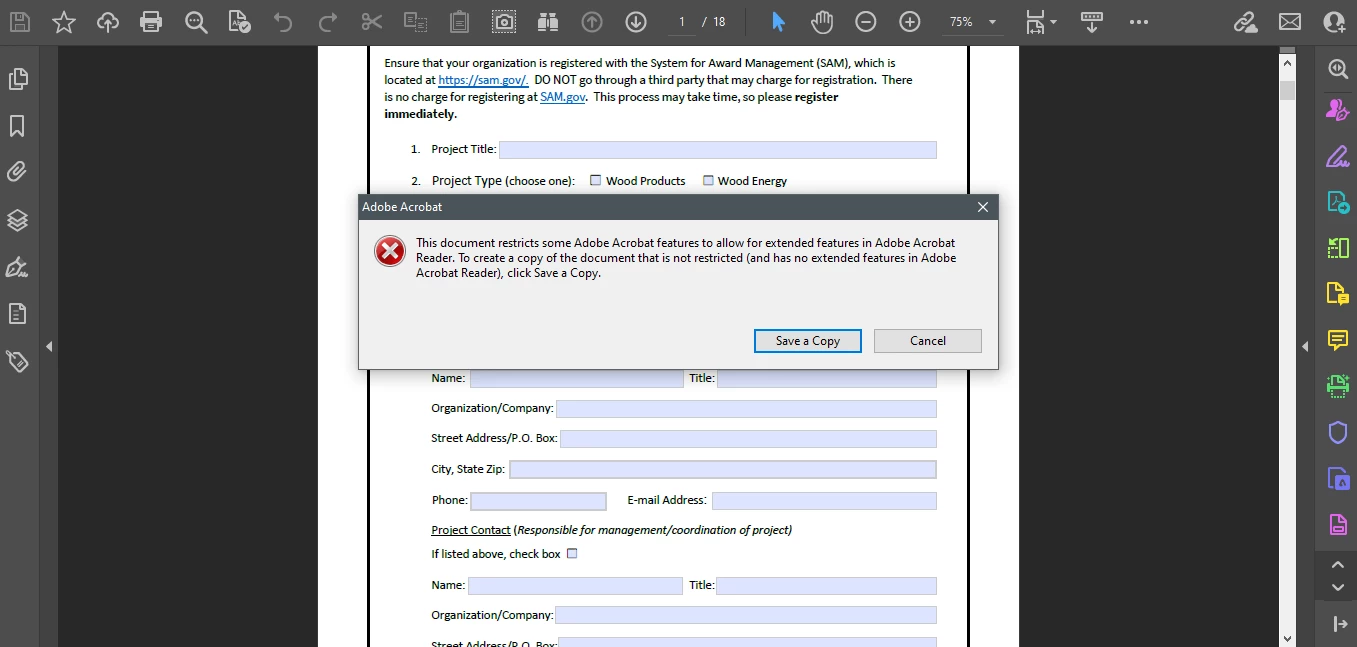
Both the file that is provided for download in the official website and the file that the OP shared showed the same restrictions in both my Acrobat mobile App and Acrobat Pro DC (full desktop version).


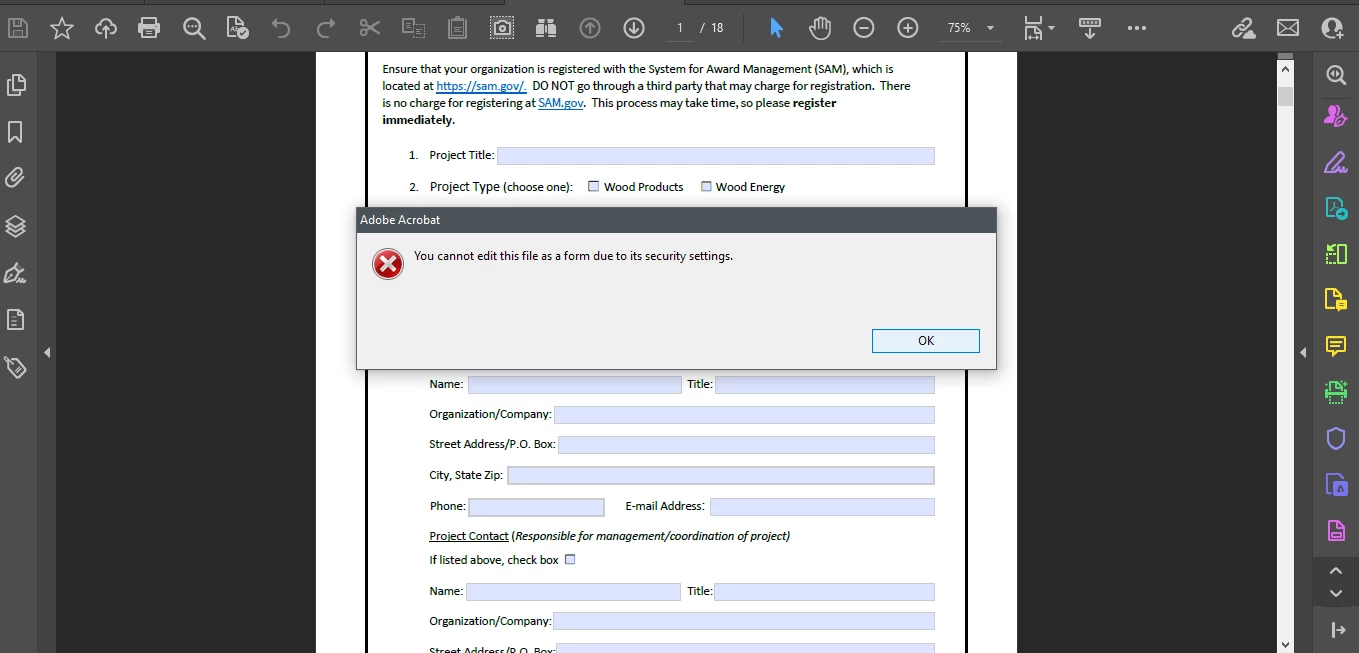
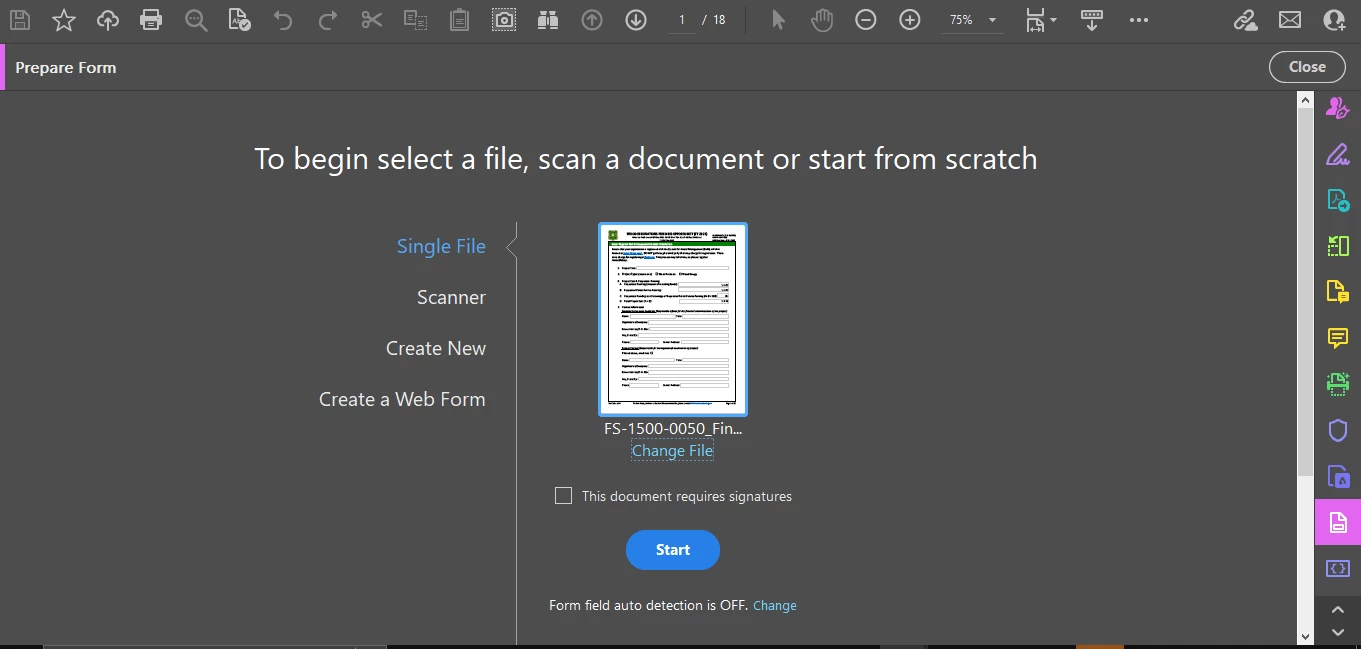
Although I was able to mess arround with deleting static content that seemed more like annotations, the Prepare Form tool is not accessible and also the Edit PDF tool.


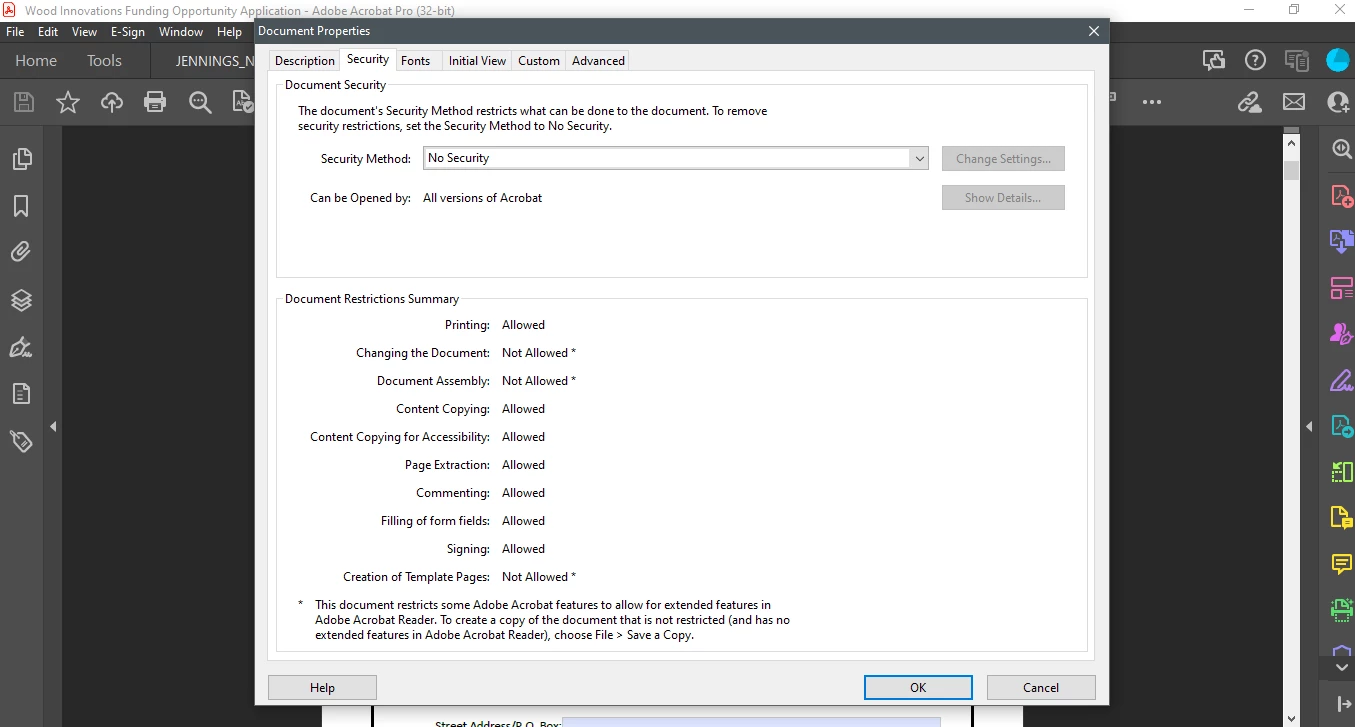
Here are some screenshots:


DOCUMENT PROPERTIES:


NEXT TWO SLIDES,  TRYING TO USE THE PREPARE FORM TOOL:


RESULT AFTER CLICKING ON START (BLUE BUTTON, SLIDE ABOVE)


NEXT SLIDE, THE RESULT AFTER TRYING TO SAVE A COPY WITH A DIFFERENT FILE NAME:


Seems like the OP has posted two different posts that look like a duplicate.


But in this post the file that was  shared is secured.


Your response about Rich Text should correspond to the new topic that the OP posted 20 minutes after, in which the file that he/she shared for download is unlocked.


You can easily remove that "protection" via File - Save a Copy. It's just the Extended Reader Rights, it's not a real security policy.

1 reply

try67
Community Expert
March 17, 2023

The file is not protected or digitally signed. If you have Acrobat you should be able to edit the properties of the fields in it, although I don't recommend you do that, since it's a governmental form.

erinkmAuthor
New Participant
March 17, 2023

Thank you for the reply. I am not trying to edit the content they put in the form, I am trying to edit the properties of the content I put in the form fields. For example, how would I add bullets to the text I put into the form field on page 5? 


BTW I am using Adobe Acrobat Pro via a Creative Cloud subscription and Acrobat is up to date.

ls_rbls
Community Expert
March 17, 2023

That is a secured federal government form.


You won't be able to edit.


I'd recommend to contact the email that is provided in the bottom footer of each page and make them aware that you are not able to fit all of your data in the fields provided.