


New Participant
February 15, 2021
Question

Can't insert image into PDF

  • February 15, 2021
  • 8 replies
  • 26581 views

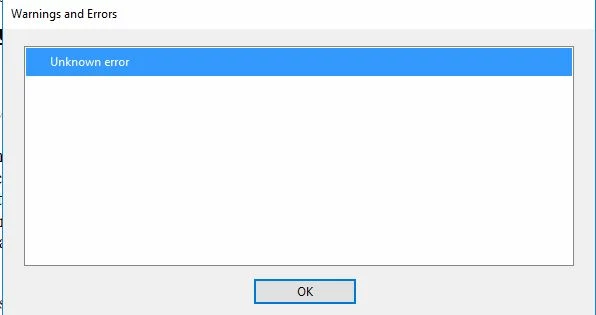
I'm using Adobe Acrobat Pro on a PC. About three days ago, I started getting an error message while trying to add images. It doesn't matter what format the image is in. When I try to insert the image, I get an "unknown error" message (see attachment) and I'm told "the selected image could not be converted and placed in the document." Nothing has changed with respect to my system in the last few days. Any help would be appreciated. Thanks.
8 replies

New Participant
June 6, 2022
  1. Go to key:  HKLM\SOFTWARE\WOW6432Node\Adobe\Adobe Acrobat\DC\ImageConversionPlugin
  2. Create new REG_DWORD buseSandbox
  3. Set the Value as 0

Worked for me for several computers having this issue.

New Participant
June 6, 2022

Thanks, It worked for me to uninstall Adobe Acrobat Pro and install Adobe DC 64x, log in with my Adobe account and automatically changed to pro correcting the problem

Participating Frequently
January 4, 2023

Thank you Juan, I had the same problem and your solution worked for me. Thank you.

New Participant
June 2, 2022

Hi I have adding image issue , I have acrobat pro dc and waiting alot for respond and there is unknown error occurred in the screen


New Participant
June 2, 2022
error.jpg
New Participant
February 1, 2022

Alguien ya tuvo suerte para solucionar este problema, yo tambien tengo desde hace un par de semanas que tengo el error y no puedo insertar la imagen, vi que descargando el archivo imageconversion.api pero no se de donde lo puedo descargar.

Participating Frequently
January 28, 2022

Hello, I'm having the same issue too. My client can't upload an image into the Interactive PDF I have created. Please help?

New Participant
January 19, 2022

I have the same issue, cannot insert png or jpg into PDF. Previously no issue. Now the same error message as Karl5e88.


Also, can no longer combine PDF files in File Explorer

New Participant
January 27, 2022

Same issue. Very frustrating. I reinstalled Adobe Acrobat Pro DC version 2021.011.20039 on Windows Pro 10 Version 20H2.  I tried all of the recommended fixes and tried to add multiple jpeg images with no success. Some help from Adobe would certainly be appreciated. 

New Participant
August 27, 2021

Same issue.  

Adobe Acrobat Pro DC

Version 2021.005.20060


AkanchhaS8194121
Brainiac
September 1, 2021

Hi,


Are you also experiencing the same "Unknown Error" when inserting an image into PDF? 

Would you mind checking with a different file? Also, try a few troubleshooting steps suggested above. 


Thanks,

Akanchha 

New Participant
September 16, 2021

I followed all the steps above and still have the same problem.  I cannot insert an image or create a custom stamp.


New Participant
April 24, 2021

Hi Karl,


Open the image in the standard windows viewer. RMB on the picture and select copy. In Acrobat, on the page, RMB and select paste. Image is inserted and you can drag it around.


Regards.

AkanchhaS8194121
Brainiac
February 15, 2021

Hi Karl,


Thanks for reporting this to us. 

As per the description I guess it has been working fine a couple of days ago. Is that right?

What has changed recently is the new update. To understand better whether its a latest patch that's causing trouble or something else. Please share the following details-

1- Exact version of Adobe Acrobat. Open Acrobat>Edit>About Acrobat

2- Exact OS version


Meanwhile, steps to perform-

  1. Check with a different file, as it could be a file specific issue or its a secured file.
  2. Navigate to Acrobat>Edit>Preferences>Page display>check "Show large images">OK>close reopen app.
  3. Open Acrobat>help>check for update
  4. For testing, 

Navigate to Adobe Acrobat>Edit>Preferences>Security (Enhanced)>disable "Protected View" and "Enhanced Security">OK>close and reopen Acrobat

Note: these changes are only for testing purpose. Once tested, please change it back to the previous setting. 

Let us know the result. 


Thanks,

Akanchha 

Karl5E88Author
New Participant
February 16, 2021

Thank you. Yes you are correct. It was working fine until a couple of days ago.

In response to your questions:

1. Adobe Acrobat Pro DC version 2021.001.20135

2.Windows Server 2016


Karl  


Karl5E88Author
New Participant
February 22, 2021

I tried these fixes but unfortunately, I'm still experiencing the same issues