


New Participant
May 24, 2024
Question

Cannot copy a shape from Word and paste it into Acrobat

  • May 24, 2024
  • 2 replies
  • 700 views

Hello,


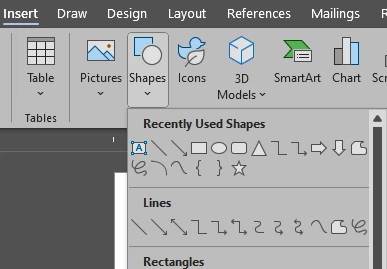
    One of my users is having an issue with copying a shape from a word doc, and paste that shape into Acrobat. This is something he has been able to do this in the past. This would paste the shape as a image. If he copys an image from the same word doc, that will paste into acrobat.


Putting this in here for referance to the shapes
 

This topic has been closed for replies.

2 replies

Abambo
Community Expert
June 7, 2024

I can confirm that it works for me on my Windows 10 machine and Acrobat Pro 2024.002.20759

ABAMBO | Hard- and Software Engineer | Photographer
Amal.
Community Manager
Community Manager
June 6, 2024

Hi there


Hope you are doing well and thanks for reaching out.


What happens when he tries to copy and paste the shape to Acrobat from MS Word, does he get any error message? If yes, please share the screenshot of the same. Also share a small video recording of the steps he is following for more clarity.


What is the version of the OS and the Acrobat DC you are using? To check the version go to Help > About Acrobat and make sure you have the recent version 24.02.20759 installed. Go to Help > Check for updates and reboot the computer once.


~Amal

TekjockAuthor
New Participant
June 7, 2024

NO errors, just does not paste and it worked a week before this happened

TekjockAuthor
New Participant
June 7, 2024

Hi there


Please remove the application using the Acrobat cleaner tool https://www.adobe.com/devnet-docs/acrobatetk/tools/Labs/cleaner.html, reboot the computer and reinstall the application using the direct link https://helpx.adobe.com/acrobat/kb/acrobat-dc-downloads.html and see if that works.


~Amal


SIGH! I always forget about this one, Well, in my defense, it has been about 5 years since I had to use it last, UNLIKE hte MS Office scrub tool, Hell, I think I have the need to use that a dozen times in the last year alone.


Will give this a go and let you know how it goes.

Thanks