


Known Participant
December 9, 2022
Question

Cannot create form with calculated fields

  • December 9, 2022
  • 1 reply
  • 4401 views

I have created forms (to fill and sign) in past on the DESKTOP LAPTOP APP ADOBE ACROBAT PRO.

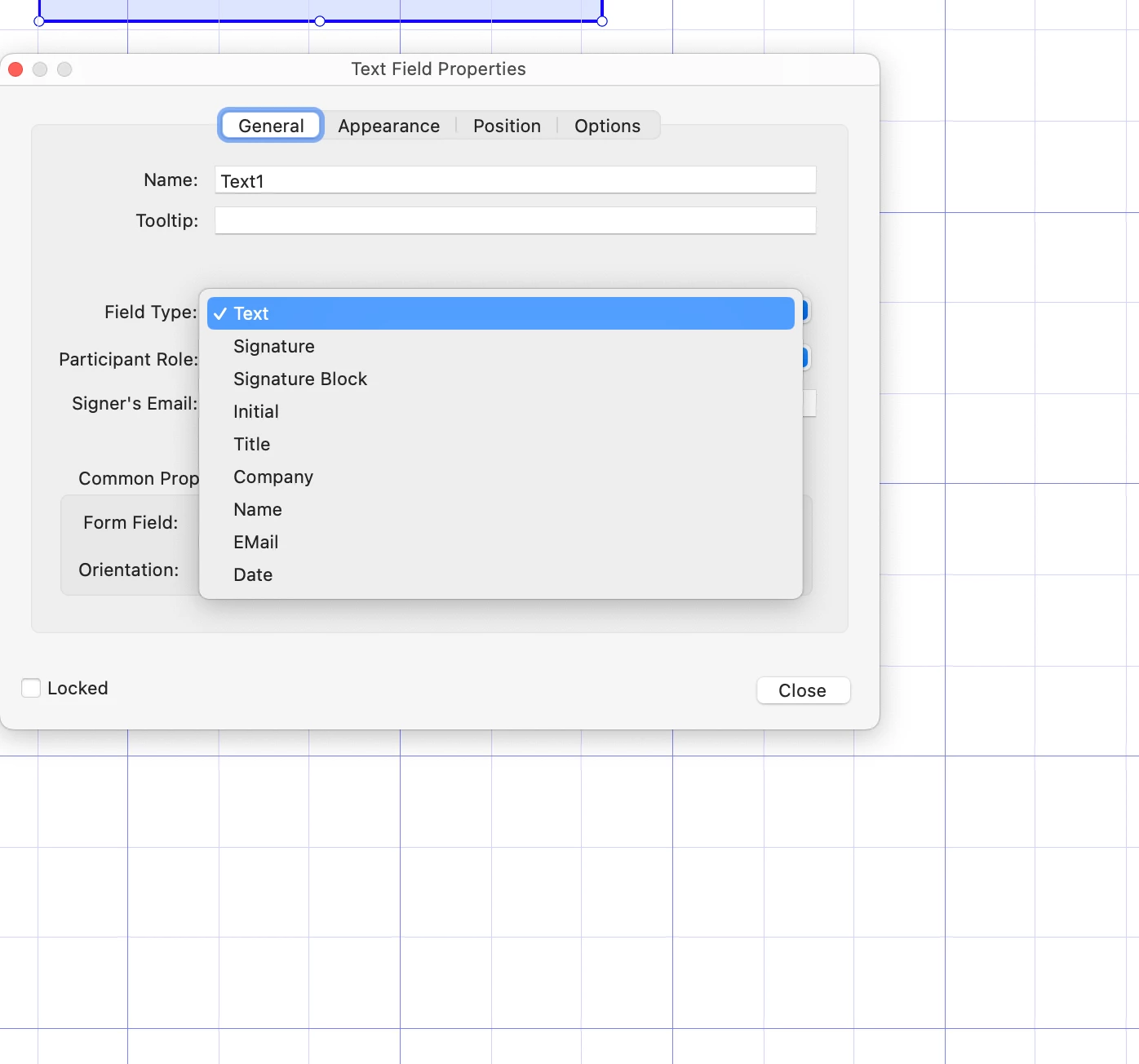
Now I cannot chose the field type "calculated" anymore see screenshot.

Apart of that it is SUPER UTTERLY frustrating that there is one thousand apps called "acrobat" in this support community yet there is ONLY ONE, and it is Adobe Acrobat PRO, point, dot and basta.

Can Adobe not get on task and make this stuff actually userfriendly?!
I cannot even download and edit sign and fill _templates_ that are in the "ONLINE VERSION" of this nightmare so I have to recreate them, because there is one tiny mistake 


Yet as problem state: now suddenly cannot add cacluclate fields anymore.

I a mcrying out loud here, really.
1 reply

try67
Community Expert
Community Expert
December 9, 2022

Click on Tools - Prepare Form and then click on "More" at the right side of the window and then on "Revert to Acrobat Form". In the future, do not tick the box that says "This document requires signatures" when creating the form.

smileBedaAuthor
Known Participant
December 9, 2022

Nah, I was happy too soon, this is not the calculate field

See here what I had used and want to use:https://helpx.adobe.com/sign/using/calculated-fields.html
I simply dont understand why this would not be like in the DOC anymore. 

That stuff I got now cant even do division - not to speak of actual math like percentage calculations, field A plus field B minus Field C per field D and so on.
It was perfectly possible before, my form I have online is proof of it.

try67
Community Expert
Community Expert
December 9, 2022

Calculations in an Adobe Sign form are done completely differently than in an Acrobat form. I think you have to re-create them all from scratch if you convert a file to this format, and it's very likely many things won't be possible to implement there at all.