


Participant
January 6, 2022
Question

Cannot print pdf MacOS Monterrey

  • January 6, 2022
  • 2 replies
  • 1751 views

MacOS Monterrey 12.1

I have seen many similar posts, but none seem to have an answer to my problem. 


I am trying to print a 4 page pdf from Acrobat Reader DC v 2021.007.20099. If I select the default to print all pages, these are my error messages:
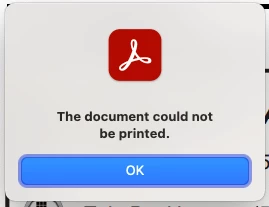
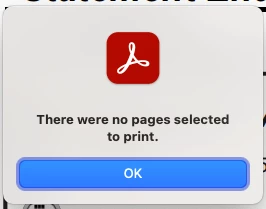
Also, the same when I select a range of pages (1,3,4 for example).


However, I can print the pages one at a time. Terrible time sink. Hope Adobe will offer a patch for this problem.

This topic has been closed for replies.

2 replies

JR Boulay
Community Expert
Community Expert
January 10, 2022

MOVED TO THE ACROBAT READER FORUM

Acrobate du PDF, InDesigner et Photoshopographe
Participant
January 14, 2022
I have a note that my discussion has been "MOVED TO THE ACROBAT READER
FORUM." The provided link only takes me back to my original "discussion"
.....?

Do you have a link that will work?
Amal.
Community Manager
Community Manager
January 7, 2022

Hi there


Hope you are doing well and sorry for the trouble. As described youCannot print pdf on MacOS Monterrey


Is this a issue with a particular PDF file or with all the PDFs? Please try with a different PDF file and check.


Also try to reset the Acrobat preferences as describe here https://community.adobe.com/t5/acrobat-discussions/how-to-reset-acrobat-preference-settings-to-default/td-p/4792082


You may also try to create a new test user profile with full admin rights or enable the root account in MAC and tr using the application there


Also, for testing, please try to open the PDF in a web browser and try to print the PDF from there and check.


You may also check out the correct answers marked here

https://community.adobe.com/t5/acrobat-reader-discussions/unable-to-print-from-adobe-says-no-pages-selected/m-p/7688394#M13232

https://community.adobe.com/t5/acrobat-discussions/there-were-no-pages-selected-to-print/m-p/8918967#M44484


Regards

Amal

Participant
January 7, 2022

Thanks for the tips, Amal. But, pdfs created before the latest update print as expected. The most recently created pdf from my bank does not print as I described. 


I would appear there is a bug in the latest update. I have provided a detailed description of the problem as well as screen captures of the error messages. The messages indicate that no pages have been selected when a normal "print all" is directed. And, if I select a certain range of pages, it displays the same errors. HOWEVER, I can print the document one page at a time. This is very inconvenient. Other work arounds are not acceptable, such as printing from an image. Printing from a pdf should not all of a sudden become a problem.

Amal.
Community Manager
Community Manager
January 10, 2022

Hi there


We are sorry to hear that.


Have you tried the steps suggested in the correct answer marked in the similar discussions shared above?


Regards

Amal