Participant
January 9, 2024
Answered

Certificate Signature Not Showing Reason for Signature

  • January 9, 2024
  • 1 reply
  • 3067 views

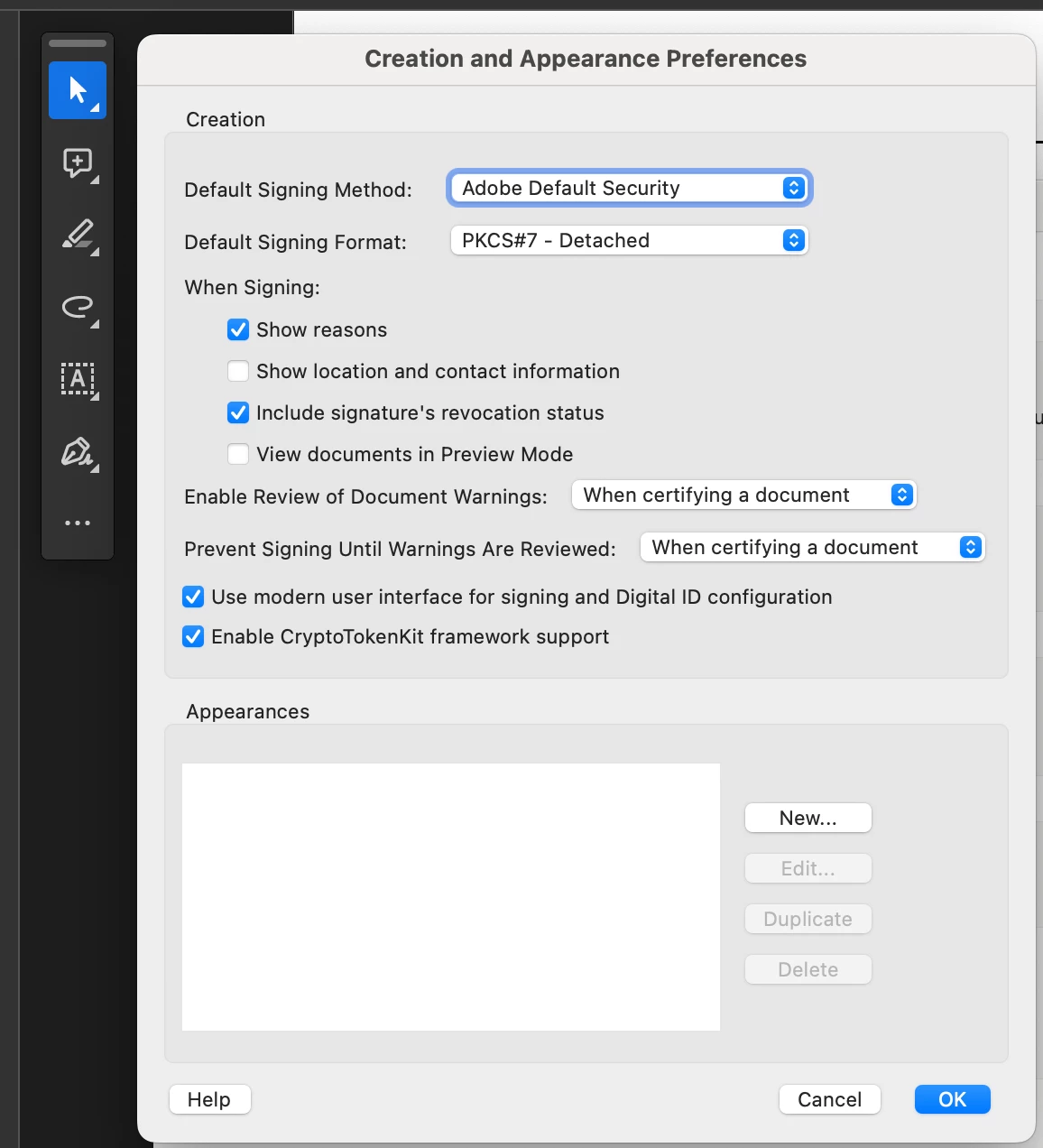
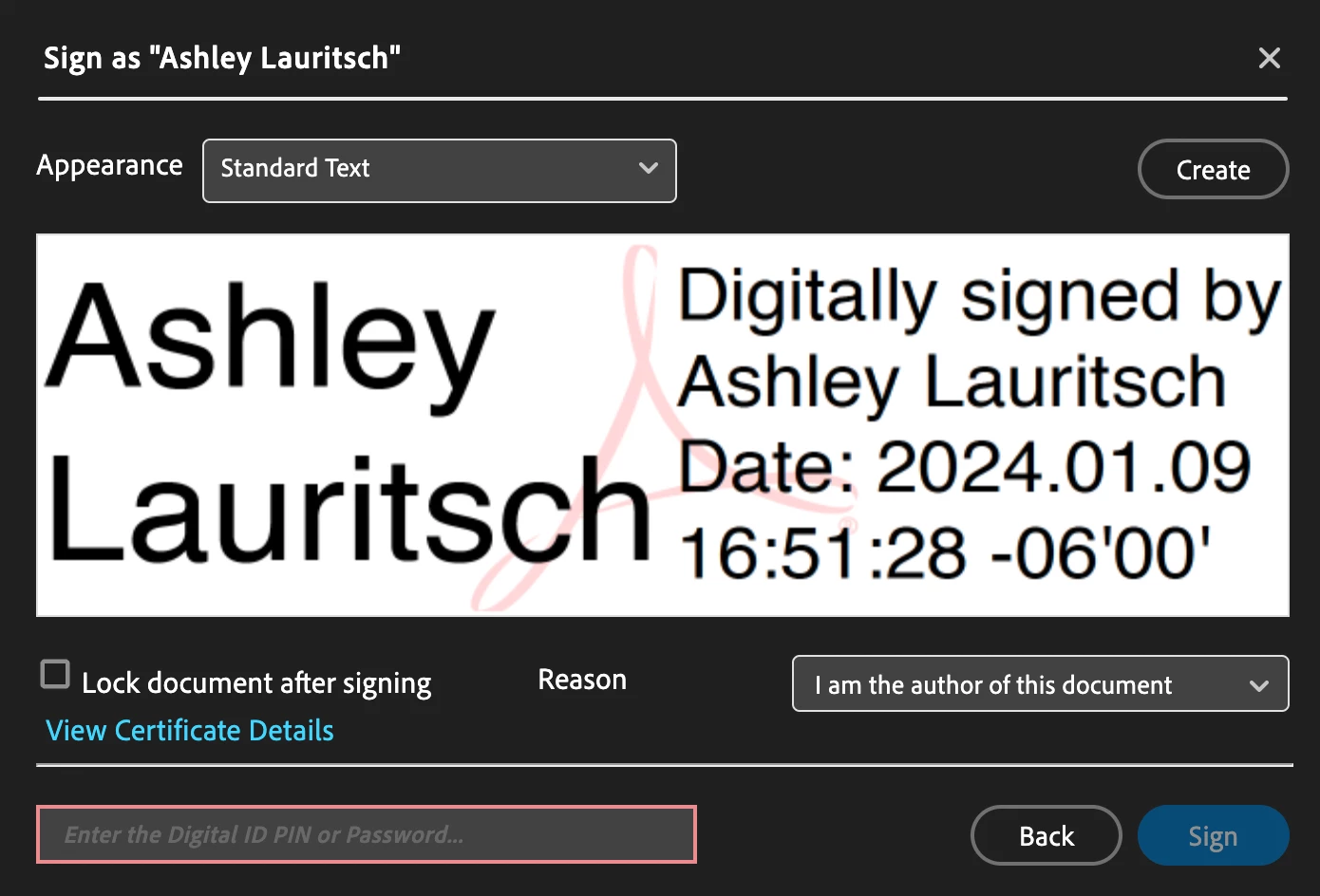
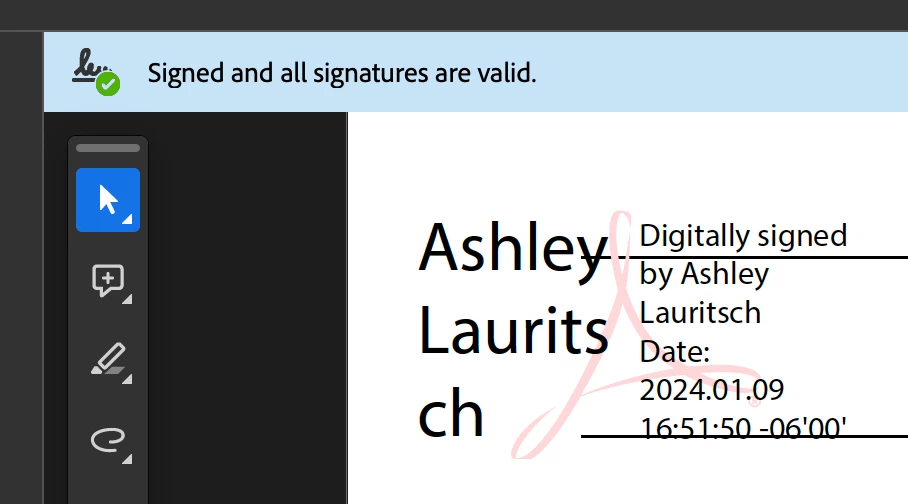
Under preferences --> signatures --> Creation & Appearance I have "Show reasons" checked. When I go to digitally sign I can select a Reason, but on the actual signature the reason does not show. I need the reason I selected to actually show on the document signature itself. I have tried deleting the certificate and adding it back.

This topic has been closed for replies.
Correct answer MikelKlink
quote

Yes, but I would like it to show in the actual signature:
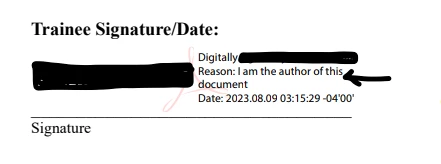
Please be aware that the position @Amal. pointed out is more the actual signature than the position where you want the reason to appear: The signature panel displays information digitally stored in the signature field for machine reading while the in-document visualization can contain arbitrary nonsense unrelated to the digital signature.


Nonetheless, if you want the in-document visualization of the signature to contain a Reason line, you have to start by defining a custom appearance at the bottom of the signature creation and appearance dialog you show. In the dialog that opens when you click on New you see
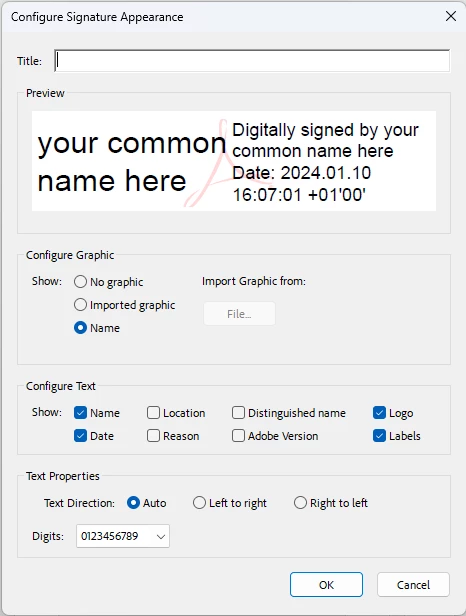
Please select Reason in the configure text frame:
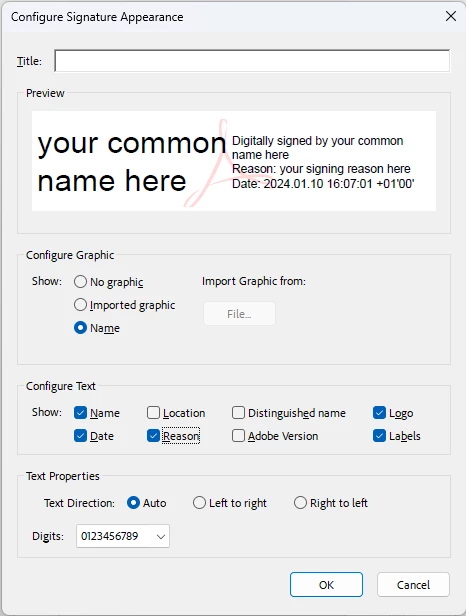
As you see in the preview, there now is a reason line.

Now save this appearance and use it when creating new signatures.

1 reply

Amal.
Community Manager
Community Manager
January 10, 2024

Hi @Ashley34694778h57f


Hope you are doing well and thanks for reaching out.


The reaon of the signature appears under the signature details in the signature panel as shown in the screenshot below:


Hope this information will help


~Amal

Participant
January 10, 2024

Yes, but I would like it to show in the actual signature:


MikelKlink
MikelKlinkCorrect answer
Participating Frequently
January 10, 2024
quote

Yes, but I would like it to show in the actual signature:

Please be aware that the position @Amal. pointed out is more the actual signature than the position where you want the reason to appear: The signature panel displays information digitally stored in the signature field for machine reading while the in-document visualization can contain arbitrary nonsense unrelated to the digital signature.


Nonetheless, if you want the in-document visualization of the signature to contain a Reason line, you have to start by defining a custom appearance at the bottom of the signature creation and appearance dialog you show. In the dialog that opens when you click on New you see

Please select Reason in the configure text frame:

As you see in the preview, there now is a reason line.

Now save this appearance and use it when creating new signatures.