


Certify options not active ("Use a Certificate" tool)
Hello Community,
After an unhelpful and rude chat with Adobe support saying that this is a free tool and I do not get support from them , I am turning to you.
I have tried to follow on my own this guide:
https://helpx.adobe.com/in/acrobat/using/certificate-based-signatures.html
BUT, the Certify options are not active for me (grayed out)
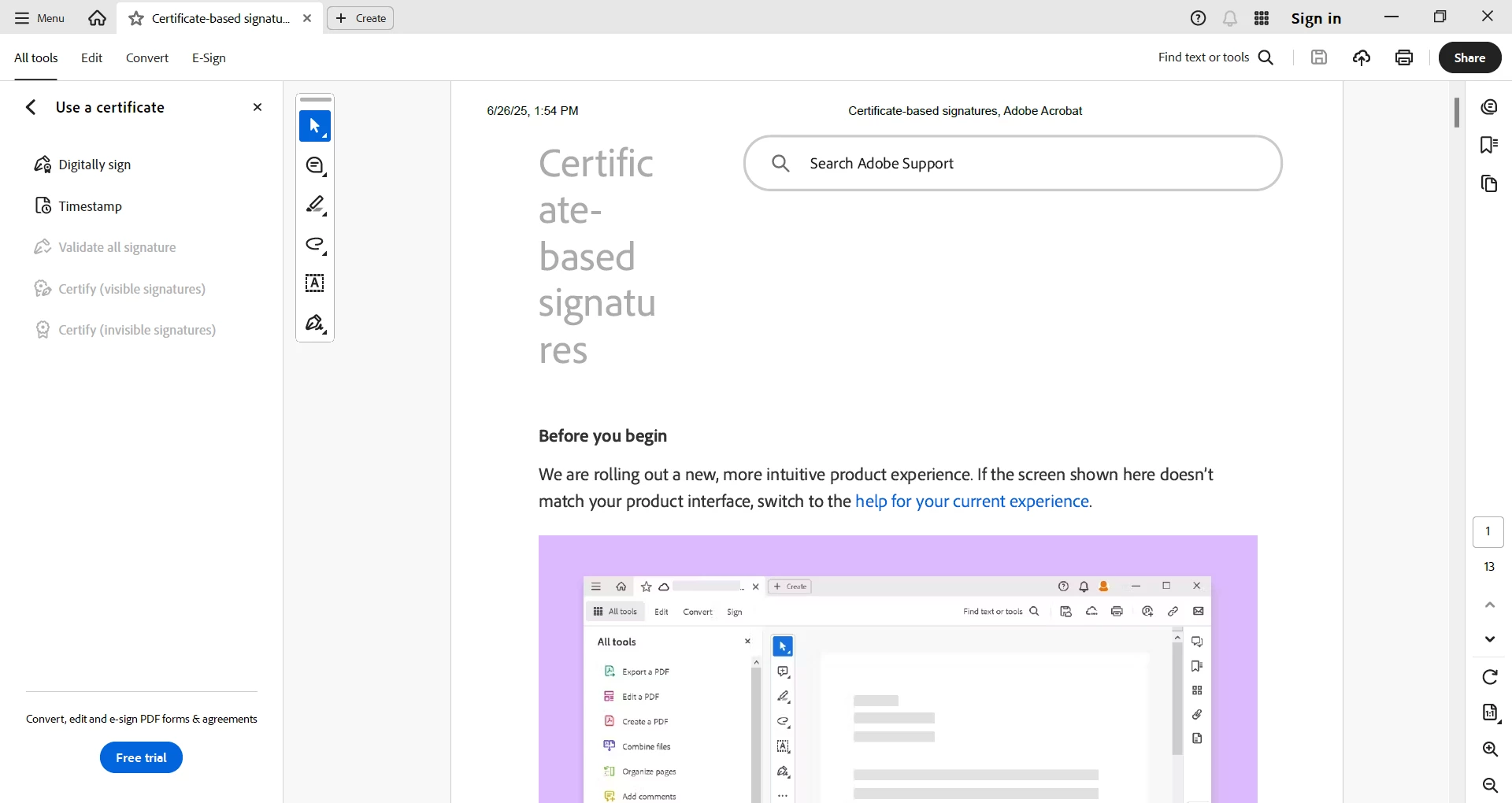
Q1) How can we enable/use those Certify (both with visible and invisible signatures)?
it is not mentioned in the guide what the requirements or configuration is
And, I did search on the community or online before... so:
Yes, this does happen on all PDFs (none are previously signed or certified; for example, I just print a page as PDF and try to Certify it)
Yes, I do have the latest version (went to help / check for updates)
THANK YOU FOR YOUR HELP !
 AdChoices