


Answered
Characters after dot/period in file name disappear when printing PDF from MS Word
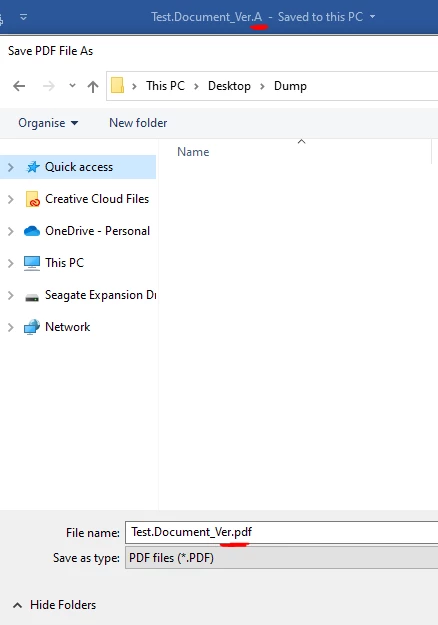
I just changed computers and noticed a new problem when printing from MS Word to PDF using Adobe PDF printer. Any characters in the Word file name after the last full stop/period are lost. E.g. in this screen shot the full file name is Test.Document_Ver.A, but when it prints the suggested file name drops the .A. I can manually type it in, but it's just annoying because all of my work documents are version controlled with a .X on the end. It has never been a problem before. Doesn't happen in other software, just Word. I can't find an option anywhere in Word, or the printer set up, or Adobe to deal with this. Thanks.
 AdChoices