


Known Participant
October 15, 2021
Answered

Clear form button not working on IPad

  • October 15, 2021
  • 2 replies
  • 2452 views

I have a button that clears all information on the form and gives the user a warning before they can clear the form.  The button works on the Macbook Pro however it does not work on the iPad.  The picture below is the message that I'm getting on the iPad when I press the "Clear Form" button.  The version of Acbrobat Reader on the iPad is 21.09.01.
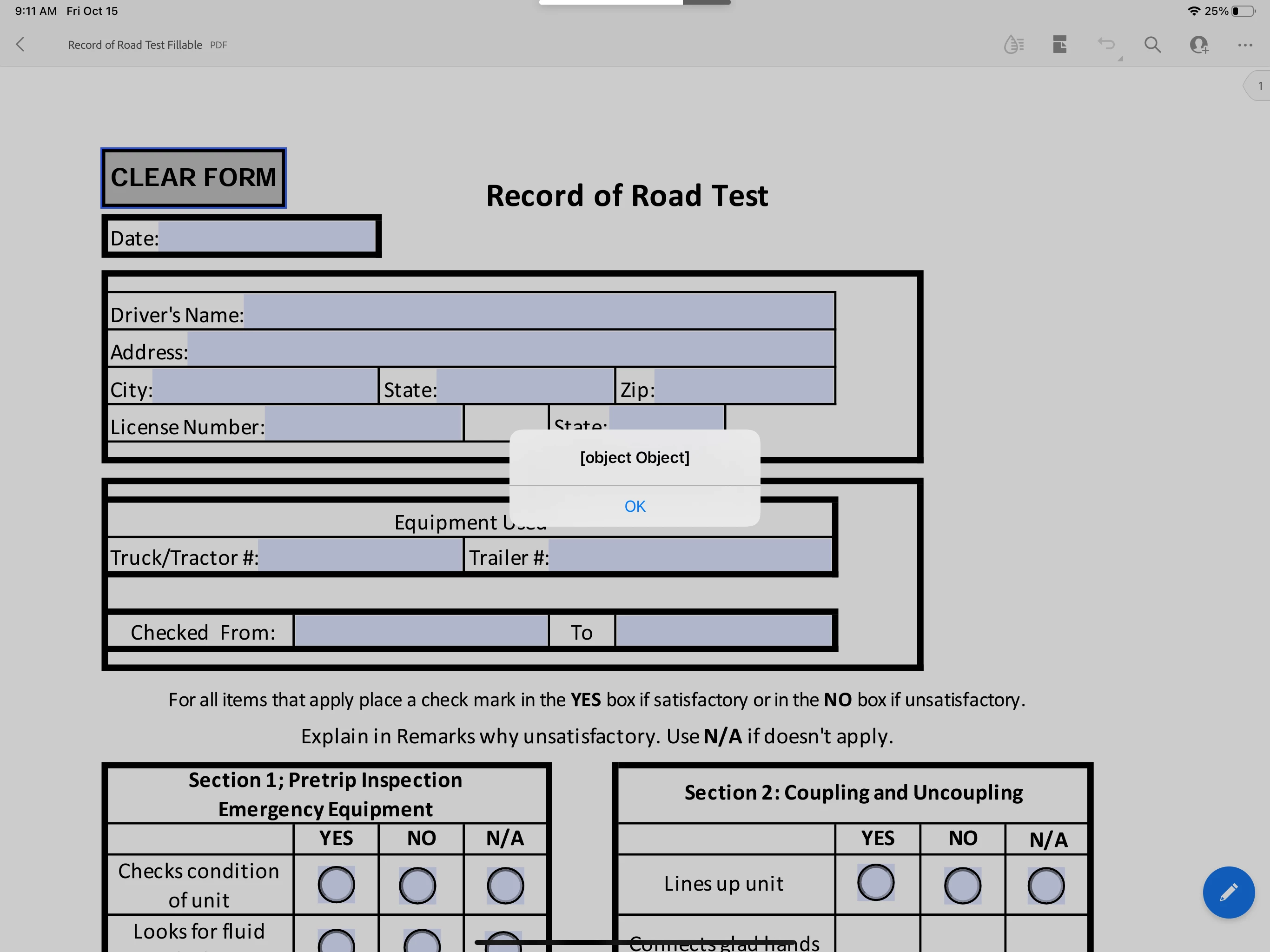


Below is the code that I'm using on the Mouse Down action.  I don't necessarily need to offer the user to save the file, however I would like to give the user a warning message before they commit to clearing the form.


// A MouseUp action

var nButton1 = app.alert({

cTitle: "HOW TO SAVE THIS DOCUMENT AND CLEAR THE FORM",

cMsg: "STOP! DO NOT CLEAR THIS FORM UNLESS YOU SAVE IT FIRST. \r\rIf you have not saved this document yet go ahead and click NO to save now, otherwise click YES to clear this form. \r\rWould you like to proceed and clear this form now?", 

nIcon: 4, nType: 2

});

//if user clicks on YES button it will alert the user that it will reset and ask YES or NO to proceed

if ( nButton1 == 4 ) {

// clear and reset all the fields objects in this document
this.resetForm();

} else {

//if user clicks NO button it will alert user with instructions on how to save document

var nButton2 = app.alert({

cTitle: "SAVE THIS FORM",

cMsg: "This document will Save now.\r\rSave this form under Last Name, First Name - Date",

nIcon: 4, nType: 1

});

if ( nButton2 == 1) {

app.execMenuItem("SaveAs");

  }
}


This topic has been closed for replies.
Correct answer try67

The mobile version of Reader has almost no support for scripts, unfortunately. You should try PDF Expert by Readdle. It has a better chance of working there.

2 replies

Known Participant
August 4, 2022

I'm having trouble getting the save part of this script to work even in PDF Expert. Any suggestions?

BrentJMAuthor
Known Participant
August 4, 2022

Unfortunately there is no save option in the script.  This script is just a warning to the user that they need to save the form before they clear the form.

Known Participant
August 4, 2022

Below is what I ended up doing because I'm thinking that I was having the same problem as you.


// A MouseUp action

var nButton1 = app.alert({

cTitle: "WARNING!!!! WARNING!!!!",

cMsg: "STOP! DO NOT CLEAR THIS FORM UNLESS YOU HAVE SAVED IT FIRST. \r\rIf you have not saved this document yet go ahead and click NO and save the form, otherwise click YES to clear this form. \r\rWould you like to proceed and clear this form now?", 

nIcon: 4, nType: 2

});


//if user clicks on YES button it will alert the user that it will reset and ask YES or NO to proceed

if ( nButton1 == 4 ) {

// clear and reset all the fields objects in this document
this.resetForm();


}

I think that is basically what I ended up with as well.  One question...I've noticed every script posted in the forums has the nButton variable set for app.alert boxes, but most of mine work just fine without setting that variable. Is it absolutely necessary in all cases to set that variable? and why?

try67
try67Correct answer
Community Expert
October 15, 2021

The mobile version of Reader has almost no support for scripts, unfortunately. You should try PDF Expert by Readdle. It has a better chance of working there.

BrentJMAuthor
Known Participant
October 17, 2021

I downloaded PDF Expert and it worked.  Thanks for the help.