


Participant
February 11, 2022
Answered

Color layer not showing in Acrobat PDF file, even though it shows in other programs.

  • February 11, 2022
  • 1 reply
  • 1147 views

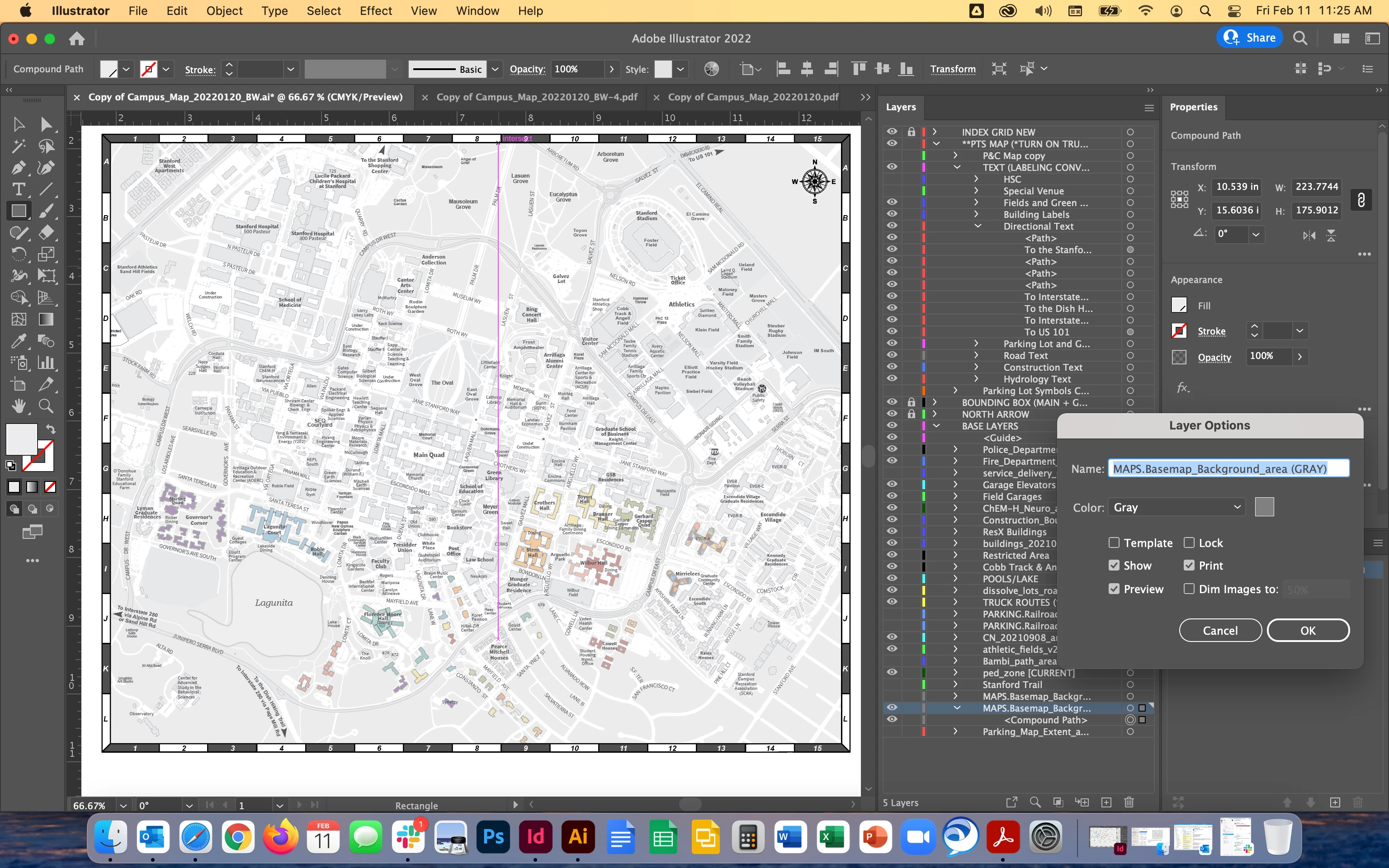
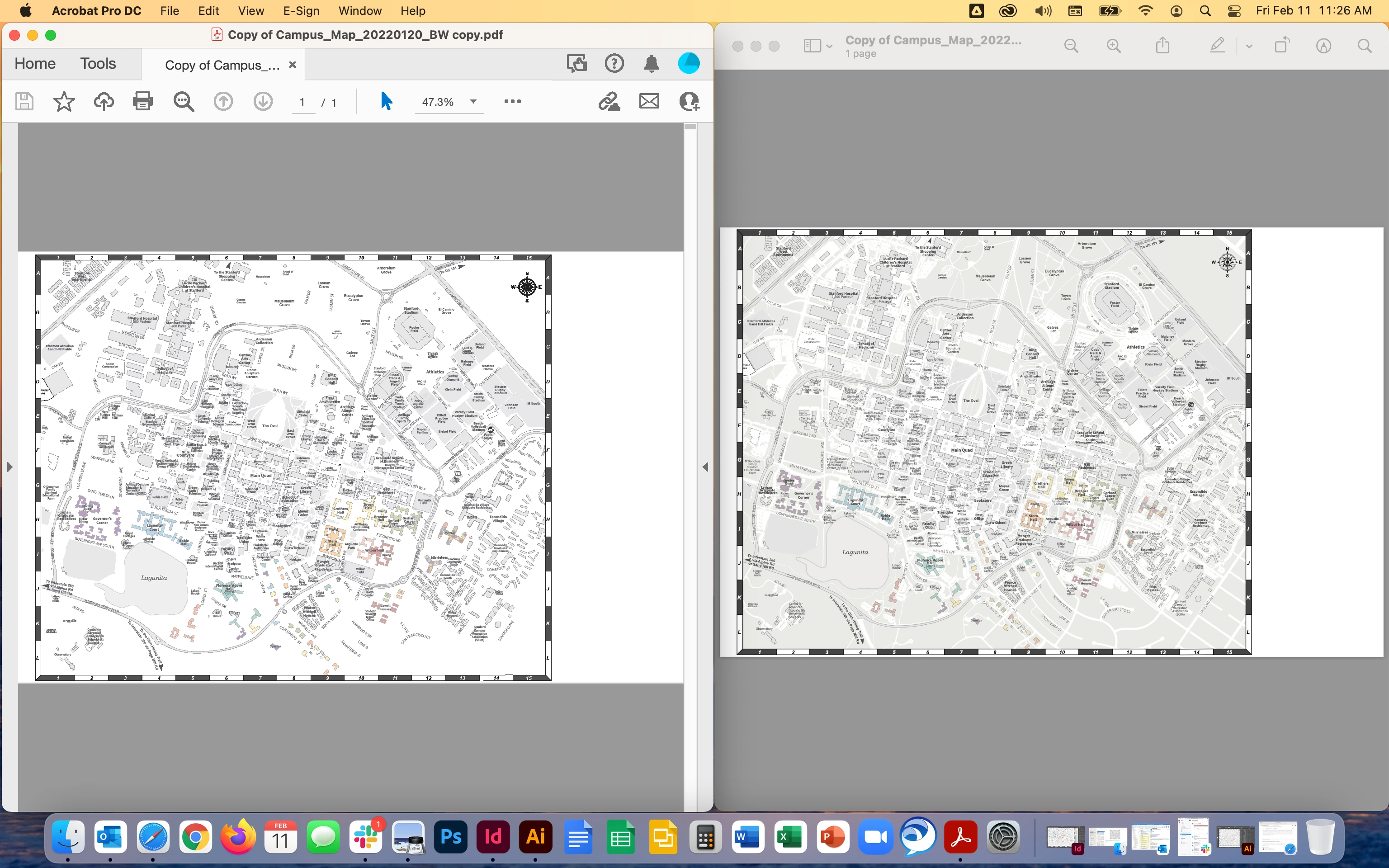
I have a map with many layers. At the very bottom layer I have a solid rectangle with grey color. I can see it when in Illustrator and InDesign, however when I export either to a PDF and open it in Adobe Acrobat Pro DC, the color layer dissappears. The weird thing is if I open the same exact PDF file in a different program like the Preview on Mac, or a colleague opens it in Windows, the color layer displays just fine.

What is happening with my Adobe Acrobat that is preventing me from seeing this layer? It is there, it is turned on, it is visible when viewed in other programs, therefore I can only think that it is something to do with my Acrobat program. Using Creative Cloud to update so it is always up to date. On version 2021.011.20039
 

This topic has been closed for replies.
Correct answer jenmcgarvey

Okay, so after comparing the settings in Acrobat to another computer with the same program, I realized that somehow the accessibility setting to "Replace Document Colors" was turned on on this one and was the reason that the layer would not display. Hope this is helpful for anyone who might be having this same puzzling issue.

1 reply

jenmcgarveyAuthorCorrect answer
Participant
February 11, 2022

Okay, so after comparing the settings in Acrobat to another computer with the same program, I realized that somehow the accessibility setting to "Replace Document Colors" was turned on on this one and was the reason that the layer would not display. Hope this is helpful for anyone who might be having this same puzzling issue.

Participant
January 18, 2024

This solved my problem, after spending a couple of hours trying to find the solution.  Many thanks for this!!