New Participant
August 19, 2025
Answered

Combine Files in File Explorer

  • August 19, 2025
  • 2 replies
  • 722 views

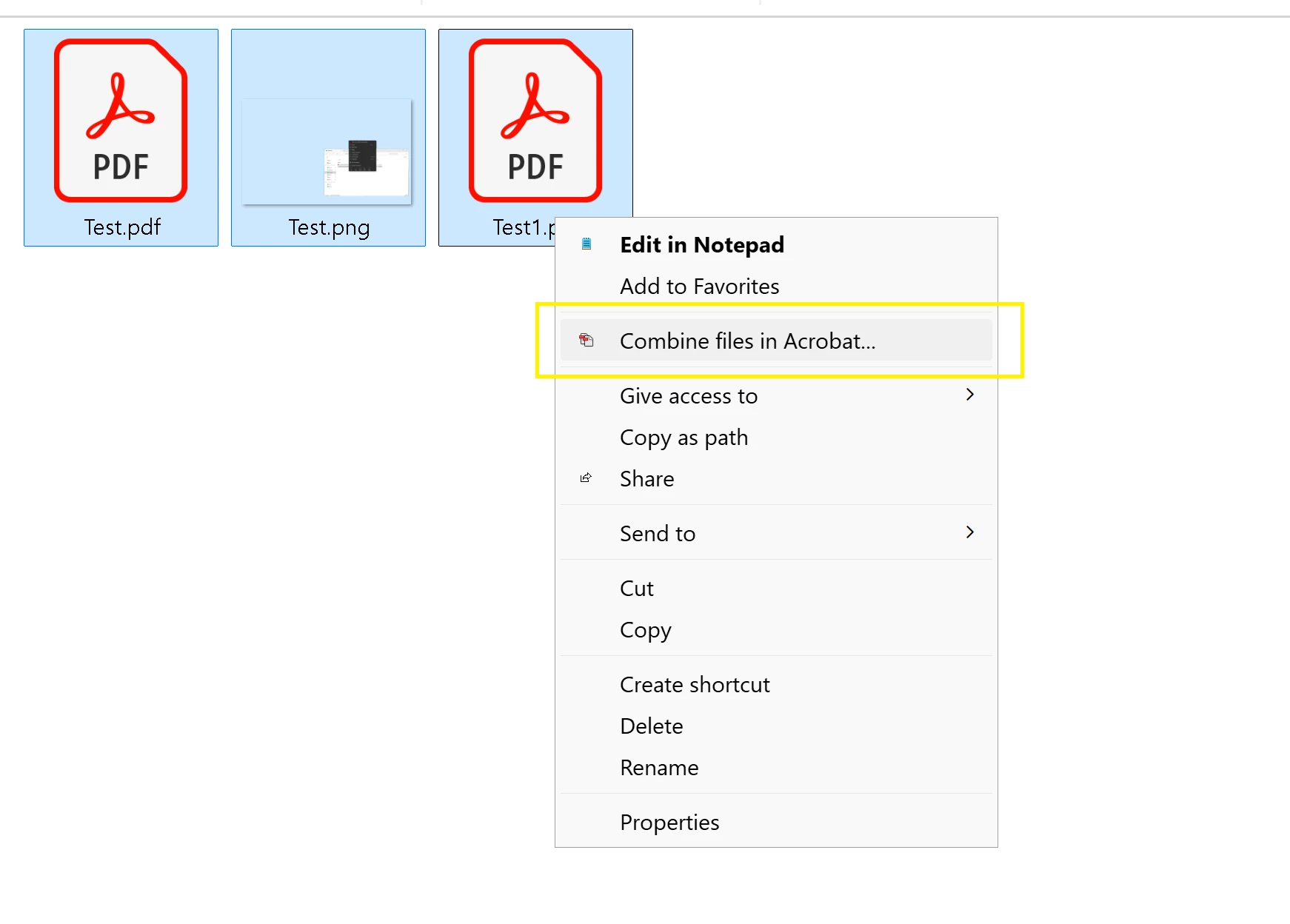
I had a option to selcect combile files in File Explorer for docs, but it seems to be disappeared.

Last week I did a repair installation which actullay fixed the issue but now again combine file option is missing
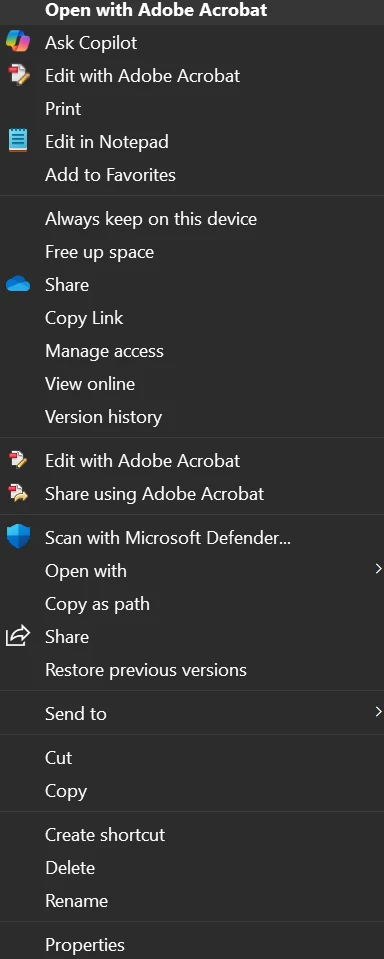
FYI, this is happening to 2 user one has adobe pro license and other has creative cloud all apps.

Can you assist
 

    Correct answer Akash2653276196i4

    Hi @casey_7788 It looks like you might be checking the right-click menu on just a single PDF file. Could you please confirm selecting multiple files in File Explorer, what menu option do you observe?


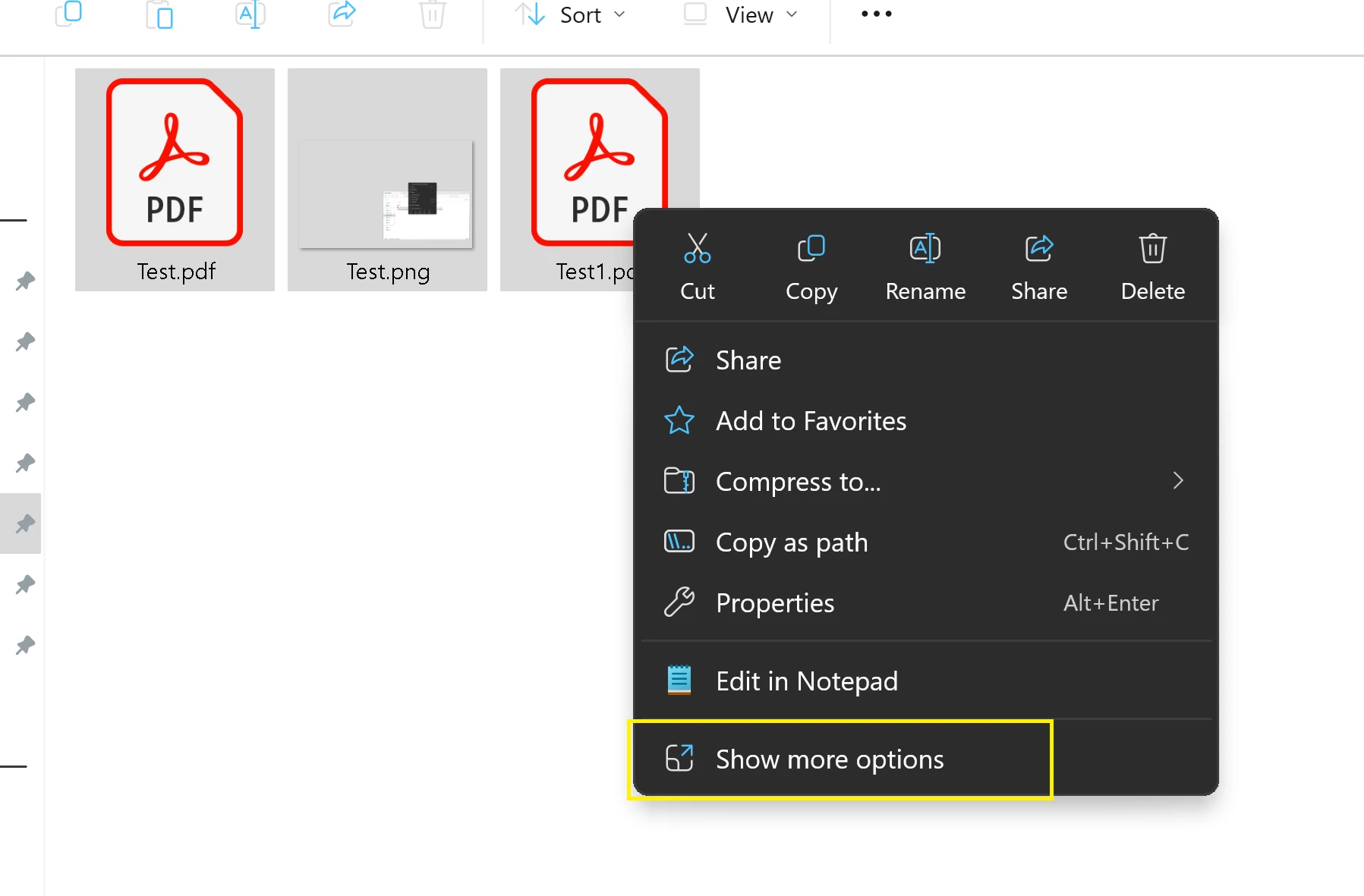
    The “Combine Files in Acrobat” option only shows up when more than one files are selected, and you’ll find "Combine files" touchpoint under “Show more options” (secondary/traditional menu).


    I’ve checked this on the latest Acrobat build and can confirm it’s working as expected — attaching a screenshot for reference.

    2 replies

    Akash2653276196i4Correct answer
    Adobe Employee
    August 19, 2025

    Hi @casey_7788 It looks like you might be checking the right-click menu on just a single PDF file. Could you please confirm selecting multiple files in File Explorer, what menu option do you observe?


    The “Combine Files in Acrobat” option only shows up when more than one files are selected, and you’ll find "Combine files" touchpoint under “Show more options” (secondary/traditional menu).


    I’ve checked this on the latest Acrobat build and can confirm it’s working as expected — attaching a screenshot for reference.

    New Participant
    August 28, 2025

    I have a similar issue. Combine files used to be an option for directories in file explorer, a feature I found very useful. It recently disappeared, I think following the latest Acrobate update. Reinstallation didnt work.  For example, 20630 is broken in this respect. I went to a non-updated machine where the feature was present, updated it and the feature disappeard. For the time being I have reinstalled 2023.001.20143 and the feature is restored. See attached. I have turned the autoupdate feature off for the time being.


    Was this deliberately removed or was it an accident? Either way, can it be restored?


    In the meantime, if someone could tell me how to obtain an  "Acrobat_DC_Web_x64_WWMUI" installation file from June 2025 that would be helpful.

    Adobe Employee
    September 3, 2025

    Apologies for the inconvience. This issue is fixed in the latest update. Release notes - https://www.adobe.com/devnet-docs/acrobatetk/tools/ReleaseNotesDC/continuous/dccontinuoussep2025sec.html#dccontinuousseptwentytwentyfivesec.


    Please do a "Help -> Check for updates" to update to the latest version and let us know if you still see issues. 

    kglad
    Adobe Expert
    August 19, 2025

    in the future, to find the best place to post your message, use the list here, https://community.adobe.com/

    p.s. i don't think the adobe website, and forums in particular, are easy to navigate, so don't spend a lot of time searching that forum list. do your best and we'll move the post (like this one has already been moved) if it helps you get responses.


    <"moved from using the community">