

Combine pre-selected files in Acrobat - Simply
I've been trying to get Acrobat Pro DC (running under Windows 10) to create new PDF files by combining files on disk. It would appear, from the interface, that I can select two files on disk, right click, and combine those files in Acrobat. The options are different, depending on whether PDF files or another format are selected.
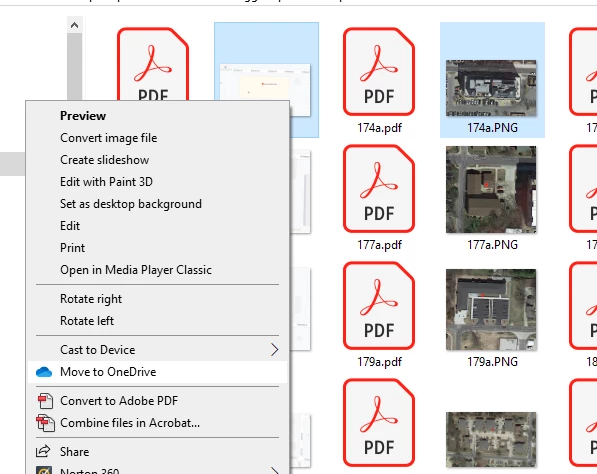
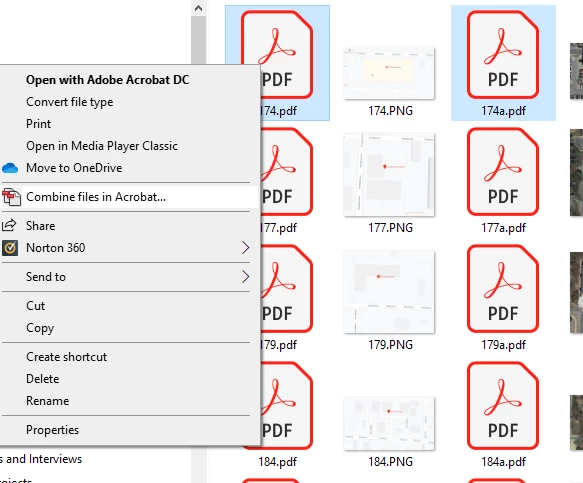
When I click on "Combine files in Acrobat, I get a familiar screen that would make it seem I can simply "Save as" and select a new file name for the combined file. But this is not the case.
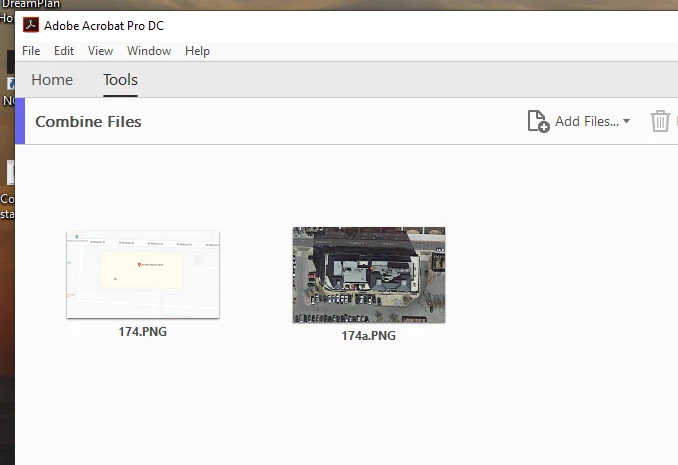
From this point forward, no matter what options I choose, I'm into a completely foreign process. It's as if Acrobat will show me the files I've selected and imported/opened, as shown above, but not allow me to perform any action on them. I think I can get to a place where I can save the files as a portfolio, but I have never explored portfolios, having found no need for them yet.
Am I missing something? After I select my files and move forward through Acrobat's menu options, I don't find a way to save a new file with those files as contents.
I simply want to preselect my files, combine them and save them in a new file - in two or three steps. Seems like a simple, no-brainer to me. But Adobe's programmers and testers, apparently, have never done something so simple.
 AdChoices