


Converting colors increases file size five times
- June 30, 2024
- 3 replies
- 2067 views
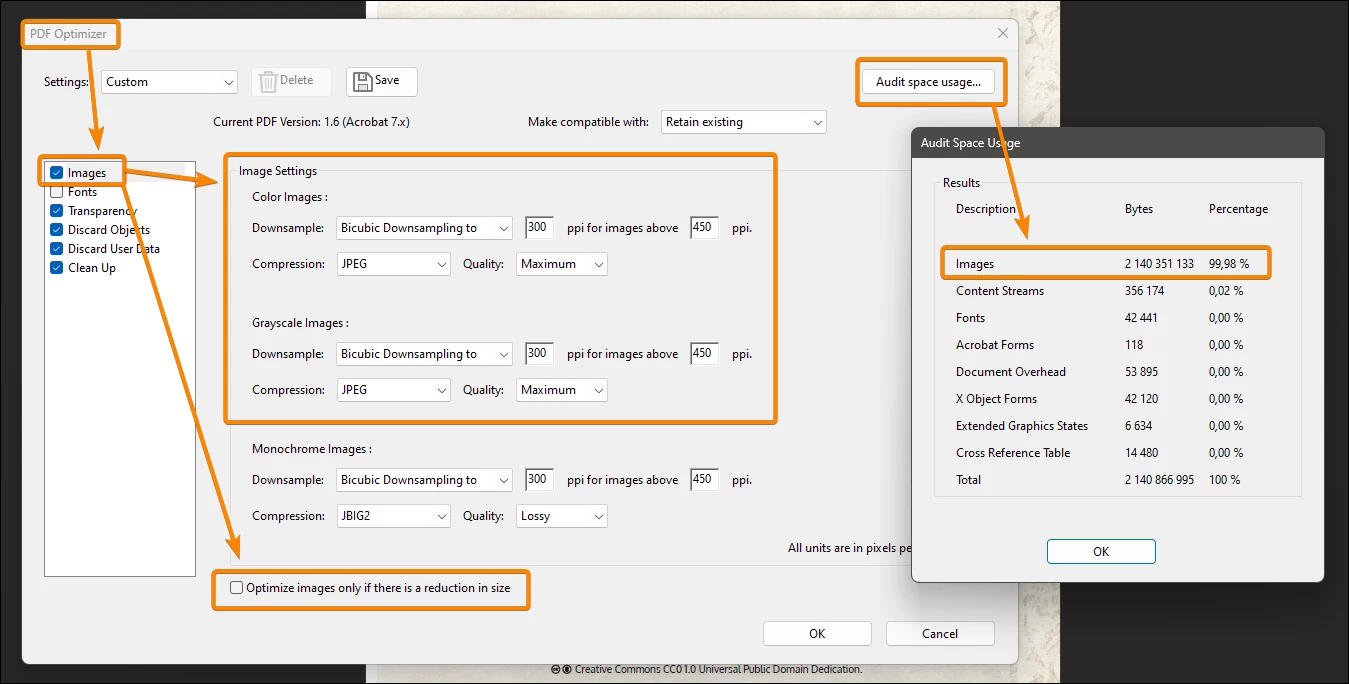
When I open a 374 MB PDF, convert colors to CMYK using the Convert Colors tool in Adobe Acrobat's Print Production menu and save the file, the resulting file is 1.99 GB - twice larger than the printing house's set upper limit of 1GB for uploads.
Why would converting colors increase file size five fold?
The document contains 76 pages of colored illustrations and text. The text is black, overprinted over pages with a parchment-like texture image. All fonts are subset. The color profile I'm converting to is CGATS21 as required by the printing house. I use following options in the Convert Colors tool:
- Conversion Profile: CGATS21
- Rendering intent: Relative Colorimetric
- Convert Options selected: Preserve Black, Promote Gray to CMYK black, Preserve CMYK Primaries
I've attached a page without illustrations before and after conversion. I'm not able to attach a page with illustration, as it would exceed the file size limit of this forum, but the file sizes for a page with half-page illustration at 638 PPI (before downsampling) is 76.4 MB before and 82.0 MB after color conversion.
 AdChoices