


PaulSp14331075
Participant
July 15, 2022
Question

Copy and paste text into the Table Summary text field of Acrobat Pro DC

  • July 15, 2022
  • 2 replies
  • 2892 views

I can no longer copy and paste text into the Table Summary text field of Acrobat Pro DC, for example, I used to be able to copy text from the PDF document and paste it into the Table Summary field, in order to fix accessibility failures. I am using Adobe Acrobat DC (22:001.20169).


This topic has been closed for replies.

2 replies

PaulSp14331075
Participant
October 19, 2022

This issue now seems to have been resolved. 

Meenakshi Negi
Community Manager
Community Manager
July 15, 2022

Hi PaulSp!


Thank you for reaching out, and sorry about the trouble.


Could you please check and confirm if the issue occurs with all PDFs or with some particular file?

It would be helpful if you could share the sample file to test and step by steps workflow you do that does not work.


In the meantime, try repairing the application installation.

Go to Help > Repair Installation in Acrobat. Check if that helps.


Let us know how it goes.


Thanks,

Meenakshi


PaulSp14331075
Participant
July 18, 2022

Hi there Meenakshi, thank you for your response. I tried repairing Acrobat Pro but it didn’t fix the problem. It’s an issue that is affecting all my PDF documents and my friends are having the same issue with their Acrobat Pro software. I use a Windows 10 Enterprise laptop. This is what I am trying to do (but is no longer possible): 

  • In the attached PDF, run the Accessibility Check. 


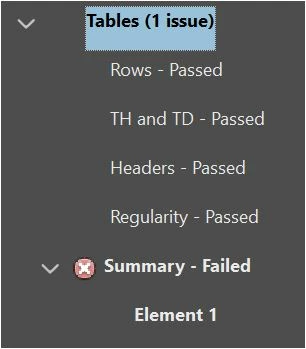
  • There will be one error under the Tables heading, Summary – failed.
  • Click on Element 1 which takes you to page 25.


  • Copy the text ‘FY2 Woodland Infrastructure’ which is a few lines above the table on page 25.
  • Select Reading Order (under Accessibility)
  • Select the table by drawing a rectangle around it


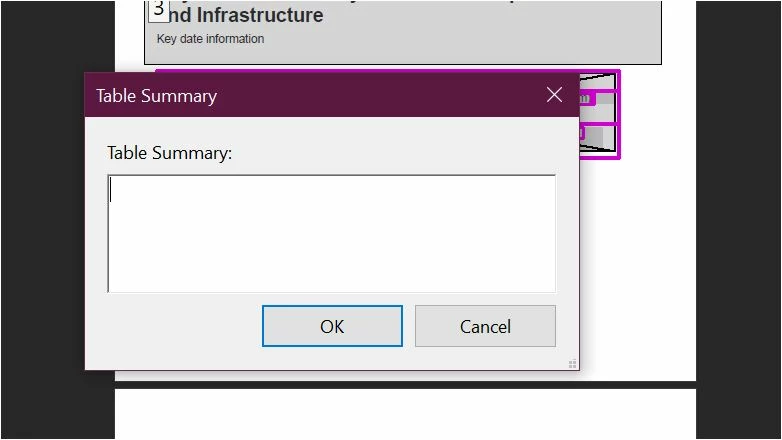
  • Right click on the table and select ‘Edit Table Summary’


  • Paste the text copied earlier into the Table Summary text box
  • It doesn’t paste (it used to work earlier last week), the text has to be manually typed.


When I have documents with lots of tables I will copy and paste the Table Summaries text which is so much quicker than having to type every one. This appears to be a fault with Acrobat Pro DC.

Kind regards.

PaulSp14331075
Participant
September 15, 2022

Hi there! Were you able to fix this? I have exactly the same problem.


Let me know! Thanks 🙂


Hi there Elisav, sadly I am still having this problem which causes a lot more work when I have a lot of table summaries to complete for accessibility. I am hoping that @Meenakshi Negi will get time to look into this as it used to work fine.

Kind regards.