

This topic has been closed for replies.
Correct answer Abambo

my bad, assumed id haveto upload it somewhere 
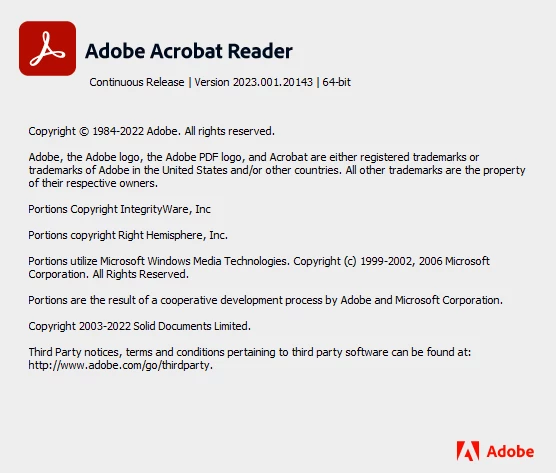


You have Acrobat Reader installed. Acrobat Reader does not allow for edits.

3 replies

Participating Frequently
April 29, 2023

also it doesnt let me copy the image, i cant click on it at all other than checking the white box in the top corner of it. When right clicking all i see is print, reduce / enlarge

Community Expert
April 29, 2023

As mentioned in my other reply, if you have Acrobat Reader, you won't be able to edit the PDF files. Adobe has Acrobat Standard and Acrobat Pro as seen below, both are paid versions that allow editing.

https://www.adobe.com/acrobat.html

Here is a page on editing a PDF
https://www.adobe.com/acrobat/how-to/pdf-editor-pdf-files.html 

Participating Frequently
April 29, 2023

You have Acrobat Reader installed. Acrobat Reader does not allow for edits.


Figured it out, thanks for the help guys. Your times very much appreciated. 

Participating Frequently
April 29, 2023

I was given a standard DC license, am i able to use that or do i need to request pro? Also think im using a new version seeing as the coworker who showed me how to do this simply opened the pages sections then clicked and dragged the image into another pdf.

Community Expert
April 29, 2023

When you open Acrobat, do you see Reader in the name? If so, that's the free version to view PDFs but not to edit them. 

When you say the co-worker dragged and dopped - was that with 2 PDFs open and content was dragged from one document to another? I have not seen that functionality.

Community Expert
April 29, 2023

Are you using Acrobat Pro? If so, you could copy and paste between PDF files.
- Go to Tools and click Edit PDF.
- Select the image in the PDF page and copy.
- Open the other PDF and also click on Edit PDF.
- Then paste.
- While in Edit PDF mode, you can click Add Text and then draw a text box on the page to add text.


If you're using anther tool, share what that is.
