


Known Participant
January 20, 2023
Question

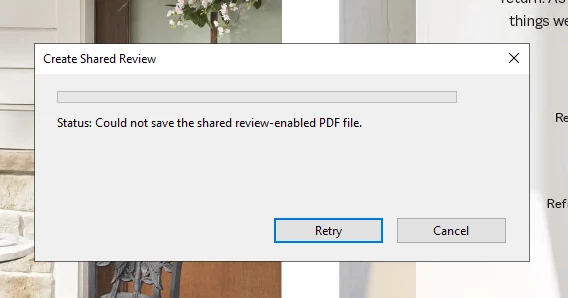
Could not Save Shared Review File

  • January 20, 2023
  • 2 replies
  • 3256 views

Help! I am the admin for a Shared Sign Off review we run frequently at my company and suddenly can't send any PDFs out for review due to this prompt.  have already tried as an admin to no avail. I've seen another post on this subject but no solution was provided. We have a big book coming up for review and I'm hoping to reslove this quickly. -Thanks, Hunter
This topic has been closed for replies.

2 replies

Known Participant
January 30, 2023

All, we found the problem(s)...Hallelujah!

The update worked and now i can send for Shared review.

The reason I had trouble updating to the newest version is because the print spooler on the PC was disabled for some reason. My IT guy helped resolve that and I am up and running now. I imagine the print spooler being disabled had something to do with Shared Review not working as well but not 100% sure. Thanks to all you responded!


Known Participant
January 30, 2023

Now I'm having another problem and getting this error. 


Known Participant
January 30, 2023

This is happening when I and shared review users are trying to open the PDF of the review file in the destination folder.

Participating Frequently
January 20, 2023

Hunter,


We ran into something like this recently (don't recall if it was the exact same message) and it was an access issue. Adobe changed a default setting; as a result, Acrobat couldn't access the folder where you want to store the PDF.

Try this (in Acrobat). It worked for us.

  1. Go to Edit > Preferences > Security (Enhanced).
  2. At the top of the dialog, deselect Enable Protected mode at startup (Preview).
  3. Deselect Enable Enhanced Security.
  4. Click OK..

Good luck.

Larry Kunz

Known Participant
January 20, 2023

I already have my preferences set up that way. It must me something else. Thanks for replying, Larry! 

robertw78420255
New Participant
January 26, 2023

Hi @Hunter28037454y2wv @Suresh28059134gz3z,


Would you mind installing the latest Acrobat version and then checking the same workflow?


You can download the installer package and manually update the application: Acrobat Enterprise Release Notes — Acrobat-Acrobat Reader Release Notes


Please let us know if the issue persists with the latest version.


-Souvik.


So, you are saying the Creative Clound Desktop does not really keep my apps up to date?  Will manually installing an update to Acrobat disrupt Creative Cloud's tracking of updates?