


petera84632138
New Participant
May 13, 2020
Question

CreatePDF from Word using word styles is adding characters to bookmarks

  • May 13, 2020
  • 2 replies
  • 1179 views

Greetings

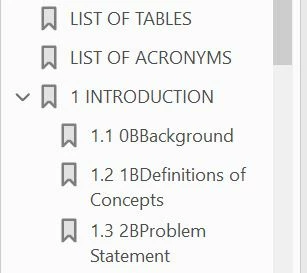
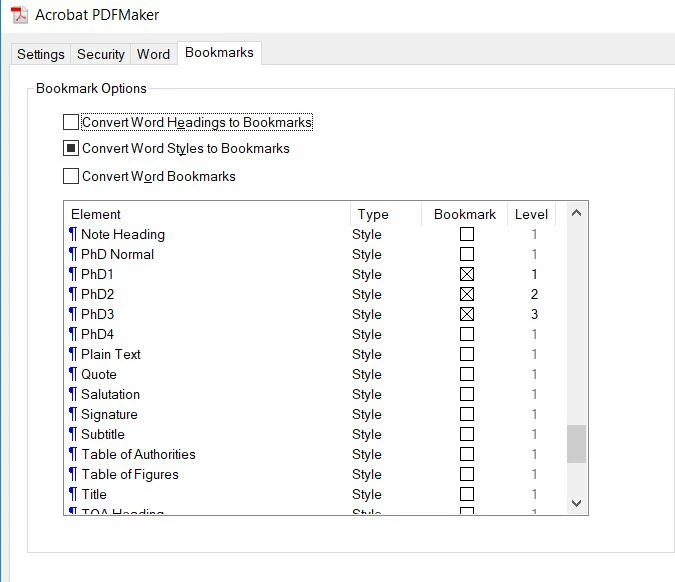
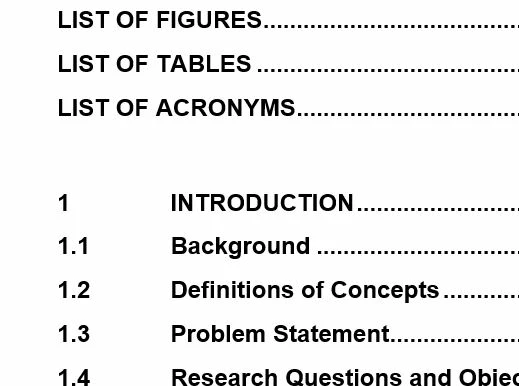
I have a long Word document with custom made styles that i use for headings and creating the TOC. On a previous verison i created the PDF specifying the first 3 levels of the word styles as the bookmarks and it worked perfectly. Now when I do it i get additional characters in the beginning of the bookmark title and the action is inconsistent, ie when i click first time it goes nearly to the right place, then when i click again it goes to completely the wrong place. i have added 3 pics, would appreciste any help please!!. so in the first pic you see the bookmarks in the PDF file, but there is a "0B" added before "Background" as well as the next 2. This is not in the level 1 headings and also not in the original word doc as shown in the other pics
.
This topic has been closed for replies.

2 replies

Bevi Chagnon - PubCom.com
Brainiac
May 14, 2020

"0B" is the Unicode UTF-8  decimal character that corresponds to today's hexadecimal codepoint "000B", which is a line tabulation control.

Can you tell us what character(s) create the white space between the digits and first letters in your 3rd sample above? Is it a tab? Special kind of space? Something else?


|    Bevi Chagnon   |  Designer, Trainer, & Technologist for Accessible Documents ||    PubCom |    Classes & Books for Accessible InDesign, PDFs & MS Office |
petera84632138
New Participant
May 13, 2020

hi there so just an update on this based on my own attempts. I tried searching on the additional characters and i found they came up in word and matched directly with the strange bookmarks in the created PDF. See the picture below, but what is really strange is if you look in the font you will see a "ZWAdobeF" font which is when i click on the very beginning of the title in the actual word document. when i click in the middle of the title i get the normal font that it should be

petera84632138
New Participant
May 13, 2020

another update --- now i see those characters  in the edit style pane in word -- very very strange

TanviRastogi
Adobe Employee
Adobe Employee
May 14, 2020

Hi

Can you share which Acrobat and Office version are you using?

Are both of them updated?


Thanks

Tanvi