Inspiring
July 8, 2024
Answered

Creating A Custom Dialog in Dynamic Stamps to save results as variable and repopulate

  • July 8, 2024
  • 3 replies
  • 5524 views

Good afternoon. 
I am currently working ona  project to create a dynamic stamp, that would allow the user to fill our a dialog form to fill the stamp, but will also allow users to 'restamp' by saving the entered information as variables, and repopulating the stamp witht he previous information if it isn't user overwitten. This essentially allows one to 'update' the stamp when actually deleting and refilling with stored/entered info.  The issue I have is that the dialog box won't even show up when the stamp is placed, and I can't fill the information. For reference I tried to follow the code for creating multi-line dialog boxes using: https://community.adobe.com/t5/acrobat-sdk-discussions/create-a-multi-line-dialog-box-in-a-dynamic-stamp/td-p/10389407 . 


CODE:

if (event.source.forReal && (event.source.stampName == "#5VGSDi-y5TU9st_HVS7nkC")) {
    var StampDialog = {
        result: "cancel",
        DoDialog: function() {
            return app.execDialog(this);
        },
 
        PDTitle: "BLANK",
        WATitle: "BLANK",
        TDTitle: "BLANK",
        SystemTitle: "BLANK",
        DirTitle: "BLANK",
        SECTitle: "BLANK",
        TTitle: "BLANK",
        RTitle: "BLANK",
        CountyTitle: "BLANK",
        DateTitle: "BLANK",
        DBTitle: "BLANK",
        SNTitle: "BLANK",
        STTitle: "BLANK",
        DNTitle: "BLANK",
        
        initialize: function(dialog) {
            var dlgInit = {
                "PDTitle": this.PDTitle,
                "WATitle": this.WATitle,
                "TDTitle": this.TDTitle,
                "SystemTitle": this.SystemTitle,
                "DirTitle": this.DirTitle,
                "SECTitle": this.SECTitle,
                "TTitle": this.TTitle,
                "RTitle": this.RTitle,
                "CountyTitle": this.CountyTitle,
                "DateTitle": this.DateTitle,
                "DBTitle": this.DBTitle,
                "SNTitle": this.SNTitle,
                "STTitle": this.STTitle,
                "DNTitle": this.DNTitle,
 
            };
            dialog.load(dlgInit);
        },
        commit: function(dialog) {
            var oRslt = dialog.store();
            this.PDTitle = oRslt["PDTitle"] || this.PDTitle;
            this.WATitle = oRslt["WATitle"] || this.WATitle;
            this.TDTitle = oRslt["TDTitle"] || this.TDTitle;
            this.SystemTitle = oRslt["SystemTitle"] || this.SystemTitle;
            this.DirTitle = oRslt["DirTitle"] || this.DirTitle;
            this.SECTitle = oRslt["SECTitle"] || this.SECTitle;
            this.TTitle = oRslt["TTitle"] || this.TTitle;
            this.RTitle = oRslt["RTitle"] || this.RTitle;
            this.CountyTitle = oRslt["CountyTitle"] || this.CountyTitle;
            this.DateTitle = oRslt["DateTitle"] || this.DateTitle;
            this.DBTitle = oRslt["DBTitle"] || this.DBTitle;
            this.SNTitle = oRslt["SNTitle"] || this.SNTitle;
            this.STTitle = oRslt["STTitle"] || this.STTitle;
            this.DNTitle = oRslt["DNTitle"] || this.DNTitle;
        },
 
        // Description of the dialog layout
        description: {
        name: "Stamp Information Dialog",
        elements: [{ 
                type: "view",
width: 254,
height: 351,
        elements: [{
        type: "static_text",
        item_id: "PDTs",
        name: "Project Description:",
}, {
                type: "edit_text",
                item_id: "PDTe",
variable_Name: "PDTitle",
char_width: 20,
}, {
                type: "static_text",
                item_id: "WATs",
                name: "Work Authorization:",
                }, {
                type: "edit_text",
                item_id: "WATe",
variable_Name: "WATitle",
                char_width: 20,
                }, {
                type: "static_text",
                item_id: "TDTs",
                name: "Tax District:",
                }, {
                type: "edit_text",
                item_id: "TDTe",
variable_Name: "TDTitle",
                char_width: 20,
                }, {
                type: "static_text",
                item_id: "Syss",
                name: "System:",
                }, {
                type: "edit_text",
                item_id: "Syse",
variable_Name: "SystemTitle",
                char_width: 20,
                }, {
                type: "static_text",
                item_id: "Dirs",
                name: "__ SEC. xx -T. xxx R. xx",
                }, {
                type: "edit_text",
                item_id: "Dire",
variable_Name: "DirTitle",
                char_width: 20,
                }, {
                type: "static_text",
                item_id: "SECs",
                name: "xx SEC. __ -T. xxx R. xx",
                }, {
                type: "edit_text",
                item_id: "SECe",
variable_Name: "SECTitle",
                char_width: 20,
                }, {
                type: "static_text",
                item_id: "TTis",
                name: "xx SEC. xx -T. ___ R. xx",
                }, {
                type: "edit_text",
                item_id: "TTie",
variable_Name: "TTitle",
                char_width: 20,
                }, {
                type: "static_text",
                item_id: "RTis",
                name: "xx SEC. xx -T. xxx R. __",
                }, {
                type: "edit_text",
                item_id: "RTie",
variable_Name: "RTitle",
                char_width: 20,
                }, {
                type: "static_text",
                item_id: "CTis",
                name: "County:",
                }, {
                type: "edit_text",
                item_id: "CTie",
variable_Name: "CountyTitle",
                char_width: 20,
                }, {
                type: "static_text",
                item_id: "DTis",
                name: "Date:",
                }, {
                type: "edit_text",
                item_id: "DTes",
variable_Name: "DateTitle",
                char_width: 20,
                }, {
                type: "static_text",
                item_id: "DBTs",
                name: "Drawn By:",
                }, {
                type: "edit_text",
                item_id: "DBTe",
variable_Name: "DBTitle",
                char_width: 20,
                }, {
                type: "static_text",
                item_id: "SNTs",
                name: "Sheet No. (current):",
                }, {
                type: "edit_text",
                item_id: "SNTe",
variable_Name: "SNTitle",
                char_width: 20,
                }, {
                type: "static_text",
                item_id: "STTs",
                name: "Sheet Total No.:",
                }, {
                type: "edit_text",
                item_id: "STTe",
variable_Name: "STTitle",
                char_width: 20,
                }, {
                type: "static_text",
                item_id: "DNTs",
                name: "Drawing No.:",
                }, {
                type: "edit_text",
                item_id: "DNTe",
variable_Name: "DNTitle",
                char_width: 20,
                }, {
                    type: "ok_cancel", // The OK and Cancel buttons.
                }]
            }]
        }
    };
 
    // Initialize fields with previous values or "BLANK"
    StampDialog.PDTitle = this.getField("PDTitle").value || "BLANK";
    StampDialog.WATitle = this.getField("WATitle").value || "BLANK";
    StampDialog.TDTitle = this.getField("TDTitle").value || "BLANK";
    StampDialog.SystemTitle = this.getField("SystemTitle").value || "BLANK";
    StampDialog.DirTitle = this.getField("DirTitle").value || "BLANK";
    StampDialog.SECTitle = this.getField("SECTitle").value || "BLANK";
    StampDialog.TTitle = this.getField("TTitle").value || "BLANK";
    StampDialog.RTitle = this.getField("RTitle").value || "BLANK";
    StampDialog.CountyTitle = this.getField("CountyTitle").value || "BLANK";
    StampDialog.DateTitle = this.getField("DateTitle").value || "BLANK";
    StampDialog.DBTitle = this.getField("DBTitle").value || "BLANK";
    StampDialog.SNTitle = this.getField("SNTitle").value || "BLANK";
    StampDialog.STTitle = this.getField("STTitle").value || "BLANK";
    StampDialog.DNTitle = this.getField("DNTitle").value || "BLANK";
 
    // Show the dialog and process user input
    if ("ok" == StampDialog.DoDialog()) {
        this.getField("PDTitle").value = StampDialog.PDTitle;
        this.getField("WATitle").value = StampDialog.WATitle;
        this.getField("TDTitle").value = StampDialog.TDTitle;
        this.getField("SystemTitle").value = StampDialog.SystemTitle;
        this.getField("DirTitle").value = StampDialog.DirTitle;
        this.getField("SECTitle").value = StampDialog.SECTitle;
        this.getField("TTitle").value = StampDialog.TTitle;
        this.getField("RTitle").value = StampDialog.RTitle;
        this.getField("CountyTitle").value = StampDialog.CountyTitle;
        this.getField("DateTitle").value = StampDialog.DateTitle;
        this.getField("DBTitle").value = StampDialog.DBTitle;
        this.getField("SNTitle").value = StampDialog.SNTitle;
        this.getField("STTitle").value = StampDialog.STTitle;
        this.getField("DNTitle").value = StampDialog.DNTitle;
    }
}


This topic has been closed for replies.
Correct answer Blayde3

After corrected a misnamed text field the dialog box began showing, however the code was still wrong and would only fill the text fields with "BLANK" and would not eb overwritten. Changes were made, as on the commit function portion of teh code I used dialogstore() and used the variable names, but item_id shoudl have been used. After making this change, It began to work.

After alteration the effect was that the stamp when placed would create a dialog where a user can input necessary information and then enter to populate a stamp with the necessary info, if the user woudllike to update teh stamp, one can delete and just enter the fields that want to be changed and enter to 'update' the stamp. The onnly functionality I could not create was having the code give a BLANK display when the stamp is placed for the first time - instead the stamp displays what the previous stamp information was, even in other documents - im guessing because the variables are saved in the stamps files, not the document the stamp is applied, but if anyone knows please let me know why - My next steps would be to add a conditional statement where if the user inputs a " " (a space) then it resets to BLANK or something along that line.


And special thanks to TRY67 for the help !


Here is the most major code changed for reference:


the CODE's entirety: 


if (event.source!=null && event.source.forReal && event.source.stampName == "#5VGSDi-y5TU9st_HVS7nkC") {

var StampDialog = {
result: "cancel",
DoDialog: function() {
return app.execDialog(this);
},

// Define the fields to be filled
PDTitle: "Defined",
WATitle: "Defined",
TDTitle: "Defined",
SystemTitle: "Defined",
DirTitle: "Defined",
SECTitle: "Defined",
TTitle: "Defined",
RTitle: "Defined",
CountyTitle: "Defined",
DateTitle: "Defined",
DBTitle: "Defined",
SNTitle: "Defined",
STTitle: "Defined",
DNTitle: "Defined",
initialize: function(dialog) {
var dlgInit = {
PDTitle: this.PDTitle,
WATitle: this.WATitle,
TDTitle: this.TDTitle,
SystemTitle: this.SystemTitle,
DirTitle: this.DirTitle,
SECTitle: this.SECTitle,
TTitle: this.TTitle,
RTitle: this.RTitle,
CountyTitle: this.CountyTitle,
DateTitle: this.DateTitle,
DBTitle: this.DBTitle,
SNTitle: this.SNTitle,
STTitle: this.STTitle,
DNTitle: this.DNTitle,
};
dialog.load(dlgInit);
},

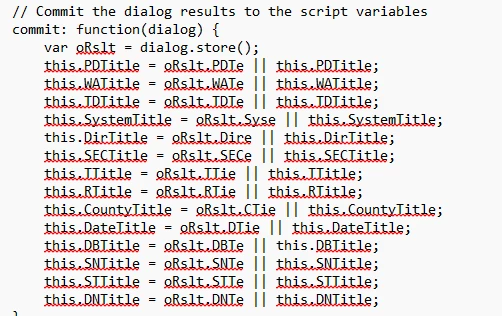
// Commit the dialog results to the script variables
commit: function(dialog) {
var oRslt = dialog.store();
this.PDTitle = oRslt.PDTe || this.PDTitle;
this.WATitle = oRslt.WATe || this.WATitle;
this.TDTitle = oRslt.TDTe || this.TDTitle;
this.SystemTitle = oRslt.Syse || this.SystemTitle;
this.DirTitle = oRslt.Dire || this.DirTitle;
this.SECTitle = oRslt.SECe || this.SECTitle;
this.TTitle = oRslt.TTie || this.TTitle;
this.RTitle = oRslt.RTie || this.RTitle;
this.CountyTitle = oRslt.CTie || this.CountyTitle;
this.DateTitle = oRslt.DTie || this.DateTitle;
this.DBTitle = oRslt.DBTe || this.DBTitle;
this.SNTitle = oRslt.SNTe || this.SNTitle;
this.STTitle = oRslt.STTe || this.STTitle;
this.DNTitle = oRslt.DNTe || this.DNTitle;
},

// Description of the dialog layout
description: {
name: "Stamp Information Dialog",
elements: [{
type: "view",
elements: [{
type: "static_text",
item_id: "PDTs",
name: "Project Description:", // The text that appears on the label.
}, {
type: "edit_text", // A text input field where the user can enter data.
item_id: "PDTe", // An identifier for the text input field.
char_width: 20, // The width of the text input field in characters.
}, {
type: "static_text",
item_id: "WATs",
name: "Work Authorization:",
}, {
type: "edit_text",
item_id: "WATe",
char_width: 20,
}, {
type: "static_text",
item_id: "TDTs",
name: "Tax District:",
}, {
type: "edit_text",
item_id: "TDTe",
char_width: 20,
}, {
type: "static_text",
item_id: "Syss",
name: "System:",
}, {
type: "edit_text",
item_id: "Syse",
char_width: 20,
}, {
type: "static_text",
item_id: "Dirs",
name: "__ SEC. xx -T. xxx R. xx",
}, {
type: "edit_text",
item_id: "Dire",
char_width: 20,
}, {
type: "static_text",
item_id: "SECs",
name: "xx SEC. __ -T. xxx R. xx",
}, {
type: "edit_text",
item_id: "SECe",
char_width: 20,
}, {
type: "static_text",
item_id: "TTis",
name: "xx SEC. xx -T. ___ R. xx",
}, {
type: "edit_text",
item_id: "TTie",
char_width: 20,
}, {
type: "static_text",
item_id: "RTis",
name: "xx SEC. xx -T. xxx R. __",
}, {
type: "edit_text",
item_id: "RTie",
char_width: 20,
}, {
type: "static_text",
item_id: "CTis",
name: "County:",
}, {
type: "edit_text",
item_id: "CTie",
char_width: 20,
}, {
type: "static_text",
item_id: "DTis",
name: "Date:",
}, {
type: "edit_text",
item_id: "DTie",
char_width: 20,
}, {
type: "static_text",
item_id: "DBTs",
name: "Drawn By:",
}, {
type: "edit_text",
item_id: "DBTe",
char_width: 20,
}, {
type: "static_text",
item_id: "SNTs",
name: "Sheet No. (current):",
}, {
type: "edit_text",
item_id: "SNTe",
char_width: 20,
}, {
type: "static_text",
item_id: "STTs",
name: "Sheet Total No.:",
}, {
type: "edit_text",
item_id: "STTe",
char_width: 20,
}, {
type: "static_text",
item_id: "DNTs",
name: "Drawing No.:",
}, {
type: "edit_text",
item_id: "DNTe",
char_width: 20,
}, {
type: "ok_cancel", // The OK and Cancel buttons.
}]
}]
}
};

// Initialize fields with previous values or "BLANK"
StampDialog.PDTitle = this.getField("PDTitle").value ;
StampDialog.WATitle = this.getField("WATitle").value ;
StampDialog.TDTitle = this.getField("TDTitle").value ;
StampDialog.SystemTitle = this.getField("SystemTitle").value ;
StampDialog.DirTitle = this.getField("DirTitle").value ;
StampDialog.SECTitle = this.getField("SECTitle").value ;
StampDialog.TTitle = this.getField("TTitle").value ;
StampDialog.RTitle = this.getField("RTitle").value ;
StampDialog.CountyTitle = this.getField("CountyTitle").value ;
StampDialog.DateTitle = this.getField("DateTitle").value ;
StampDialog.DBTitle = this.getField("DBTitle").value ;
StampDialog.SNTitle = this.getField("SNTitle").value ;
StampDialog.STTitle = this.getField("STTitle").value ;
StampDialog.DNTitle = this.getField("DNTitle").value ;

// Show the dialog and process user input
if ("ok" == StampDialog.DoDialog()) {
this.getField("PDTitle").value = StampDialog.PDTitle;
this.getField("WATitle").value = StampDialog.WATitle;
this.getField("TDTitle").value = StampDialog.TDTitle;
this.getField("SystemTitle").value = StampDialog.SystemTitle;
this.getField("DirTitle").value = StampDialog.DirTitle;
this.getField("SECTitle").value = StampDialog.SECTitle;
this.getField("TTitle").value = StampDialog.TTitle;
this.getField("RTitle").value = StampDialog.RTitle;
this.getField("CountyTitle").value = StampDialog.CountyTitle;
this.getField("DateTitle").value = StampDialog.DateTitle;
this.getField("DBTitle").value = StampDialog.DBTitle;
this.getField("SNTitle").value = StampDialog.SNTitle;
this.getField("STTitle").value = StampDialog.STTitle;
this.getField("DNTitle").value = StampDialog.DNTitle;
}
}


 

3 replies

PDF Automation Station
Community Expert
July 8, 2024

Make sure all the field names in the stamp match the field names in the dialog script, EXACTLY (including case sensitivity).  After you have made changes, keep checking the console for errors.  this.getField(...) is null means one of the fields in your script does not exist in the file.

try67
Community Expert
July 8, 2024

I don't see the code anywhere in the file...

Blayde3Author
Inspiring
July 8, 2024

I'm sorry I thought it would be saved if I sent the file, but it may be incorrect.

Blayde3Author
Inspiring
July 8, 2024

This code is slightly different from posted, only being that the variable names in the attached code are matching with the item_id values.

Blayde3Author
Inspiring
July 8, 2024

[Merged with other post]

Blayde3AuthorCorrect answer
Inspiring
July 8, 2024

After corrected a misnamed text field the dialog box began showing, however the code was still wrong and would only fill the text fields with "BLANK" and would not eb overwritten. Changes were made, as on the commit function portion of teh code I used dialogstore() and used the variable names, but item_id shoudl have been used. After making this change, It began to work.

After alteration the effect was that the stamp when placed would create a dialog where a user can input necessary information and then enter to populate a stamp with the necessary info, if the user woudllike to update teh stamp, one can delete and just enter the fields that want to be changed and enter to 'update' the stamp. The onnly functionality I could not create was having the code give a BLANK display when the stamp is placed for the first time - instead the stamp displays what the previous stamp information was, even in other documents - im guessing because the variables are saved in the stamps files, not the document the stamp is applied, but if anyone knows please let me know why - My next steps would be to add a conditional statement where if the user inputs a " " (a space) then it resets to BLANK or something along that line.


And special thanks to TRY67 for the help !


Here is the most major code changed for reference:


the CODE's entirety: 


if (event.source!=null && event.source.forReal && event.source.stampName == "#5VGSDi-y5TU9st_HVS7nkC") {

var StampDialog = {
result: "cancel",
DoDialog: function() {
return app.execDialog(this);
},

// Define the fields to be filled
PDTitle: "Defined",
WATitle: "Defined",
TDTitle: "Defined",
SystemTitle: "Defined",
DirTitle: "Defined",
SECTitle: "Defined",
TTitle: "Defined",
RTitle: "Defined",
CountyTitle: "Defined",
DateTitle: "Defined",
DBTitle: "Defined",
SNTitle: "Defined",
STTitle: "Defined",
DNTitle: "Defined",
initialize: function(dialog) {
var dlgInit = {
PDTitle: this.PDTitle,
WATitle: this.WATitle,
TDTitle: this.TDTitle,
SystemTitle: this.SystemTitle,
DirTitle: this.DirTitle,
SECTitle: this.SECTitle,
TTitle: this.TTitle,
RTitle: this.RTitle,
CountyTitle: this.CountyTitle,
DateTitle: this.DateTitle,
DBTitle: this.DBTitle,
SNTitle: this.SNTitle,
STTitle: this.STTitle,
DNTitle: this.DNTitle,
};
dialog.load(dlgInit);
},

// Commit the dialog results to the script variables
commit: function(dialog) {
var oRslt = dialog.store();
this.PDTitle = oRslt.PDTe || this.PDTitle;
this.WATitle = oRslt.WATe || this.WATitle;
this.TDTitle = oRslt.TDTe || this.TDTitle;
this.SystemTitle = oRslt.Syse || this.SystemTitle;
this.DirTitle = oRslt.Dire || this.DirTitle;
this.SECTitle = oRslt.SECe || this.SECTitle;
this.TTitle = oRslt.TTie || this.TTitle;
this.RTitle = oRslt.RTie || this.RTitle;
this.CountyTitle = oRslt.CTie || this.CountyTitle;
this.DateTitle = oRslt.DTie || this.DateTitle;
this.DBTitle = oRslt.DBTe || this.DBTitle;
this.SNTitle = oRslt.SNTe || this.SNTitle;
this.STTitle = oRslt.STTe || this.STTitle;
this.DNTitle = oRslt.DNTe || this.DNTitle;
},

// Description of the dialog layout
description: {
name: "Stamp Information Dialog",
elements: [{
type: "view",
elements: [{
type: "static_text",
item_id: "PDTs",
name: "Project Description:", // The text that appears on the label.
}, {
type: "edit_text", // A text input field where the user can enter data.
item_id: "PDTe", // An identifier for the text input field.
char_width: 20, // The width of the text input field in characters.
}, {
type: "static_text",
item_id: "WATs",
name: "Work Authorization:",
}, {
type: "edit_text",
item_id: "WATe",
char_width: 20,
}, {
type: "static_text",
item_id: "TDTs",
name: "Tax District:",
}, {
type: "edit_text",
item_id: "TDTe",
char_width: 20,
}, {
type: "static_text",
item_id: "Syss",
name: "System:",
}, {
type: "edit_text",
item_id: "Syse",
char_width: 20,
}, {
type: "static_text",
item_id: "Dirs",
name: "__ SEC. xx -T. xxx R. xx",
}, {
type: "edit_text",
item_id: "Dire",
char_width: 20,
}, {
type: "static_text",
item_id: "SECs",
name: "xx SEC. __ -T. xxx R. xx",
}, {
type: "edit_text",
item_id: "SECe",
char_width: 20,
}, {
type: "static_text",
item_id: "TTis",
name: "xx SEC. xx -T. ___ R. xx",
}, {
type: "edit_text",
item_id: "TTie",
char_width: 20,
}, {
type: "static_text",
item_id: "RTis",
name: "xx SEC. xx -T. xxx R. __",
}, {
type: "edit_text",
item_id: "RTie",
char_width: 20,
}, {
type: "static_text",
item_id: "CTis",
name: "County:",
}, {
type: "edit_text",
item_id: "CTie",
char_width: 20,
}, {
type: "static_text",
item_id: "DTis",
name: "Date:",
}, {
type: "edit_text",
item_id: "DTie",
char_width: 20,
}, {
type: "static_text",
item_id: "DBTs",
name: "Drawn By:",
}, {
type: "edit_text",
item_id: "DBTe",
char_width: 20,
}, {
type: "static_text",
item_id: "SNTs",
name: "Sheet No. (current):",
}, {
type: "edit_text",
item_id: "SNTe",
char_width: 20,
}, {
type: "static_text",
item_id: "STTs",
name: "Sheet Total No.:",
}, {
type: "edit_text",
item_id: "STTe",
char_width: 20,
}, {
type: "static_text",
item_id: "DNTs",
name: "Drawing No.:",
}, {
type: "edit_text",
item_id: "DNTe",
char_width: 20,
}, {
type: "ok_cancel", // The OK and Cancel buttons.
}]
}]
}
};

// Initialize fields with previous values or "BLANK"
StampDialog.PDTitle = this.getField("PDTitle").value ;
StampDialog.WATitle = this.getField("WATitle").value ;
StampDialog.TDTitle = this.getField("TDTitle").value ;
StampDialog.SystemTitle = this.getField("SystemTitle").value ;
StampDialog.DirTitle = this.getField("DirTitle").value ;
StampDialog.SECTitle = this.getField("SECTitle").value ;
StampDialog.TTitle = this.getField("TTitle").value ;
StampDialog.RTitle = this.getField("RTitle").value ;
StampDialog.CountyTitle = this.getField("CountyTitle").value ;
StampDialog.DateTitle = this.getField("DateTitle").value ;
StampDialog.DBTitle = this.getField("DBTitle").value ;
StampDialog.SNTitle = this.getField("SNTitle").value ;
StampDialog.STTitle = this.getField("STTitle").value ;
StampDialog.DNTitle = this.getField("DNTitle").value ;

// Show the dialog and process user input
if ("ok" == StampDialog.DoDialog()) {
this.getField("PDTitle").value = StampDialog.PDTitle;
this.getField("WATitle").value = StampDialog.WATitle;
this.getField("TDTitle").value = StampDialog.TDTitle;
this.getField("SystemTitle").value = StampDialog.SystemTitle;
this.getField("DirTitle").value = StampDialog.DirTitle;
this.getField("SECTitle").value = StampDialog.SECTitle;
this.getField("TTitle").value = StampDialog.TTitle;
this.getField("RTitle").value = StampDialog.RTitle;
this.getField("CountyTitle").value = StampDialog.CountyTitle;
this.getField("DateTitle").value = StampDialog.DateTitle;
this.getField("DBTitle").value = StampDialog.DBTitle;
this.getField("SNTitle").value = StampDialog.SNTitle;
this.getField("STTitle").value = StampDialog.STTitle;
this.getField("DNTitle").value = StampDialog.DNTitle;
}
}

 

PDF Automation Station
Community Expert
July 9, 2024

So you could theoretically have some code that would run within a stamp that would save its location data when placed, save its inputs as document variables, and then also run code that allows the stamp to check if there is one on the doument placed (?) and delete the stamp and recreate it with text fields or just place it for the first time 
Would the stamp need to be placed in the same location or would the text field locations be relative to the actual placement of the stamp (x+99) and (y+99) with x,y as stamp location?


It doesn't save the location data.  The script gets the location by looping through the annotations in the document being stamped (event.source.source) and matching the AP of the stamp, then acquiring the rect properties  (location on the page) of that annotation.