New Participant
May 27, 2021
Answered

Creating Dynamic Stamp Error

  • May 27, 2021
  • 1 reply
  • 9249 views

Hi,


I am trying to create a 'Paid' stamp using Acrobat. I have read the 'Dynamics Stamp Secrets' website, but to no avail. Here is what I am going for (when stamp is placed):
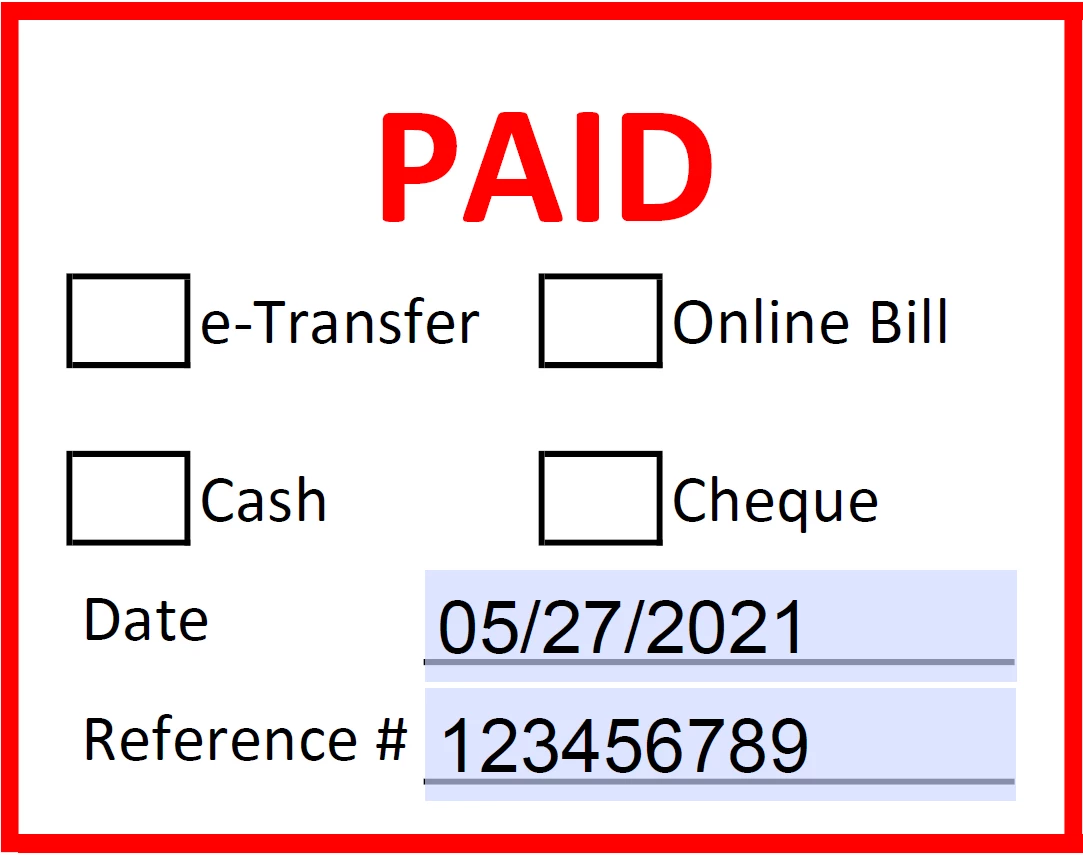
 < Typable Reference #.


And this is the Java script for the 'Reference': 
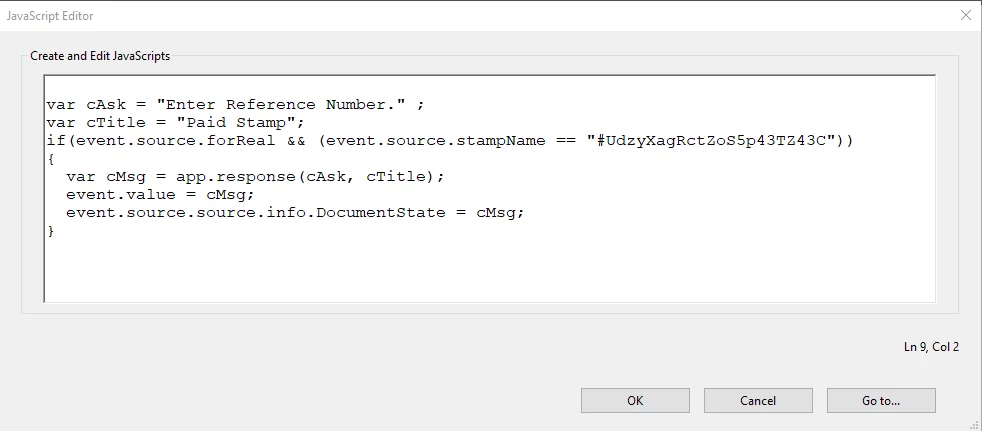
 

When I place the stamp, the date appears, but there is no JavaScript Pop-up for me to type my Reference Number. Help would be greatly appricated! 
This topic has been closed for replies.
Correct answer bebarth

Have you looked in the Console Window to see if there are any reported errors? and to see the results of the "console.println" code you put into the stamp script?


You'll find a tutorial on the Console Window here:

https://www.pdfscripting.com/public/Free_Videos.cfm#JSIntro


Hi,

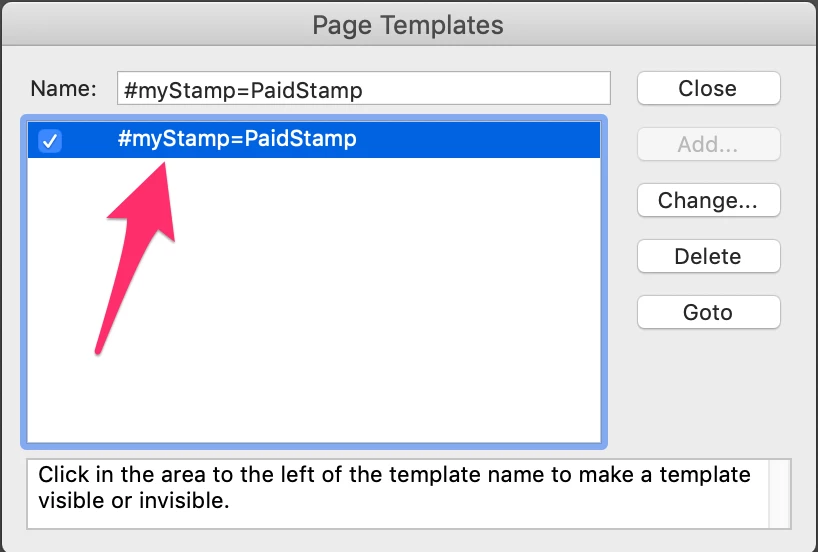
You must modify the name of the template, something like that: #myStamp=PaidStamp

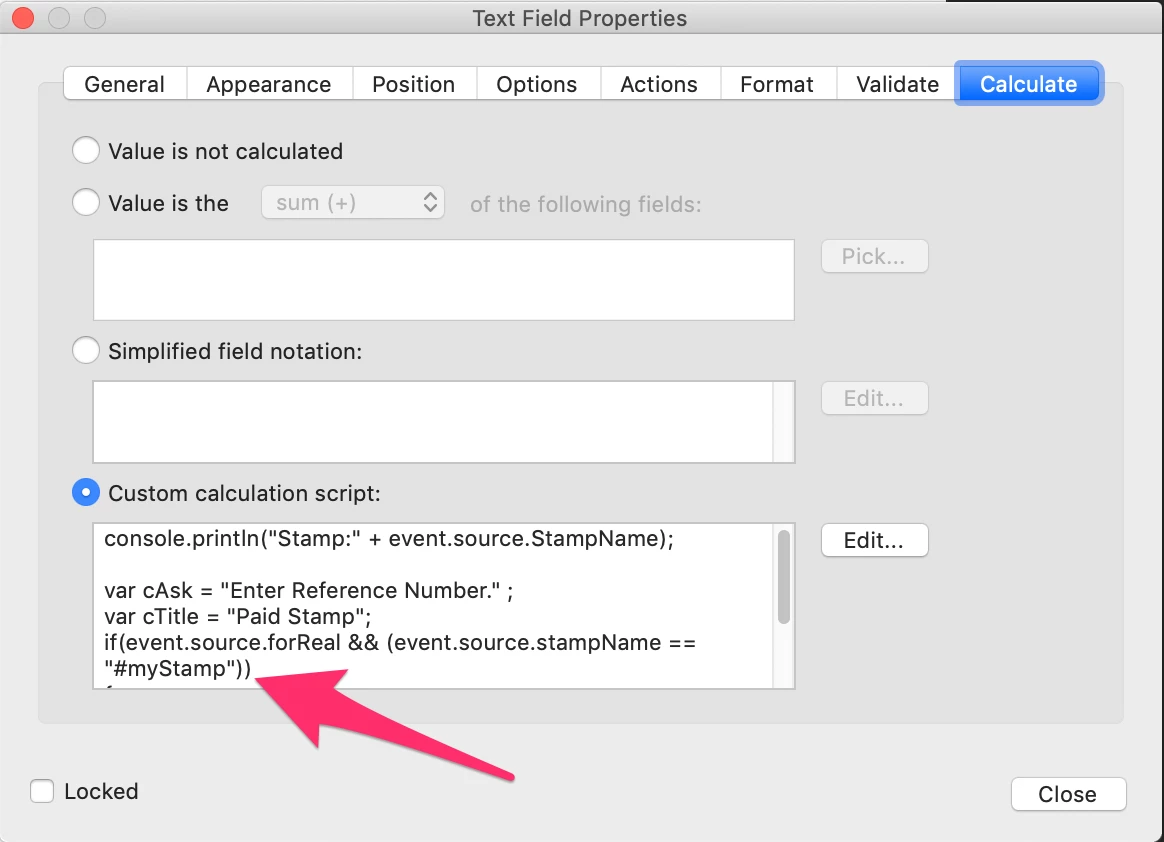
... and your script: if(event.source.forReal && event.source.stampName == "#myStamp")

Then that's working fine!

You can change myStamp by anything else as long as it's the same in the template and in the script.

@+

1 reply

Thom Parker
Adobe Expert
May 27, 2021

First, remove the "event.source.source.info" line. This was an example in the article of how to access properties of the document being stampped. It's not necessary for operation.


However, what is necessary is the correct stamp name.  Have you verified this? 

Here is a video tutorial on how to find the stamp name:

https://www.pdfscripting.com/public/images/Video/FindingStampName.cfm


Thom Parker - Software Developer at PDFScriptingUse the Acrobat JavaScript Reference early and often
New Participant
May 27, 2021

Hello,


Thank you for your response, I have editted as you directed. It still does not work, and I have noticed that when I place the stamp it does not work. The name was actually incorrect, and I have updated it. Here is the updated code. 

Thom Parker
Adobe Expert
May 27, 2021

There is nothing wrong with your stamp code. If the stamp name is correct, then  the code will work.


Another thing that will cause problems is if there is a copy of this same stamp in a different file or in the other stamp folder. Make sure there is one and only one stamp with this name.


Can you post the stamp file?  It would make it easier to debug. 


One other thing you can do to debug this is to put this line of code a  the top of the stamp script. It will display the stamp name in the console window. This does two things, 1) it shows that the stamp script is running. And it verifies the stamp name you are using in the 'if'


console.println("Stamp:" + event.source.stampName);


Tell us what appears in the console window.


Thom Parker - Software Developer at PDFScriptingUse the Acrobat JavaScript Reference early and often