


New Participant
February 16, 2018
Answered

Deactivate Acrobat XI

  • February 16, 2018
  • 3 replies
  • 13302 views

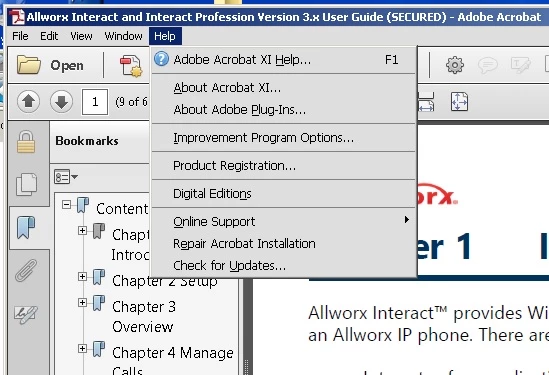
I trying to deactivate my software so I can install it on my new computer.  I tried looking under Help>Deactivate but I dopn't have that entry in my help menu. I tried clicking on Product Registration but that opens a browser with a 404 error (These are uncharted waters) page.  would I be able to install this on my new computer without deactivating it first?
Correct answer ravinderg62643219

Hi cdimacali

Help deactivate option is not available if you are using a volume serial key. To deactivate Acrobat from this machine please uninstall Acrobat that should deactivate the license.

Regards

Ravi

3 replies

ravinderg62643219Correct answer
Adobe Employee
February 19, 2018

Hi cdimacali

Help deactivate option is not available if you are using a volume serial key. To deactivate Acrobat from this machine please uninstall Acrobat that should deactivate the license.

Regards

Ravi

cdimacaliAuthor
New Participant
February 20, 2018

Thank you to all that responded.

I was able to uninstall from the old machine and install on the new one.

Bani Verma
Community Manager
Community Manager
February 16, 2018
Ned Murphy
Brainiac
February 16, 2018

You are allowed to have two activated installations, so you should be able to install and activate on a second machine without having to deactivate the first.

New Participant
January 31, 2024

Can you tell me how to find out what computers are registered to my license. I am trying to install on a new machine and its telling me the serial number is at its max allowable. I am only aware of one comuputer that this should be on, so adding my second should not be a problem.