

Answered
Disabling OCR in Acrobat 2025
Hi,
I was wondering if someone could show me how to disable OCR in Acrobat 2025. I've tried doing what people said to do in other posts, but the versions they were using were older.
Thank you in advance!

Hi,
I was wondering if someone could show me how to disable OCR in Acrobat 2025. I've tried doing what people said to do in other posts, but the versions they were using were older.
Thank you in advance!
Sorry, @Awesome_Whisper8032, you can't say you got the correct answer if you do not supply it in case someone else wants to know.
So, for the benefit of anyone else, here's what to do:
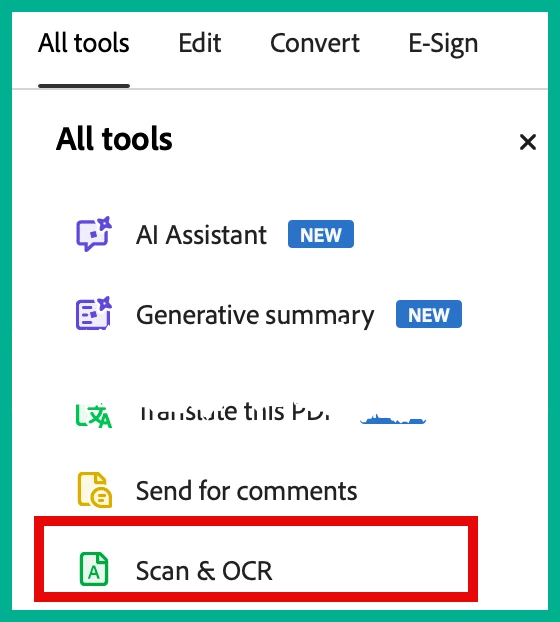
First, go into All Tools and at the bottom you'll see "Scan & OCR"
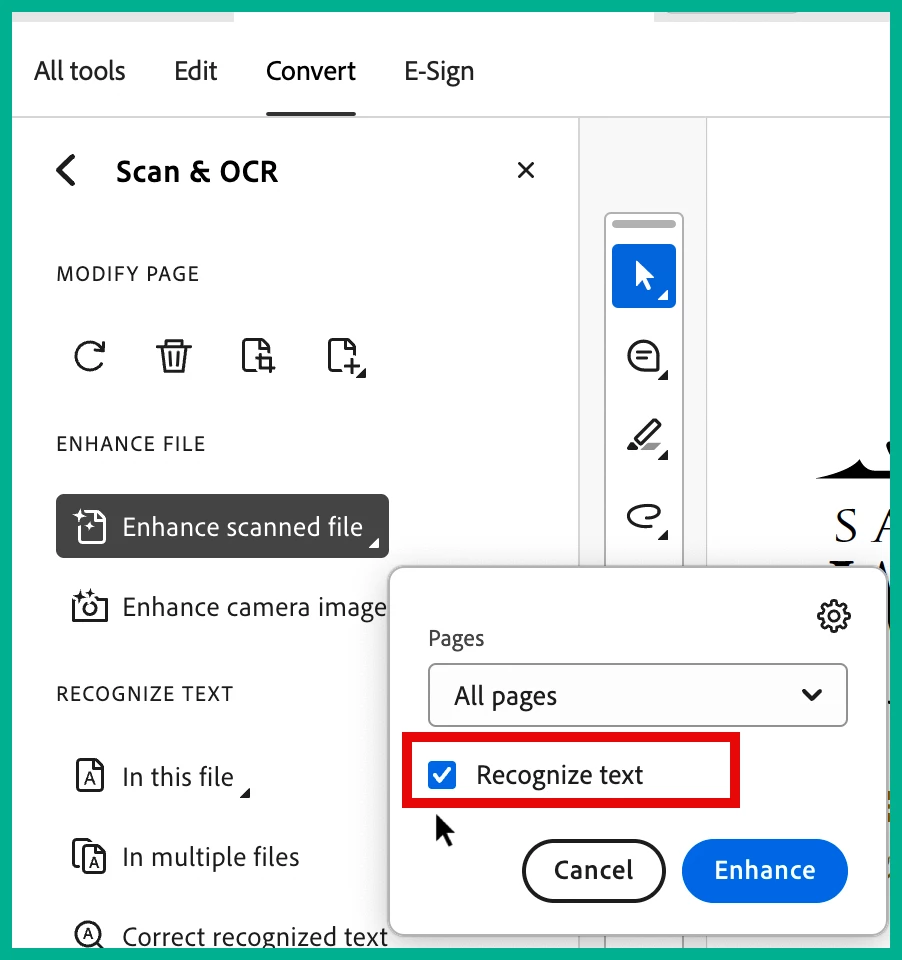
Next, click on the "Enhance Scanned File,: and where it says "Recognize text," uncheck that.
Now, Awesom, I am curious as to why you do not want the OCR process to take place, and what format do you want your scans to end up as?
Do you realize that the final document will be significantly smaller if it is OCRed?
BTW, the BEST way to avoid having your documents not OCRed is to use the scanning software that your scanner came with (although you may want to check if you need any updates). After all, it's the same scanning software that Acrobat uses, via TWAIN.
Already have an account? Login
Enter your E-mail address. We'll send you an e-mail with instructions to reset your password.
 AdChoices