


Drop Down Text is HUGE! But only on my PC...
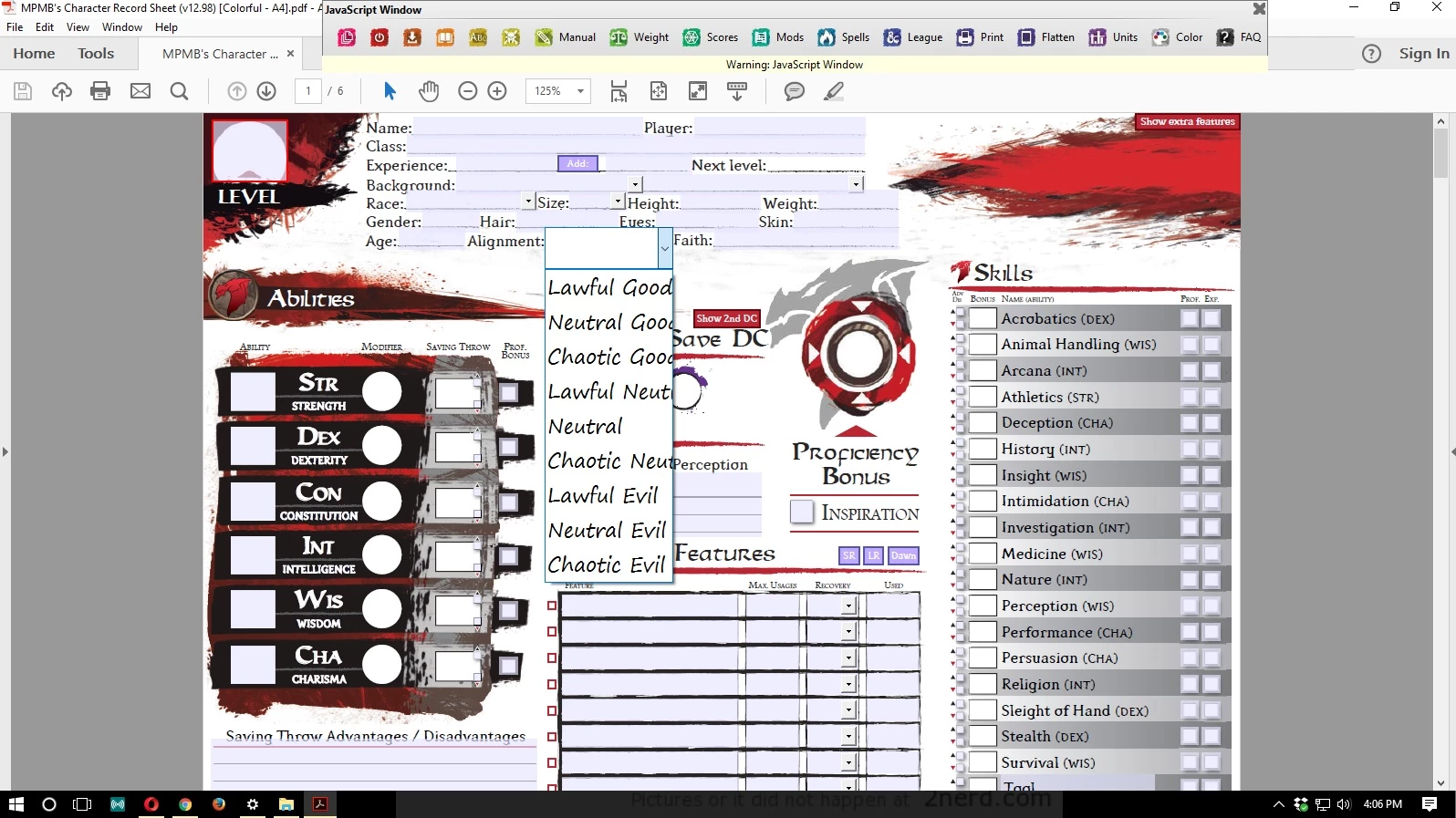
I have been using Adobe Reader DC with a pdf that is form-fillable and has drop downs. The problem is that when I click to use a drop down, it basically doubles the size of the box height, but not the width making the text huge. This also prevents me from going to the end of the word/phrase for the dropdown and editing it (which is how it is supposed to work for many of the boxes if necessary). It's for Dungeons and Dragons... it's a character sheet. So at the end of the word I should be able to add +1 or whatever if needed. I can't do that because I can't go to the end of the word.
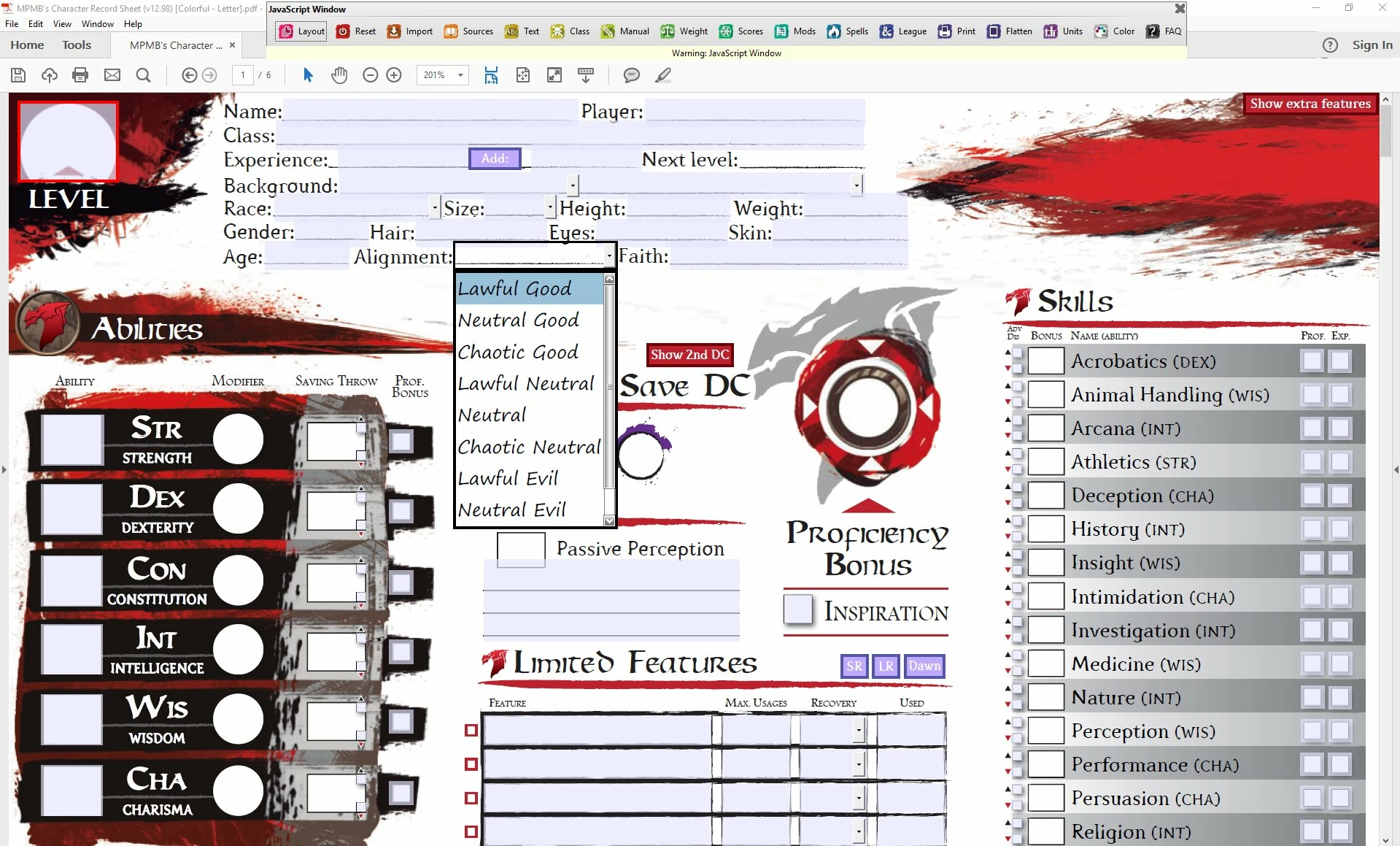
This is a problem I have worked with the developer on for a few days and we cannot come to a resolution. I have tried uninstalling and reinstalling Adobe Reader DC and using the cleaner in between install. I have tried testing my DPI settings, which are set to 100%. I have verified that accessibility settings are set to "recommended" in Reader. Magnifier is off. I verified that the sheet works perfectly fine on another PC using the same version of Reader as I. Does anyone have any recommendations on how to fix this?! You can see from the examples below what I am talking about. The text box is much bigger than it should be. The first picture is mine, the second one is from the developer that I've been communicating with the correct the issue.
This is what mine looks like...
This is what it is supposed to look like...
 AdChoices