Yes! That worked perfectly! I explored the form and saw what you did, and think I understand part of it. You stacked everything together into that third column so that the button with the link is clickable and the corresponding text is visible. I tried adding another option with a link, but I unfortunately wasn't able to follow your lead well enough to make it work. Please help me out with that explanation!
Hi,
If you wish add an item with an url in your dropdown menu
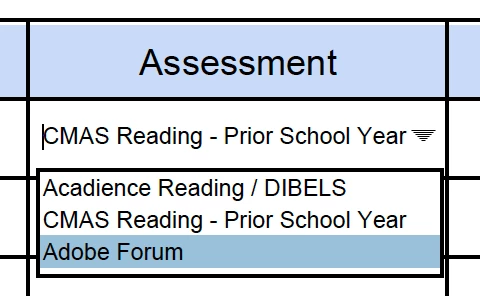
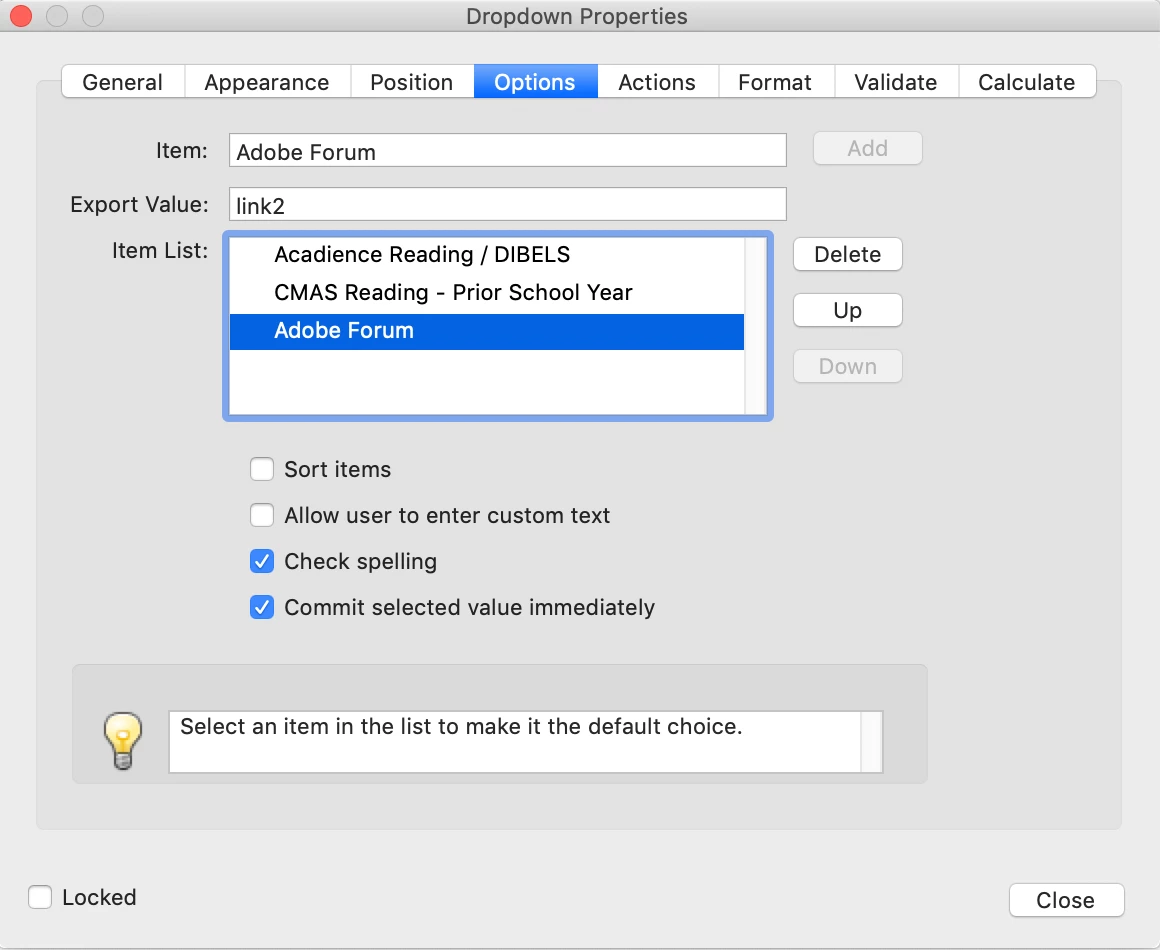
you have to add it with an export value starting with link... (link2, link3...)
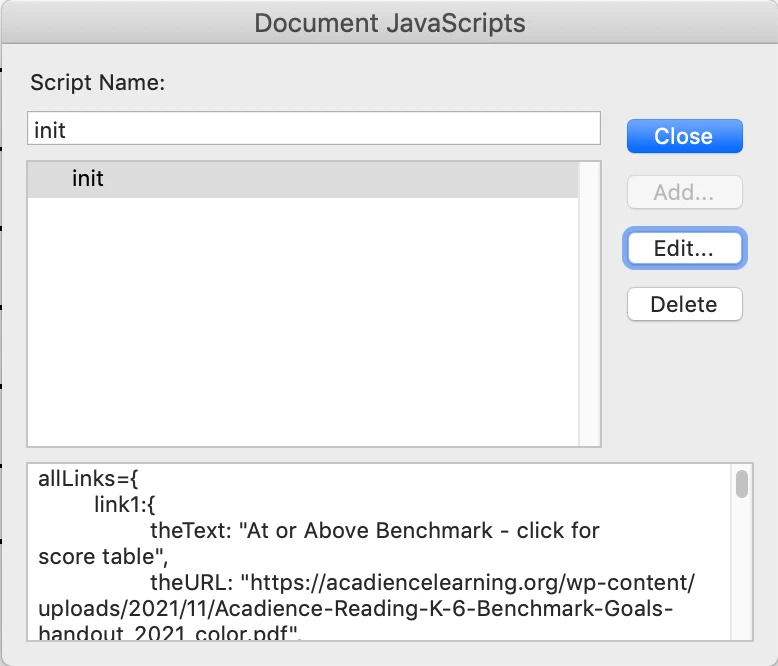
then you have to modify the init script in document-level
and define the link... object with the text, the url and the text size.
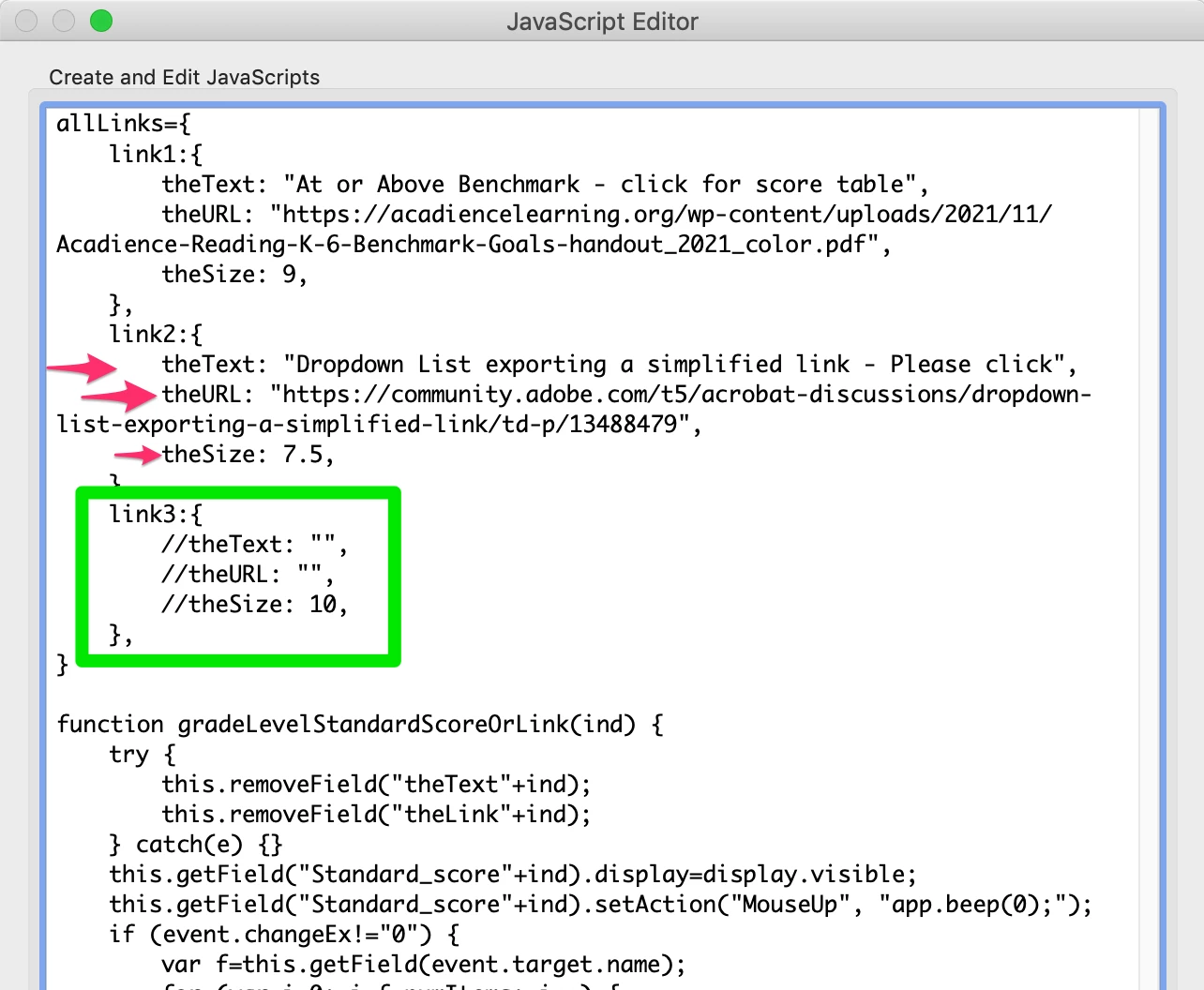
Try with the link3 object...
FYI, as it is not possible to use the auto size in a rich text field, you will have to set the size manually indicating it in the link object.
https://community.adobe.com/t5/acrobat-discussions/all-text-data-to-fit-in-a-rich-text-field-s-rectangle/m-p/13526601#M396185
I hope the explanation will allow you to add an other item yourself...
@+




 AdChoices