Christopher Teacher
Known Participant
January 13, 2023
Answered

Dropdown List exporting a simplified link

  • January 13, 2023
  • 1 reply
  • 30185 views

I'm making a form with a dropdown list that exports a variety of values based on user selection.  Some of those values need to be web links; however, I would prefer they were not visible as the whole link, but rather as links embedded within text.  Is that possible, and if so, how would I do it? 


(Be aware, my knowledge of Javascript is pretty basic, but I'm good at copy/paste and I can change field names!)

This topic has been closed for replies.
Correct answer bebarth

Yes!  That worked perfectly!  I explored the form and saw what you did, and think I understand part of it.  You stacked everything together into that third column so that the button with the link is clickable and the corresponding text is visible.  I tried adding another option with a link, but I unfortunately wasn't able to follow your lead well enough to make it work.  Please help me out with that explanation!


Hi,

If you wish add an item with an url in your dropdown menu
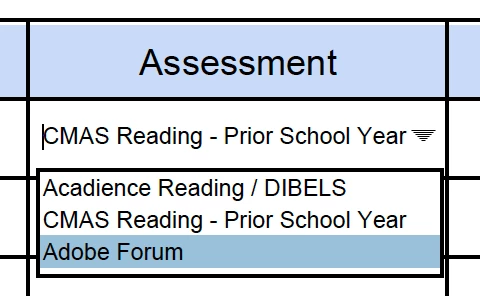
you have to add it with an export value starting with link... (link2, link3...)
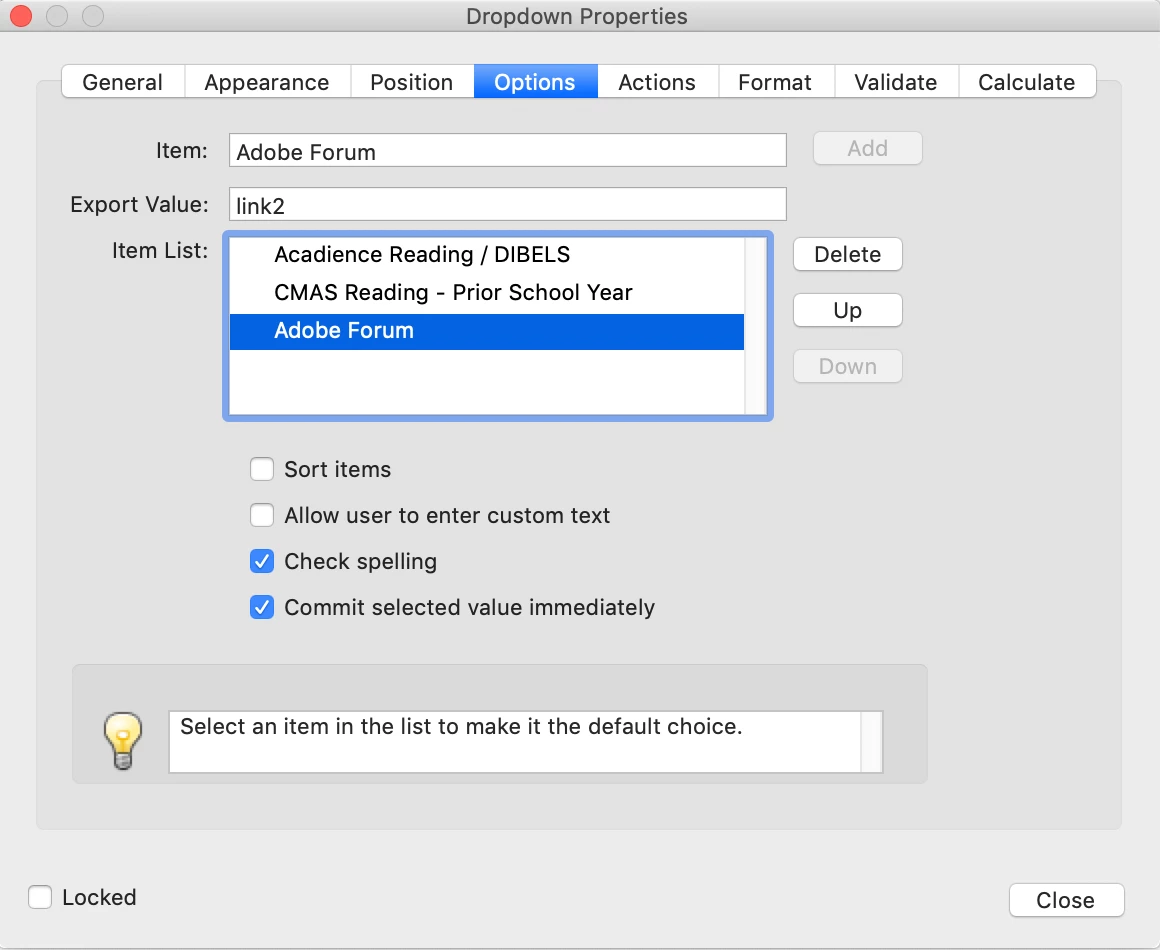
then you have to modify the init script in document-level
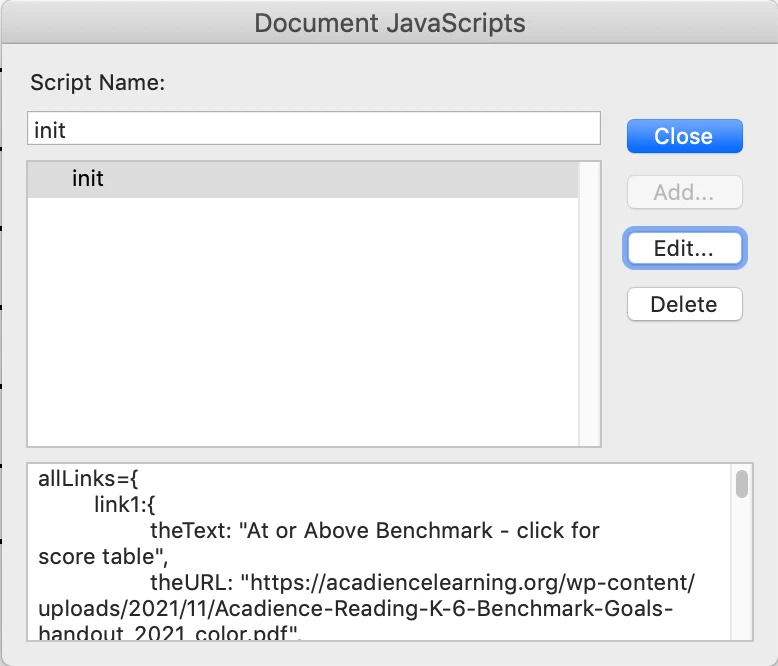
and define the link... object with the text, the url and the text size.
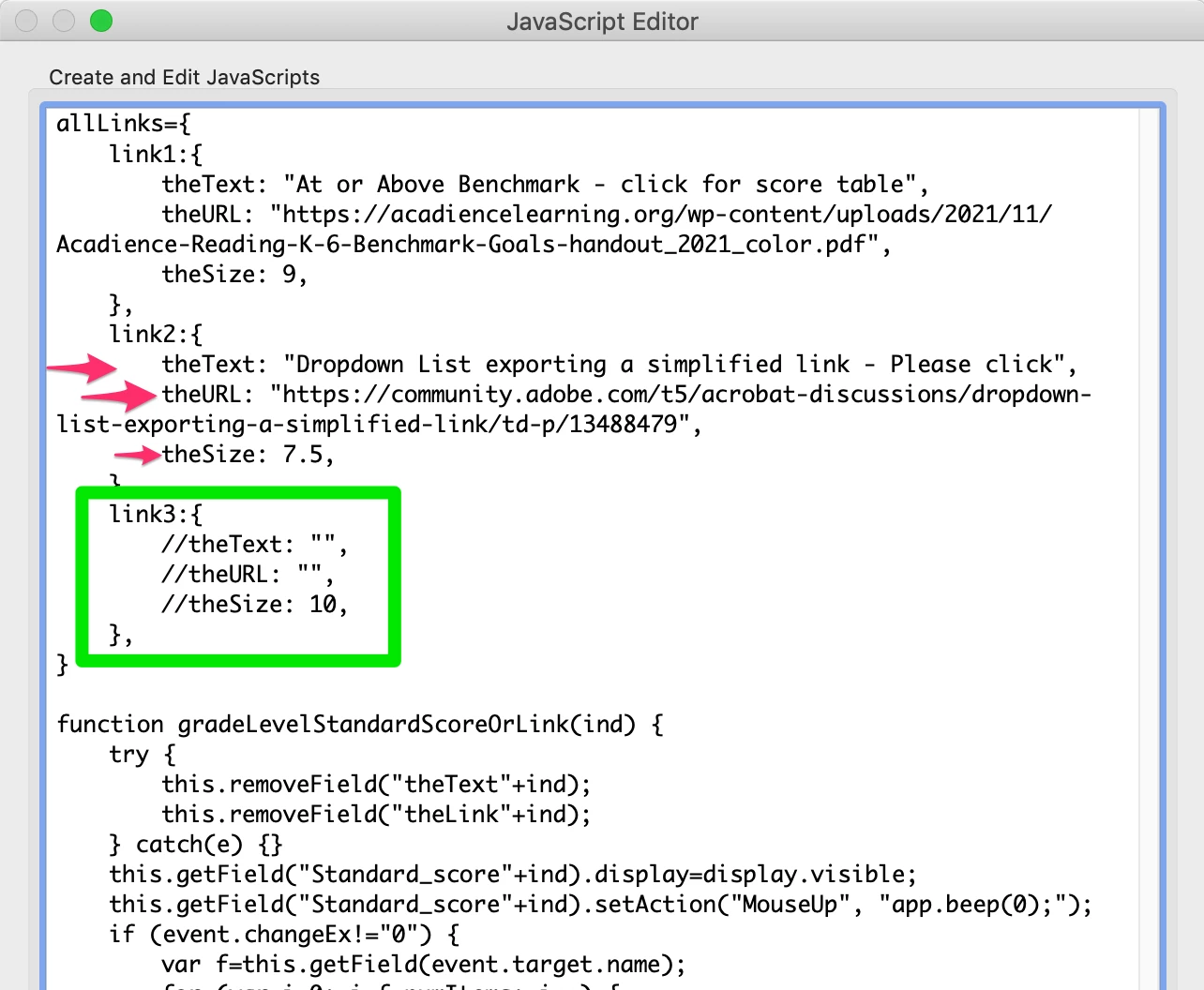
Try with the link3 object...

FYI, as it is not possible to use the auto size in a rich text field, you will have to set the size manually indicating it in the link object.

https://community.adobe.com/t5/acrobat-discussions/all-text-data-to-fit-in-a-rich-text-field-s-rectangle/m-p/13526601#M396185

I hope the explanation will allow you to add an other item yourself...

@+

1 reply

try67
Community Expert
Community Expert
January 13, 2023

You can't really create clickable text links with a script. You can set the entire text field (or button, or link object) to act as a link when clicked, but not parts of it.

Christopher Teacher
Known Participant
January 13, 2023

So that means if my export value for a particular dropdown selection was:

https://community.adobe.com/t5/acrobat-discussions/dropdown-list-exporting-a-simplified-link/m-p/13488534#M394395


... there's no way for it to show up in the text field as a clickable link that says "Exporting a simplified link"?

Christopher Teacher
Known Participant
January 23, 2023

Hi,

It is not possible to create clickable text links with a script. According to your form, we could (maybe) simulate that but it's impossible without seeing it!

@+


Okay, here you go!  This is the roughest of drafts at the moment, so if there's anything that should be changed visually to make this work, that's fine.