

Answered
Duplicate text boxes on different pages
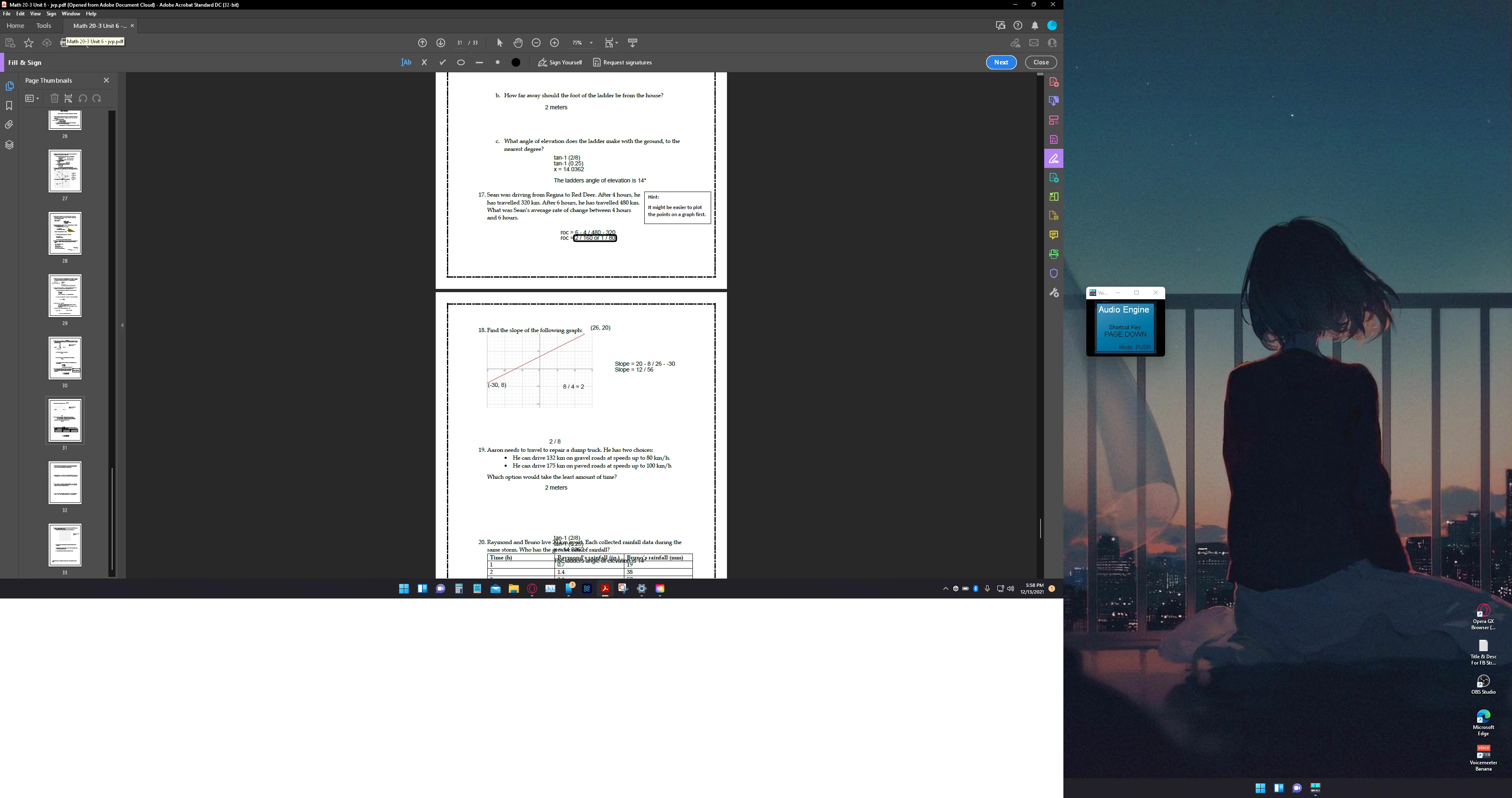
On pages 30, 31 of this pdf, any text box i add is showing up on the other page and vice versa, what is the fix?

On pages 30, 31 of this pdf, any text box i add is showing up on the other page and vice versa, what is the fix?
Hello @Maritza31844488migi
I hope you are doing well, and we apologize for the delayed response and the trouble.
Please ensure you have the latest version of Acrobat installed on the machine: 25.001.20531 (Win) | 25.001.20529 (Mac), planned update June 10, 2025. Check for any pending updates from the Menu > help > check for updates, install the updates, restart the app and the machine, and try again.
Are you on a Mac or a Windows machine, and what is the version?
This issue is often caused by:
Check for Shared Field Names.
Even if it’s not a form, Acrobat may treat text boxes as fields if they share the same name:
Go to All Tools > Prepare Form
Double-click the text box
Check the field name; if it’s the same across pages, change it to something unique.
Flatten the PDF.
Flattening removes interactive elements and makes the text static:
Open the PDF
Go to Menu > Print > Save as PDF (this flattens the file)
Reopen and try editing again.
Use “Edit PDF” Instead of “Prepare Form.”
If you’re not working with forms, avoid using the “Prepare Form” tool. Instead:
Use All Tools > Edit PDF
This ensures Acrobat treats the content as static text, not interactive fields.
If the issue continues, please provide the following information: the current version of the operating system on your device, a sample PDF file, a screen recording with the steps/workflow of the issue, and the logs from the affected machine. To collect the logs, download and run the Log Collector tool. Make sure to select all log options and attempt to reproduce the issue. After that, close the Log Collector tool; it will generate the logs along with a log ID. Please share this log ID with us for further investigation.
Thanks,
Anand Sri.
Already have an account? Login
Enter your E-mail address. We'll send you an e-mail with instructions to reset your password.
 AdChoices