


Dynamic Stamp Dialog box doesn't populate text field
Good Afternoon,
Asking for help. I am creating a simple script with radio buttons and a test field. I created the code, I am not getting any errors. However the text field SmTx is returning undefined and I can't figure out why: This is my stamp:
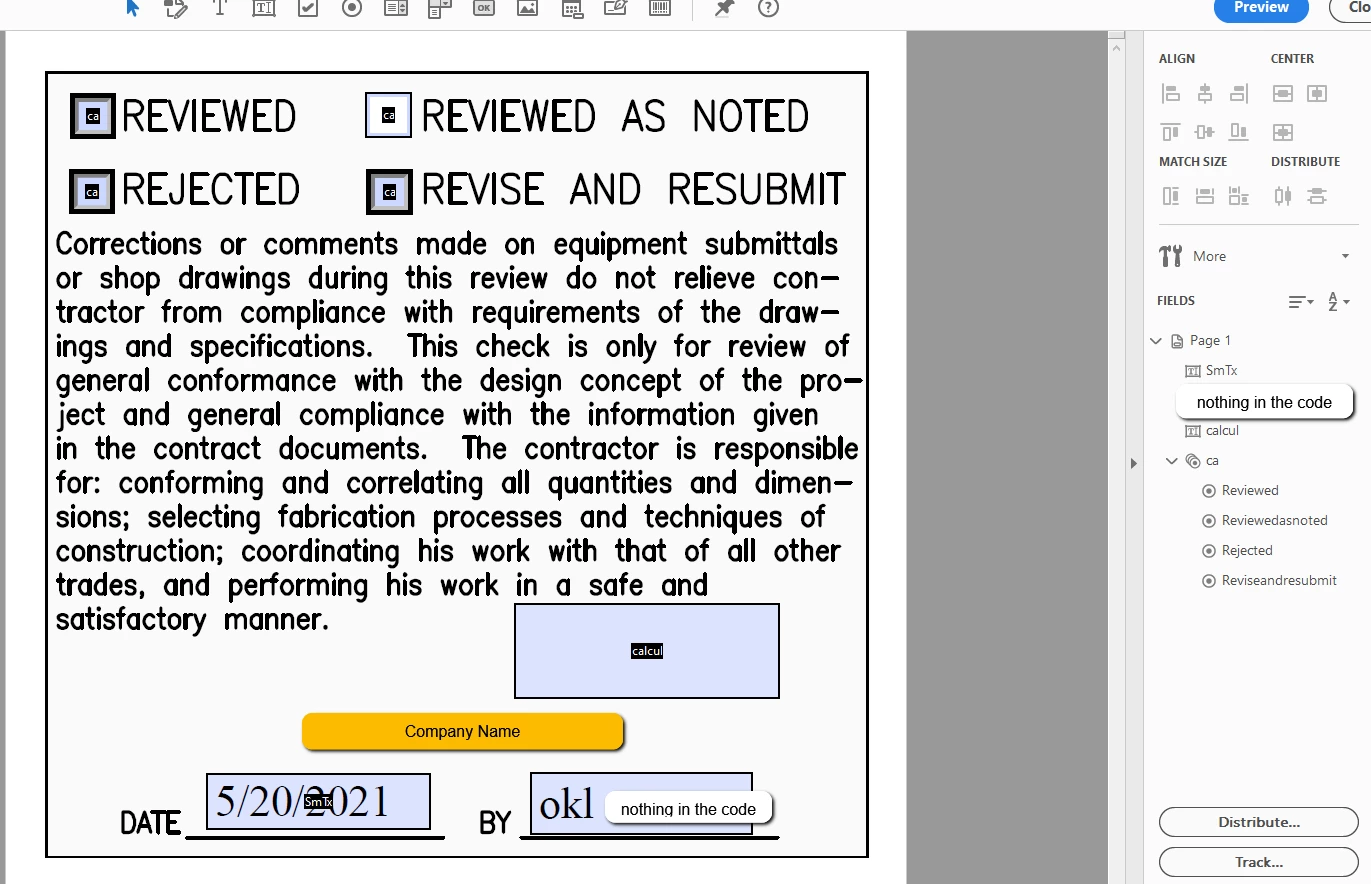
The company name and extra text field has been masked. I am just trying to get one text field to work. Please see my code below:
//console.log("Hello, World!");
// Setup List values
var oList = {Reviewed:-1, Reviewedasnoted:-1, Rejected:-1, Reviseandresubmit:-1};
// Dialog Object definition
var dlg = { strText:"",
initialize: function(dialog)
{
var dlgInit = {
"SmTx": this.strText,
lst1:oList
};
dialog.load(dlgInit);
},
commit: function(dialog)
{
var oRslt = dialog.store();
//this.oSelect = dialog.store().lst1;
this.oSelect = oRslt.lst1;
this.strText = oRslt.Smtx;
},
description:
{
name:"List Select Dlg",
elements:
[
{
type:"view",
elements:
[
{
type:"static_text",
item_id:"stat",
name:"Choose Your Path",
},
{
type:"popup",
item_id:"lst1",
char_width:6
},
{
type: "static_text",
item_id: "sta0",
name: "Stamp Text",
alignment: "align_right"
},
{
type: "edit_text",
item_id: "SmTx",
width: 100
}
]
},
{type:"ok_cancel"}
]
}
};
//call a stamp
if(event.source.forReal && (event.source.stampName == "#C4ca"))
{
if ("ok" == app.execDialog(dlg))
{
var cRtn = "Off";
for(cRtn in dlg.oSelect)
if(dlg.oSelect[cRtn] > 0) break;
this.getField("ca").value = cRtn;
this.getField("SmTx").value = dlg.strText;
}
}
I have searched all the internet and have purchased the all about pdf stamps book, everything is very help full but I can't find the error. Anyone please help.
 AdChoices