Thanks for the response. I'm not sure if you fully read my first note. The increasing the file size is a recent occurrence. Prior to the past 6 weeks or so, we could sign a PDF document and it did not add 3 MB to the file size. The file size stayed fairly small. So this is not a "normal" result. I have PDF documents which are signed and the size did not increase. Now when I sign PDF documents, the file size increases dramatically.
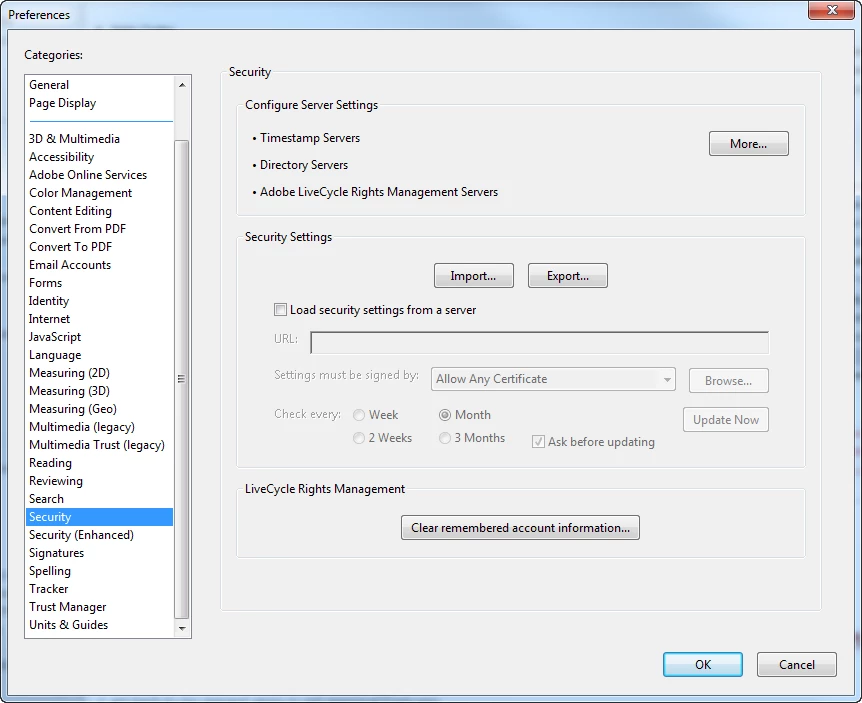
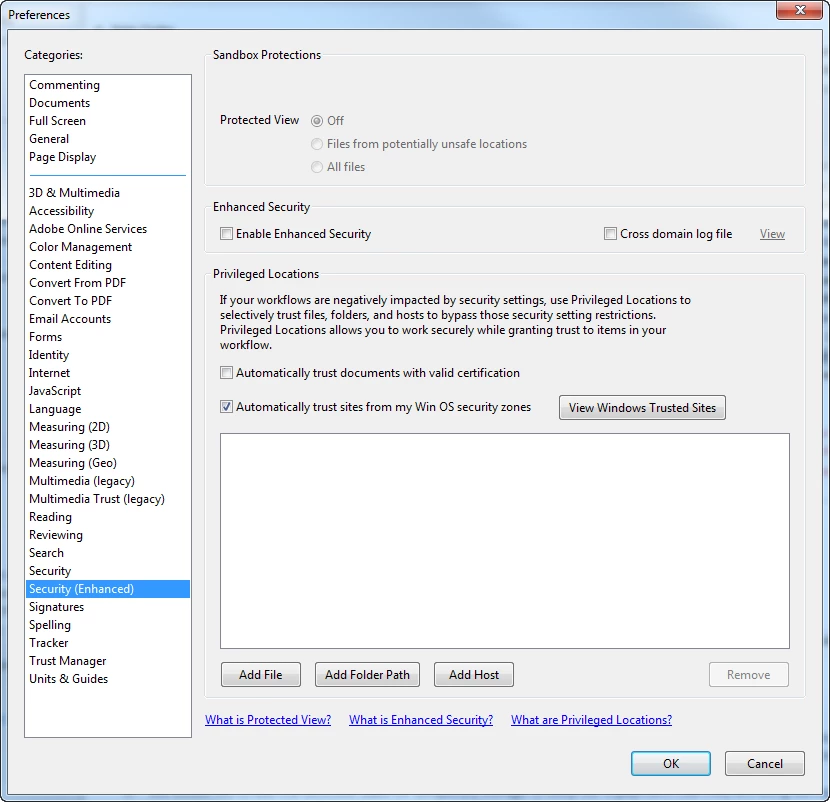
Below is a screen shot of my Preferences Window, showing the Security & Security (Enhanced) options. As mentioned earlier, there does not appear to be any "tab" under these sections, as per the Adobe X help section. I don't see any setting to change that could reduce the information for each signature.
Any sound advice would be appreciated.
I actually found a possible solution:
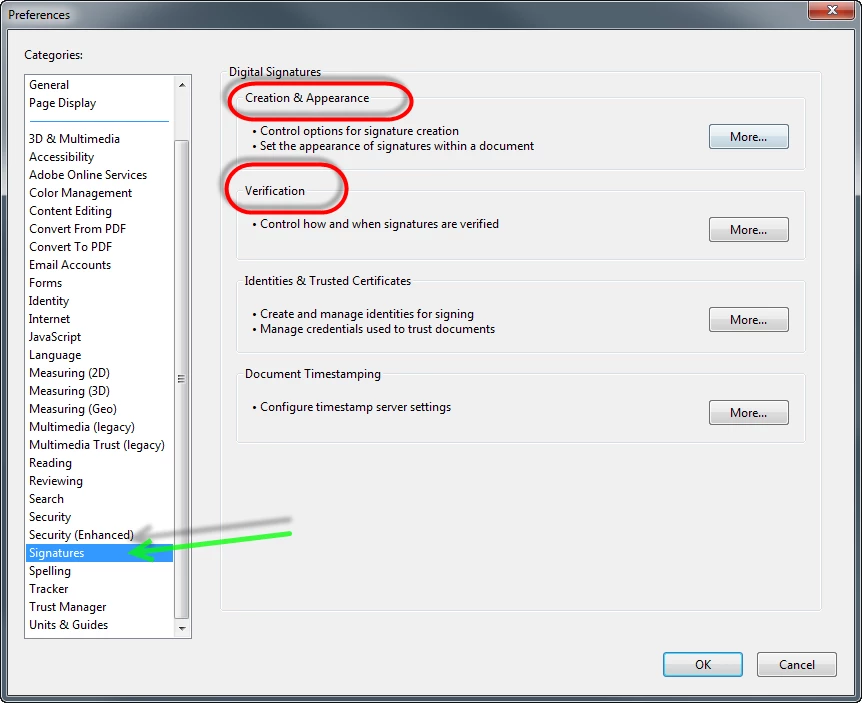
Edit / Preferences / Signatures
- Creation & Appearance: Uncheck "Include signature's revocation status"
- Verification: Uncheck "Require certificate revocation checking to succeed......."
See screen shots below:
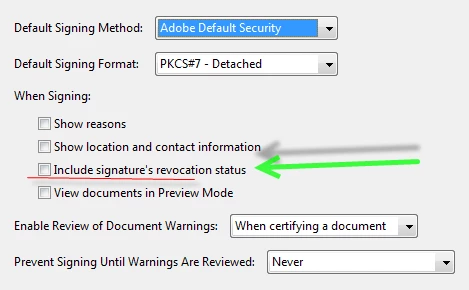

Note, this is from Adobe XI and am using certificates from a SmartBadge. It seems to keep the file size fairly consistent (not dramatically increasing the file size).,



 AdChoices