


Empty box in a document.
Hi, I used to use Acrobat 10
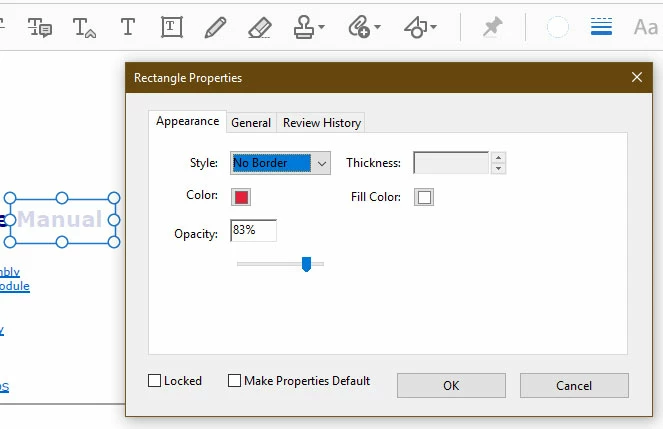
It also meant that I could draw a square and fill it in with the same colour as the document background, change the colour of the border to the same colour and then the document would appear to have nothing in the area of the box.
But with Acrobat 17 I see no options or tools to draw empty boxes. Acrobat 10 used to have all the different tools down the right hand side of the document with different headings. There is nothing like that in Acrobat 17, and there doesn't appear to be a "box" tool only a text box tool. I don't want the text box tool.
I personally don't like Acrobat 17 as I find it is nowhere near as user-friendly as Acrobat 10 - but I am stuck with it having paid full price for the product !!
Any help would be much appreciated as I used the box tool an awful lot when editing existing .pdf documents for alternative use. Perhaps someone can help.
Parkman.
 AdChoices