


Copy link to clipboard
Copied
Hi all,
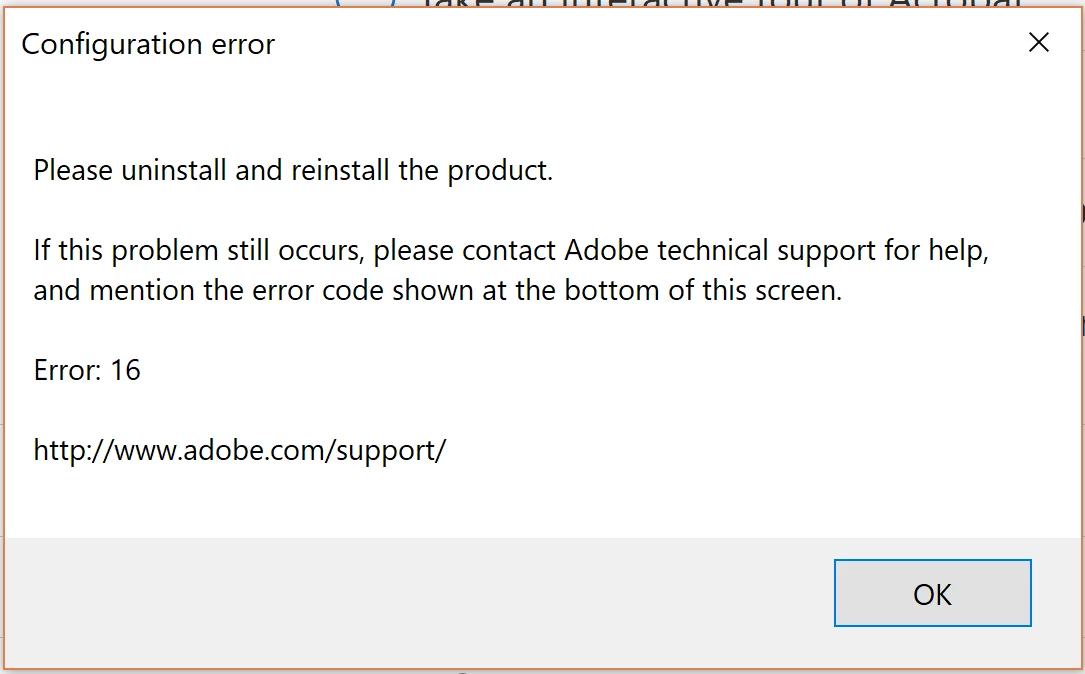
I'm having issues installing Adobe Acrobat PRO DC. Following installing, an error message (as per attached picture) comes up and prevent me from using the program.
I have followed the following answers on the forum already but still no luck.
Configuration error in Adobe Creative Cloud
I would appreciate any help to fix this issue.
Thanks in advance!
Copy link to clipboard
Copied
uninstall everything cc including preferences, https://helpx.adobe.com/creative-cloud/help/uninstall-remove-app.html
then uninstall the cc desktop app, https://helpx.adobe.com/creative-cloud/help/uninstall-creative-cloud-desktop-app.html
clean your computer of cc files per http://www.adobe.com/support/contact/cscleanertool.html
remove your adobe pcd and slstore folders (see your 2nd link for locations)
restart your computer (don't skip this)
reinstall the cc desktop app, https://creative.adobe.com/products/creative-cloud.
if you're unable to install the cc desktop app at this stage, use an administrator account (solution 4 here, https://helpx.adobe.com/creative-cloud/kb/creative-cloud-missing-damaged.html)
use the desktop app to install your cc programs/trials
Copy link to clipboard
Copied
Hi,
Thanks for you help. I went through your instructions step by step but still no luck.
Any ideas?
Much appreciate you time and help.
Thanks!
Copy link to clipboard
Copied
what's your os?
do you have an acrobat subscription? if yes, are you using the cc desktop app from here to install acrobat, https://creative.adobe.com/products/creative-cloud ?
Copy link to clipboard
Copied
I'm using Windows 10
The current account does not have a subscription but I have used one with a subscription also. Yes I've been using the cc desktop app to install acrobat.
Thanks.
Copy link to clipboard
Copied
if you don't have a subscription, do you have a perpetual (classic) license? if so, why are you using the cc desktop app to install acrobat?
Copy link to clipboard
Copied
I'm not sure what a perpetual (classic) licensed is. I haven't purchased any?
I'm using cc desktop to install acrobat and it automatically did so when I tried installing it from the Adobe website.
Copy link to clipboard
Copied
do you have a license of any sort for acrobat dc?
if you're not sure, you can check your account, https://accounts.adobe.com
Copy link to clipboard
Copied
Nothing. It only showed a creative cloud free membership.
Copy link to clipboard
Copied
are you paying for a subscription?
if not, why are you trying to install acrobat?
Copy link to clipboard
Copied
I'm using my personal account right now, trying to get it work with the free trial. My work's account has a subscription which I was planning to swtich to, but no luck with the installation.
Copy link to clipboard
Copied
try resetting the permissions on the folders you previously deleted (but will have been recreated when that error 16 was triggered).
Copy link to clipboard
Copied
I have tried the whole process again including permission to the folders but still the same error 16 comes up.
Copy link to clipboard
Copied
using a browser that allows popups and cookies, contact adobe support during pst business hours by clicking here and, when available, click 'chat', http://helpx.adobe.com/x-productkb/global/service-ccm.html
or contact the Adobe Twitter team at @AdobeCare
Copy link to clipboard
Copied
Great. Thank you so much for the help.
Copy link to clipboard
Copied
you're welcome.
hopefully, they'll be able to walk through those steps on your computer and find the problem.
Copy link to clipboard
Copied
Sorry, one last thing.
I've followed the link to chat with adobe but the only option it allows me is to post in this forum. The phone option disappears after following the prompts. Any ideas?
Copy link to clipboard
Copied
you can't use phone. use the chat option, or even easier, use twitter.
Copy link to clipboard
Copied
It doesnt give me a chat option either. I will try twitter.
Thanks!
Get ready! An upgraded Adobe Community experience is coming in January.
Learn more