

Participant
September 1, 2025
Question

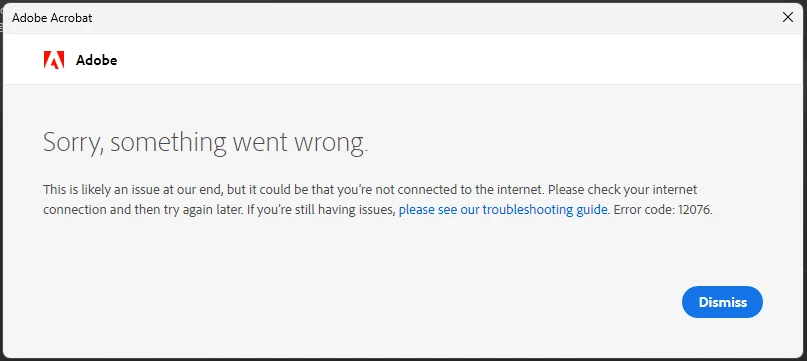
Error Code 12076

  • September 1, 2025
  • 1 reply
  • 333 views

Unable to launch adobe acrobat at all. Have tried reinstalling but still faced the same issue.

It's been 1 month. Please help!
1 reply

Community Manager
September 1, 2025

Hi @MRL24668508xn42


Sorry to hear that you’ve been stuck with this issue for so long. Thanks for sharing the error details and screenshot—it really helps.


Error code 12076 often relates to connectivity or certificate validation problems when Acrobat tries to connect to Adobe servers. Since reinstalling didn’t solve it, here are a few steps worth trying:


1. Check Internet & Proxy settings

  • Ensure you have a stable internet connection.

  • If you’re behind a firewall, VPN, or proxy, try temporarily disabling it and launching Acrobat again.


2. Update Windows & Root Certificates

  • Make sure Windows is up-to-date.

  • Sometimes, outdated system certificates cause Acrobat’s secure connection to fail.


3. Clear Adobe-related caches

  • Go to: C:\Users\<username - your system user profile name>\AppData\Local\Adobe\ and rename or delete the Acrobat and OOBE folders (Acrobat will regenerate fresh ones). Ensure Acrobat is closed while you rename or delete.


4. Try the Acrobat Cleaner Tool


5. Check TLS settings in Internet Options

  • Open Internet Options > Advanced tab.

  • Ensure TLS 1.2 is enabled.


If the issue continues, could you let us know:

  • Your Windows version (e.g., Windows 10/11)

  • Acrobat build version

  • Whether this happens on all networks (e.g., office + home Wi-Fi)


This will help us narrow down whether it’s system-related or network-related.


Best regards,
Tariq | Adobe Community Team | Meet Acrobat Studio
