


Error combining Word files to PDF Desktop app
Hello
Me and my fellow-workers are all having the same issue: we cannot create one PDF using moren than one Word document using the Adope Desktop app.
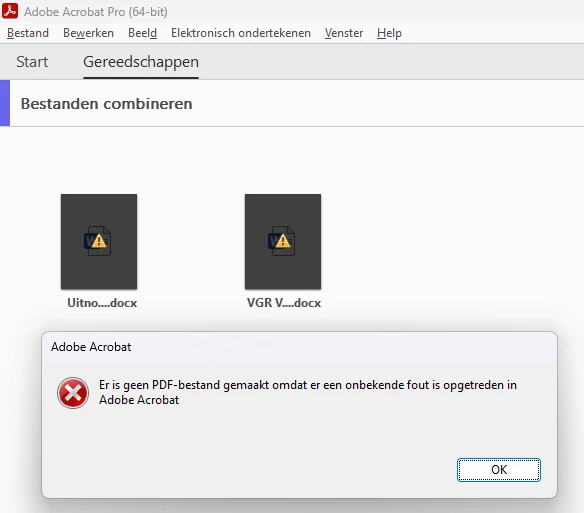
After pressing the combine button after some time every file gets a yellow traingle with an black exclamation sign and an error (in Dutch, sorry, but translated it states the following:)
"No PDF file was created because an unknown error occurred in Adobe Acrobat"
Not helpfull as it does not refer to the cause nor to a resolution.
Luckily I could advise my colleagues with workarounds by using the online tool or to save the Word document to PDF first in order to combine.
A screen shot (Dutch):
We are using the following software (all the latest versions):
Microsoft 365-apps for business Version 2301 (build 16026.20200)
Adobe Acrobat Pro Version 2022.003.20322 64-bits
Windows 11 Pro 22H2 22621.1265 Windows Feature Experience Pack 1000.22638.1000.0
I tried all other "solutions" in this forum as registry editting etc.. but without success.
Please advice.
Thanks and best regards
Alberto NL
 AdChoices