


New Participant
June 11, 2023
Question

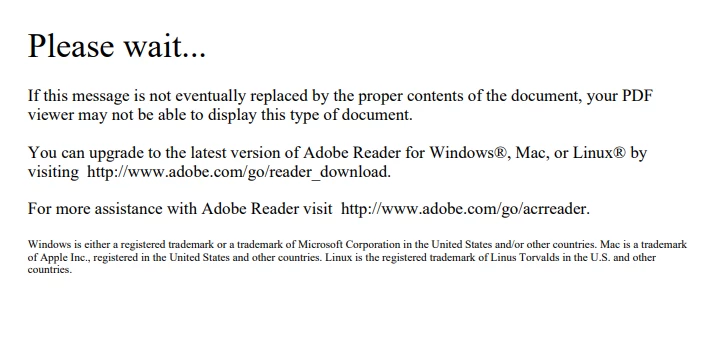
ERROR MESSAGE IN GOVERNMENT WEBSITE SMART FILLABLE FORMS (US)
  • June 11, 2023
  • 4 replies
  • 1604 views

IFP104.pdf (mncourts.gov)

 
Hello - this is the error message I get when trying to complete a smart fillable form on a Govenment website,  I am not given the option to download and open in Adobe.  This error message simply takes me to Adobe site where I can find an conglomerate of downloadable programs available with Adobe and thus begins the hot sweats and panic as I shuffle through a never ending list of software.  I can't figure out what the hell.... I am at a loss.  I just want to fill this form out and have it upload right back to them when it's complete.   I've been filling forms out forever on this same exact sight and have neve run into this issue.

Please help me.  I am at a total loss and so frusturated now I could cry.  Any direction or insight would be exteremly appreciated!


GB!


Teresa


4 replies

New Participant
April 17, 2025

Hi Teresa,

I totally get how frustrating this must be—especially when it’s something you’ve done before without any issues. That error message usually pops up when a browser tries to open a “smart” fillable PDF that needs to be used specifically with Adobe Acrobat Reader. Most browsers can’t handle those advanced features, which is why you're getting redirected without clear instructions (ugh, I know 😩). To fix it, try right-clicking the form link, choosing “Save link as…”, and then opening the downloaded file directly in Adobe Acrobat Reader DC (you can get the free version here: https://get.adobe.com/reader/.

Once you open it in Reader, everything should work like it used to—you’ll be able to fill it out, save it, and then upload it back to the site. No need for any of the extra Adobe programs they try to throw at you. You’re definitely not alone in running into this, and it’s not your fault at all. You've got this—and if you need help walking through any of the steps, just say the word!

Dave Creamer of IDEAS
Community Expert
April 17, 2025

This thread is almost 2 years old. I'm assuming the OP has moved on by now. 

Also, if by a 'a “smart” fillable PDF' you are referring to an XFA-based PDF, I already answered that.


David Creamer: Community Expert (ACI and ACE 1995-2023)
Dave Creamer of IDEAS
Community Expert
June 11, 2023

It's possible that this is a AEM/LiceCycle PDF form. They can't be viewed in the browser like a "normal" PDF (AcroForm). Try downloading the form and open it at the desktop, not browser. 

David Creamer: Community Expert (ACI and ACE 1995-2023)
Bernd Alheit
Community Expert
June 11, 2023

What operating system does you use?

Brainiac
June 11, 2023

There is never an option to "download and open in Adobe". It is a two stage process.

1. Download the form you are viewing in the usual way. (Let us know if you don't know how to download, and please give a screen shot of the whole window, including the window title and tools).

2. Start Acrobat Reader and open the file you just downloaded. I assume you have installed Acrobat Reader. If not go to http://get.adobe.com/reader

New Participant
June 11, 2023

First of all...Thank you so much for responding!  I really appreciate you taking the time!

Here is a screen recording of exactly what happens - when I get to the link they provide, I am certain that I've downloaded just about anything and everything they offer on the site.  Still nothing will allow me to open that document.


Hopefully you are able to open this link!  


https://screenrec.com/share/pvsC4MqhiF

TR

Brainiac
June 11, 2023

Unfortunately your screen grab movie has cut off the bit we needed - the top of the browser window including the controls you would use to download the PDF. Please show a screen shot if all of it (a movie is ok but a simple screen shot is better).