


wadeh80369483
New Participant
March 25, 2019
Answered

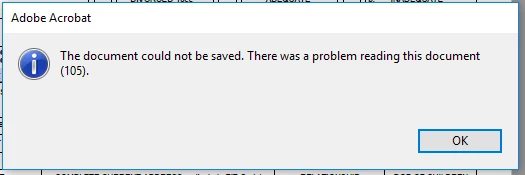
Error - The document could not be saved. There was a problem reading this document (105).

  • March 25, 2019
  • 21 replies
  • 643879 views

I just registered and installed Adobe Acrobat Pro DC and I cannot save PDF files.


I decided to try the trial period because I was so frustrated with the lack of functionality in Adobe Reader.  I need to be able to sign documents, and even when DC reader works, it takes minutes to open a single document.


First, I uninstalled DC Reader.  That took about a half hour.


Next I signed up for the trial period.  I was surprised that Acrobat was so difficult to download.  I had to attempt a few browser tricks before I could even start the download.


After finally installing Acrobat Pro, I was unable to save PDF files.  I've tried multiple files and tried saving them to new locations, but I get the same error.


To add insult to injury, I couldn't contact tech support because I haven't registered my product.  (That sounds like an error I'd get back when people bought software in a box at the local office store.)


Please either help me resolve this issue or cancel my trial period immediately.  I have no desire to pay for a product that doesn't work and isn't supported.

Correct answer mknowlesnc

I had the same error.  i was able to make it go away by:

Tools > Organize Pages

Extract Pages - select the pages i want to create a new document

Save As

Pain the the rear, but it worked.

21 replies

New Participant
August 16, 2021

THANK YOU!!!

I have had this issue with pds from the IRS website.

This has been driving me nuts.

Your fix works.

Megan

New Participant
July 27, 2021

Found that if you "save as other" then choose "optomized PDF" another box will show up. Select yes then either overwrite the existing file or save in new location.  

New Participant
March 21, 2021

I just pressed Print to PDF and it saved as a PDF. This works too!


New Participant
May 4, 2021

The instruction works like a chime.

New Participant
March 12, 2021

I have 6 PDF that were created by Integrity OrgPlus Version 11. I tried to combine them in Adobe Acrobat 2017 but I got the above error message when I tried to save my binder.


Does someone know what I can do to allow me to save the binder?

ls_rbls
Adobe Expert
March 14, 2021

Verify that when you're executing the combined files action that any of those files are not opened in Acrobat or with any other PDF viewer, or have password restrictions, like digitally certified or password protected with encryption, for example.


You may also want to check that the folder that you're saving the new binder PDF is not restricted, and also verify if the file naming convention of this file contains special or reserved characters, or spaces, or that is too long. (that includes if the file extension of the file is supported by Acrobat).


These are just a few suggestions in the blind.

New Participant
March 5, 2021

Thank you !!!! This worked .

New Participant
March 3, 2021

file>save a copy worked for me

New Participant
February 15, 2021

I was able to save by printing to PDF.

Extract pages did not work for me.

New Participant
February 6, 2021

Extract pages emptied my form fields in the new copy so that was not a solution for me either.


I had this issue while trying to save some legal docs with lots of form fields. I tried a bunch of things and then got an error message that helped, so I did File -> Save a copy and that gave a warning but I was able to save what i needed which was a version of the form as submitted with form fields filled in.

New Participant
February 26, 2021

Thank you buddy, this worked for me. saved my day.

jackm49118455
New Participant
January 13, 2021

I have saved and been working on a document.

Having made amendments to it, I now get this message.

Previous strings on this question do not apply and provide no solution.

Any help gratefully received.


Amal.
Community Manager
Community Manager
January 14, 2021

Hi Jackm


Hope you are doing well and sorry for the trouble. As described you are getting the above error message when trying to save the PDF


This is a generic error message and there could be number of reasons for it. If you have Acrobat DC on your machine you may use some predefined test using the Preflight tool on this file. Try saving the file with different name and check if that helps.


You may also try to Print to PDF using Adobe PDF Printer (Win Only) to flatten the PDF file and save it with a different name and check. For more information please check the help page: https://helpx.adobe.com/acrobat/using/print-to-pdf.html


Regards

Amal

jackm49118455
New Participant
January 14, 2021

Dear Amal,

Thank you for taking the time to reply.

I am an OS user so I cannot Print to PDF.

I tried saving with a different name and sadly this did not work.  I even tried to save in a different format (reduced size), but it cannot do this without saving first - so the circular problem begins again.

Kind regards,

Jack

New Participant
October 12, 2020

I have the same issue with a 30 page document.  I followed the instructions above-except there was not an option to save at the end.  I have 30 individual pages saved : (  What did I do wrong and why did Adobe make this so hard!!! 


Participating Frequently
September 16, 2021

Just curious, did you check the box that said save pages as a separate file? I did that, then just combined them back, while sometime it was all in a single file. Either way lol just wanted to make sure you checked that.