


Participant
November 9, 2023
Answered

Error when trying to view pdf in SAP (0:521 or 507:507 error)

  • November 9, 2023
  • 1 reply
  • 16206 views

Hello,


Since we have Adobe Acrobat as a viewer, we have problems with SAP when viewing PDFs.

Sometimes, it lets us view it once but when you view a second document, it shows this error:
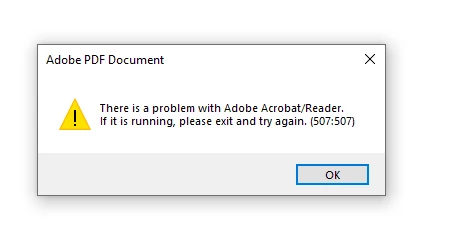
 

To solve it, we must close all Adobe services (There are many running at the same time, may be this is the cause?) and restart SAP and it works again.


We have tried to disable these parameters but it doesn't seem to work (there are some users that don't seem to reproduce the error again and others it doesn't work)
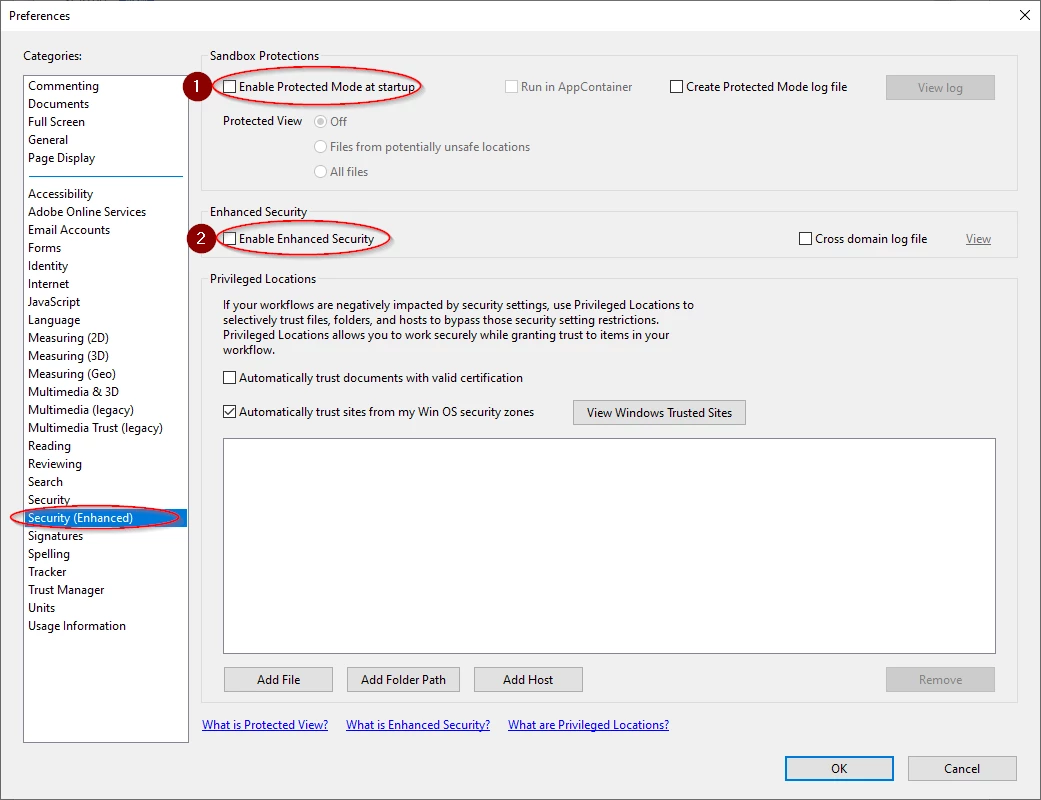
It is running on Windows 10 OS with the latest version of Adobe Acrobat Reader (2023.006.20360 64 bits)


Do you have any idea what may be causing this error?

Thank you.


This topic has been closed for replies.
Correct answer Максим33880442g84e

Hi there


Please try to update the application to the new version 23.06.20380 from the help menu > Check for updates and reboot the computer once and see if that works.


~Amal


Good afternoon, colleagues! This error was resolved by updating SAP GUI to version 7.7. If the error still appears after the update, you can also try resetting Adobe Reader settings (rename the adobe folder to AppData\Roaming).

1 reply

Amal.
Community Manager
Community Manager
November 10, 2023

Hi @Jordi33501973du0f 


Hope you are doing well and thanks for reaching out.


This error means that Another Adobe Reader is running in the background. Please close the application and reboot the computer once and then try to open the PDF file and see if that works.


Let us know if you experience any trouble and need more help.


~Amal

Participant
November 13, 2023

Hi Amal,

That's right, once restarted it is solved (or by closing the task), but every time the process is repeated (opening SAP and viewing PDF's) it happens again.
What we see is that from the Task Manager there are many Adobe tasks running at the same time.

Amal.
Community Manager
Community Manager
November 20, 2023

Its only when Adobe is working with SAP. Before i was worked with Acrobat Reader DC without problems, but since i installed Acrobat Reader there are these problems with SAP


Hi there


Please try to update the application to the new version 23.06.20380 from the help menu > Check for updates and reboot the computer once and see if that works.


~Amal