New Participant
December 11, 2019
Question

Excel chart changes size when saving as PDF

  • December 11, 2019
  • 4 replies
  • 10827 views

I have an Excel workbook that contains several charts. When I try to export to a PDF or save as a PDF, the one of the charts is always skewed in size (seems to be whichever is selected at that time, even when I select all sheets). I use Adobe Arobat Reader DC. I have read the Microsoft support about making sure you are using a PCL printer, which I am. All charts are the same DPI. I've also unchecked the "Scale content for A4 or 8.5x11 paper sizes" box in Excel. Not sure what else to try. Any tips would be greatly appreciated!


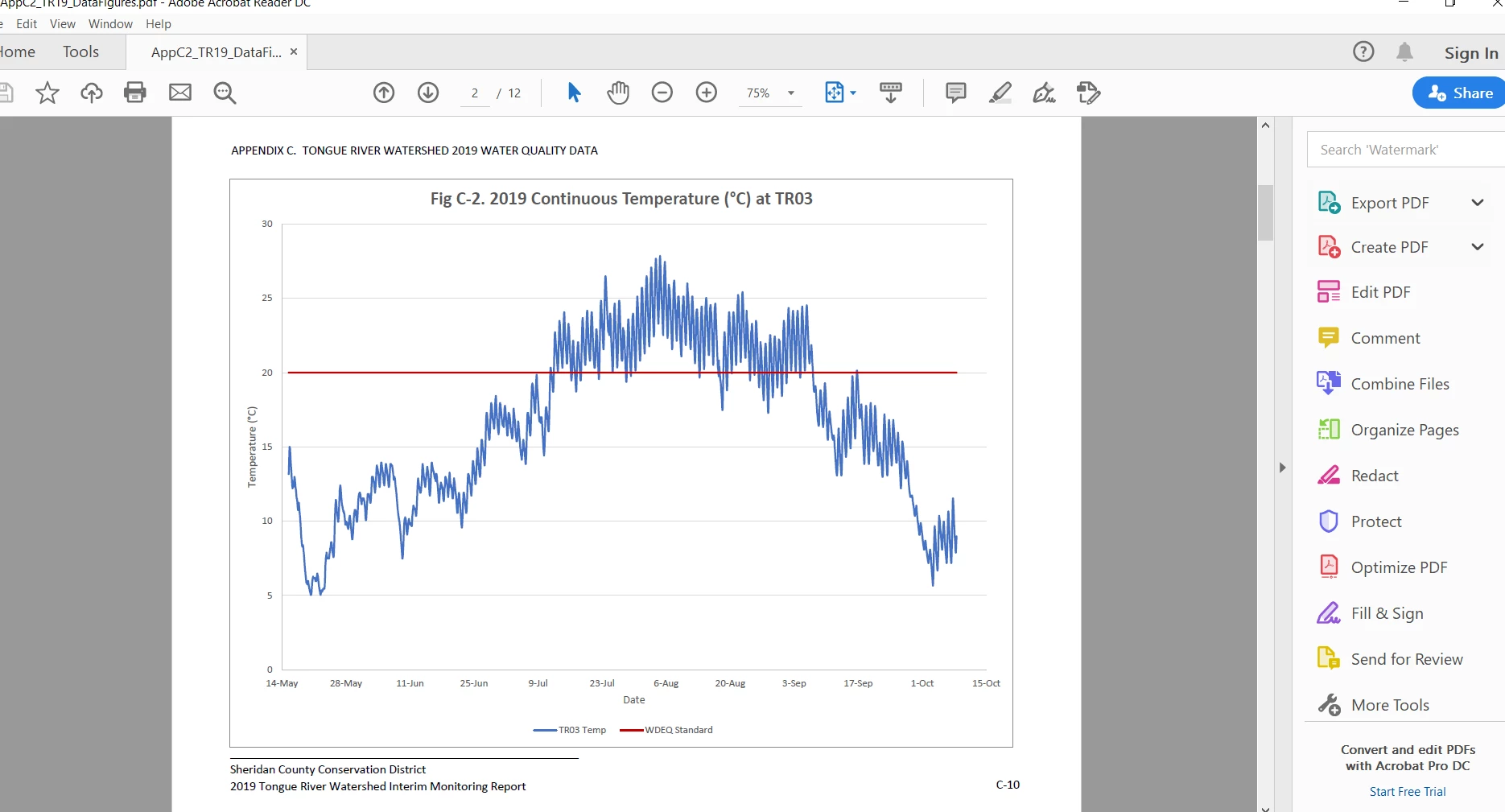
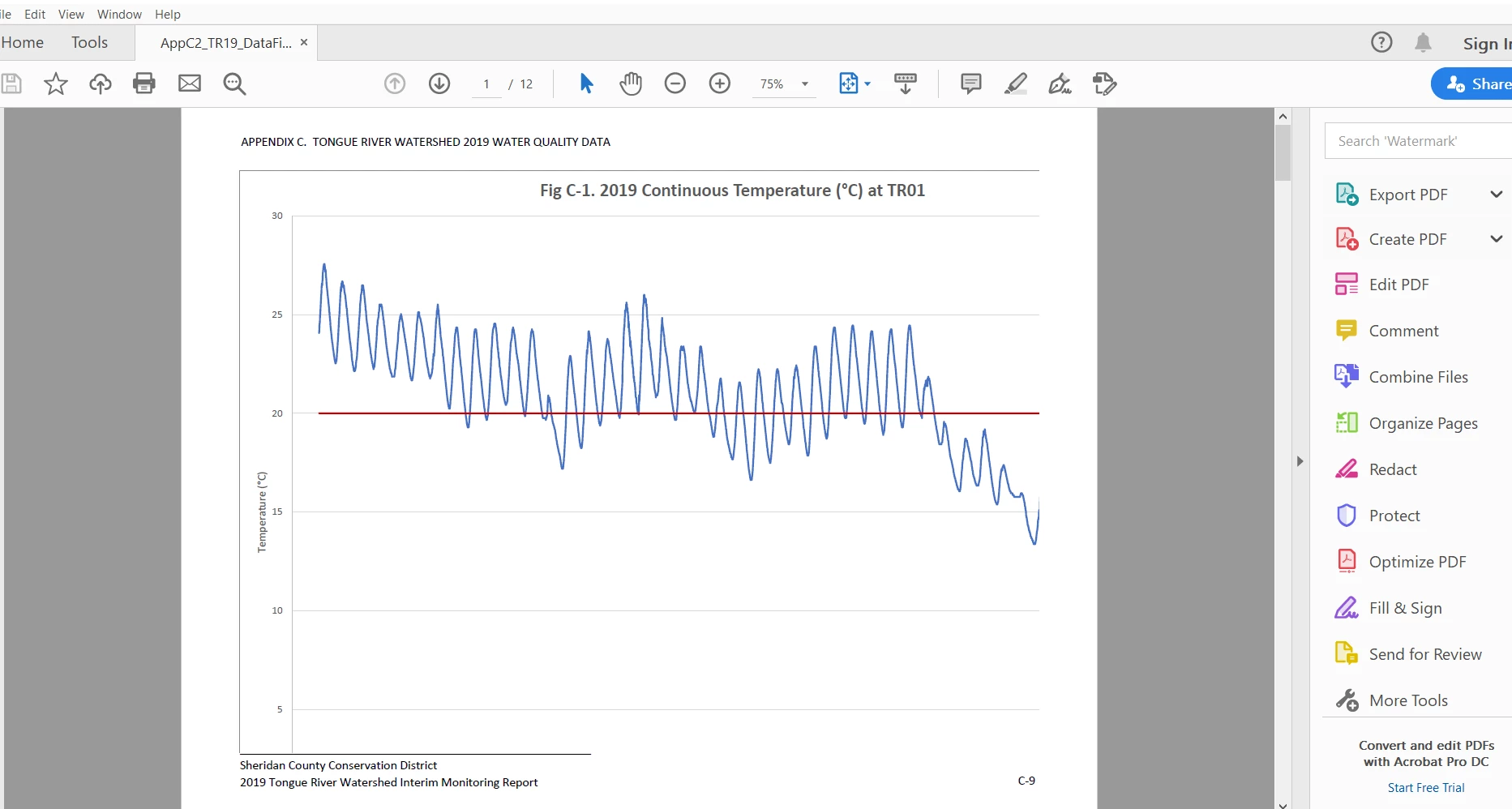
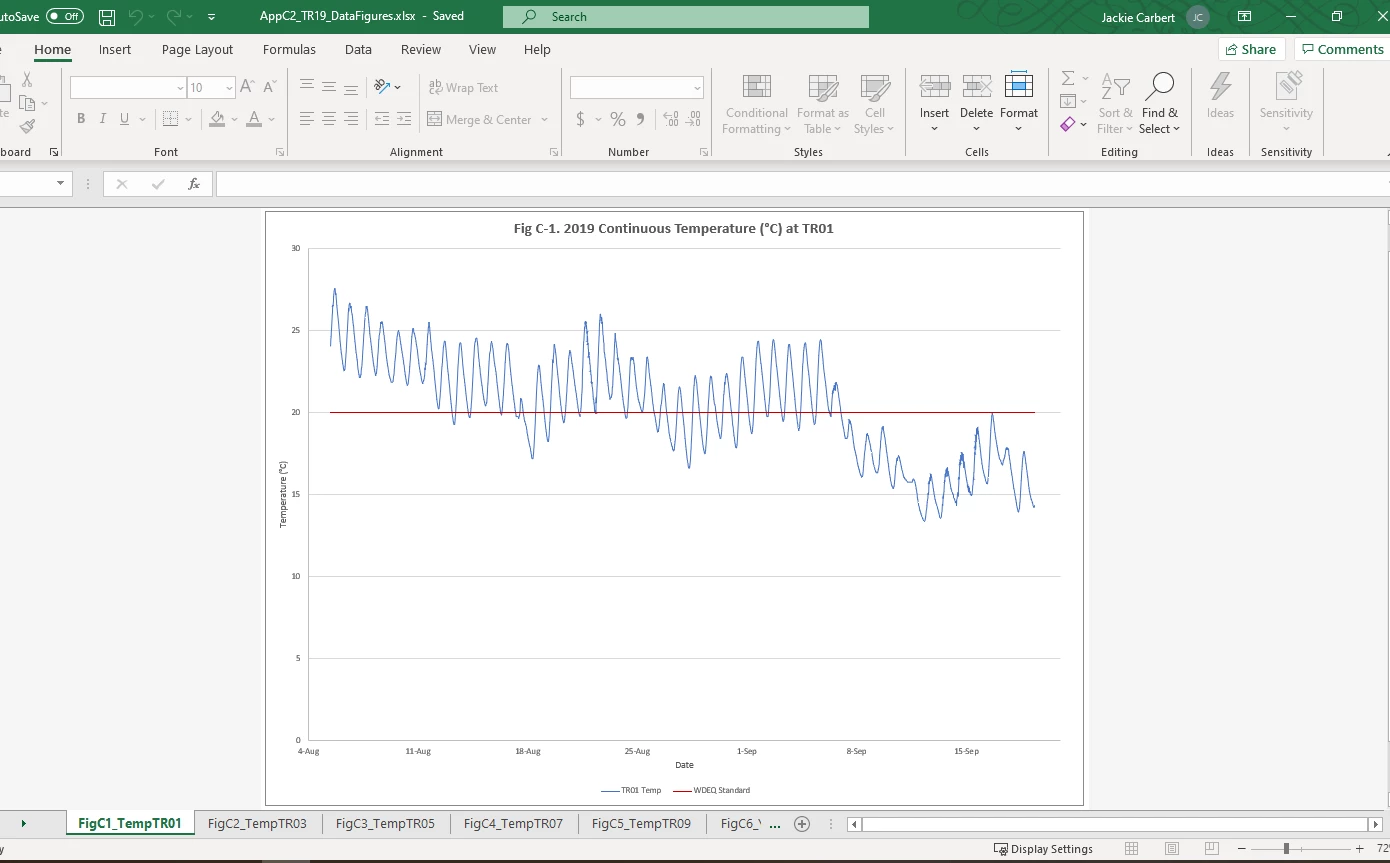
See screenshots.

  • 1st is an example of one of the charts in Excel
  • 2nd is how the rest of the charts look in the PDF, like they should, the correct size.
  • 3rd is the issue I'm experiencing with the first chart when exporting/saving to PDF. It essentially zooms in on the chart, cutting off the x axis, titles, units, etc. 
This topic has been closed for replies.

4 replies

May 15, 2020

I am also having this same issue. I am using Excel (MS Office 2016) and Adobe Acrobat Pro DC. It happens most frequently when selecting multiple worksheets to print to Acrobat PDF, but also occurs when I only have one worksheet to print. I've found that by selecting a single worksheet, then entering Page Setup from the task bar menu, then Print Preview, and then Print that it prints correctly 9 times out of 10. But that might just be luck. Anyway...this is super frustrating and time consuming when you have 20+ worksheets that you want to print as a single file.

ls_rbls
Community Expert
May 15, 2020

+++Adding to the discussion,


Hey msmith_11,


Try this troubleshooting guidance :


Specifically to troubleshooting your isse, scroll down in that page to the section where it says " Try to create a PDF with the Acrobat Distiller application".


Try to rule out if this is the issue.

swapnilsrivastava
Community Manager
Community Manager
December 12, 2019

Hi There,


Thanks for reporting the issue.

We tried to reproduce your issue; but as mentioned by you that you're using Adobe Acrobat Reader, which does not support PDF creation. Are you using both Adobe Reader and Adobe Acrobat or the PDF is created using any other tool?


Regards,

Swapnil Srivastava


New Participant
December 6, 2022

Did adobe ever fixed this issue? 

djbbartman
New Participant
December 6, 2022

For me, it works most of the time now, but not all the time - but most of the time is better than none of the time . . . I guess.   Also, sadly, I've slowly come to a place of acceptance now, realizing that pdf'ing Office 365 documents isn't a for sure thing, whereas prior to that it was absolutley trouble-free. 

Adobe Employee
December 12, 2019

Hi,

We are sorry for the trouble. Can you please specify which version of Acrobat you are using? As mentioned by you, you are using Adobe Arobat Reader DC which does not support the functionality to convert Excel files to Adobe PDF. 

If you are using any other way (like Microsoft's feature to export to PDF) to convert Excel file to PDF then you may have to take this up with them.

Thanks

ls_rbls
Community Expert
December 11, 2019

hi,


try the print to pdf method directly from the Microsoft application and see if the same problem manifests