

Answered
Export PDF to jpeg failure
I use the 'Export PDF to jpeg' almost daily.
Over the past few weeks I have been experiencing this failure.
I can see that I am not the first to experience this failure.
What is the correct solution?

I use the 'Export PDF to jpeg' almost daily.
Over the past few weeks I have been experiencing this failure.
I can see that I am not the first to experience this failure.
What is the correct solution?
Open the PDF file>ctrl+d or right-click and check document properties>Security
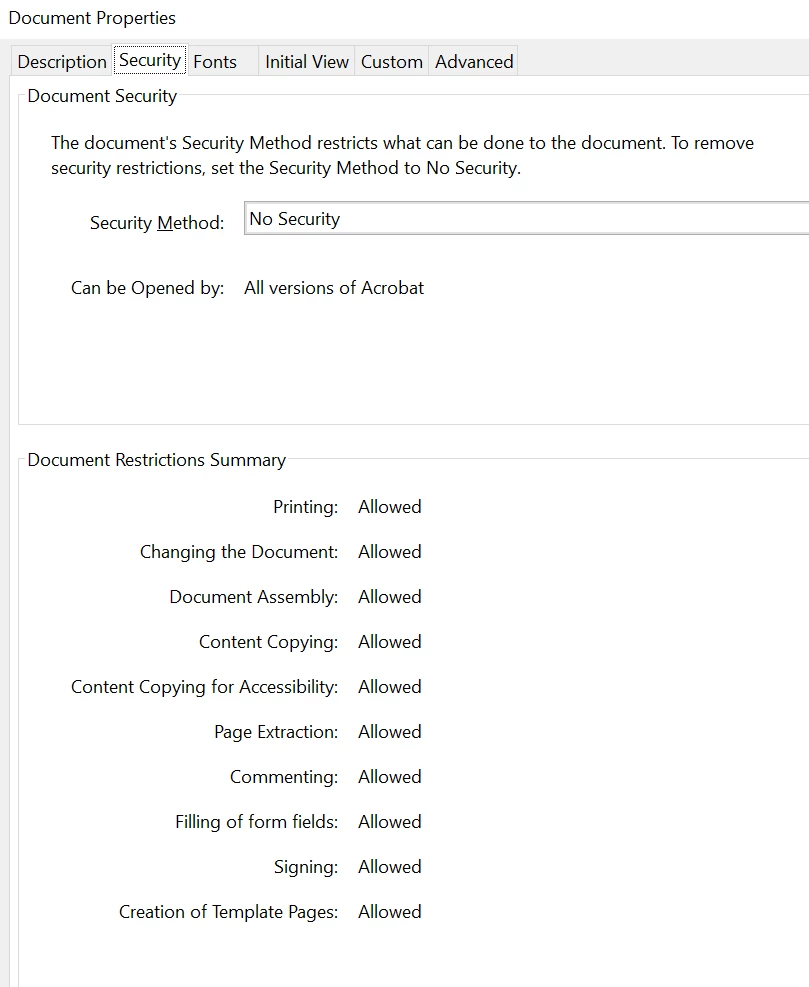
Also, is it possible for you to share the screen recording of your workflow? What are document restrictions?
If it's still not getting anywhere even after trying the troubleshooting steps suggested above. Please get in touch with our assisted support team to get the troubleshooting steps done via remote access.
Please check your DM for more details.
Thanks,
Akanchha
Adobe Support initially diagnosed a Microsoft Folder issue.
Microsoft Support diagnosed Adobe was using the C drive as default (I was trying to save on my D drive).
Adobe Support logged on to my machine and found 'compatibility issues'; fixed them, and all is now well.
Already have an account? Login
Enter your E-mail address. We'll send you an e-mail with instructions to reset your password.
 AdChoices