


Joel Cherney
Community Expert
December 21, 2024
Question

Export values and right-to-left radio buttons

  • December 21, 2024
  • 4 replies
  • 3753 views

I have a PDF that is an Arabic translation of an interactive form. There are a large number of yes/no radio buttons with tooltips and "Yes" and "No" export values in the source English form - a few thousand.
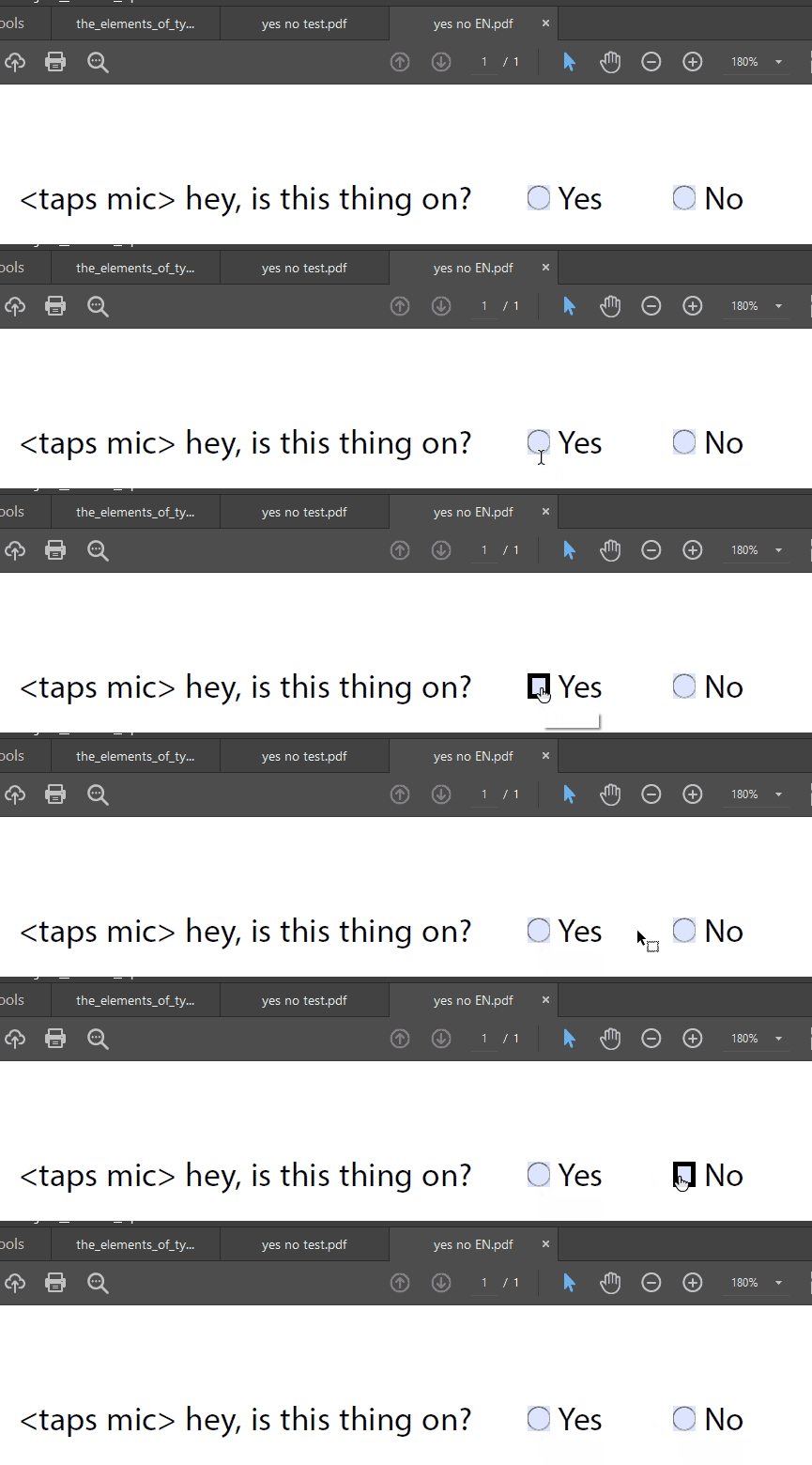


So I've written some JS to automate the process of replacing English tooltips with Arabic tooltips. I've already done this without a hitch in a dozen other languages.  However, when the form content is laid out right-to-left, as in Arabic, like this:
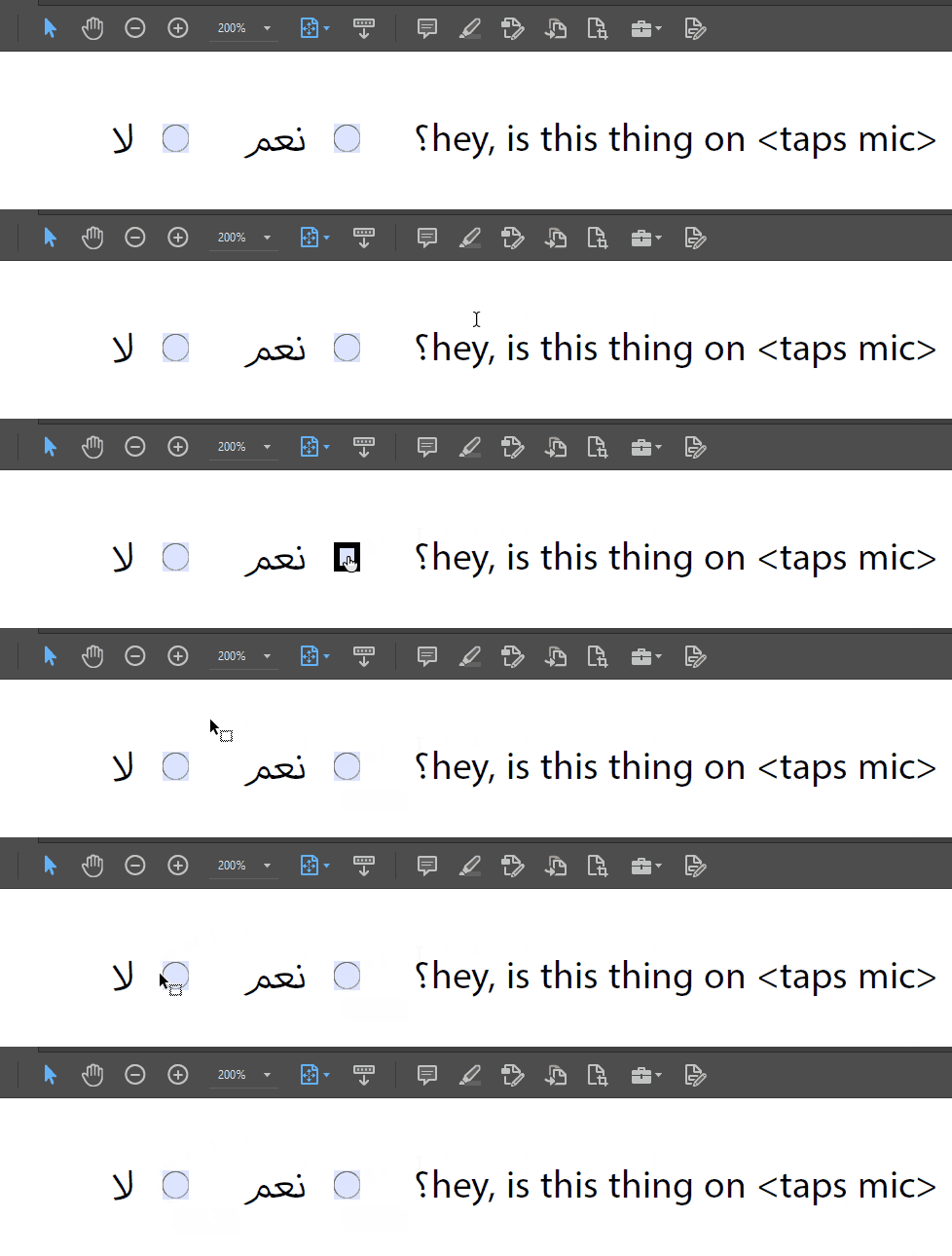


then my script to replace exportValues with localized Yeses and Nos reverses the order. Note that, when I'm selecting the Arabic Yes and No in the following GIF, that they're in logical order in the JS console, yet still get inserted in the wrong order when I run the code. 
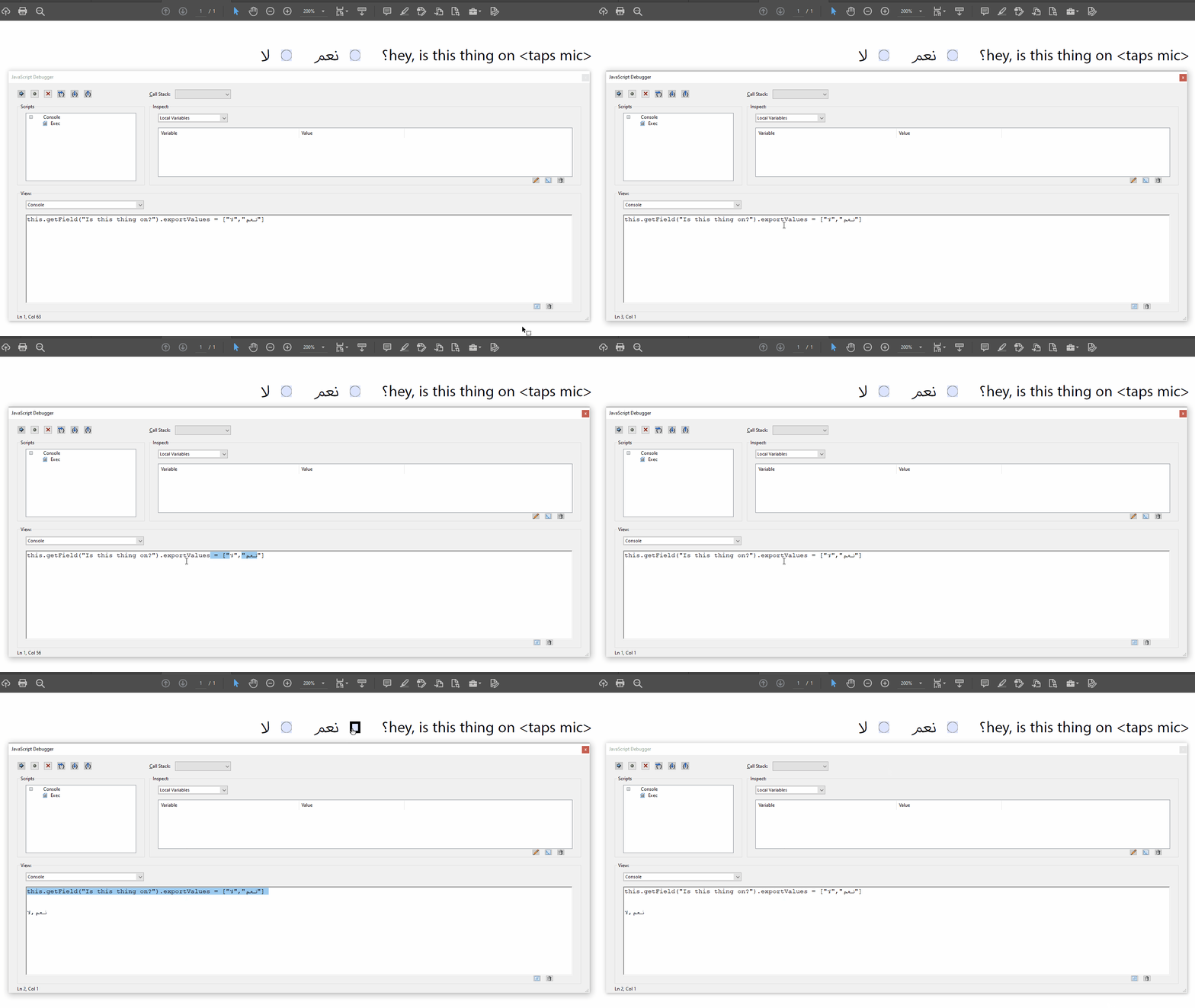
 

How can I get the array in the console to insert values correctly into the radio buttons? Since exportValues are an array, I expected that I might be able to specify exportValue[0] or  exportValues[0] but it doesn't seem to work that way.


Is Acrobat just picking up the top leftmost value on the page first?


Is there any way to force Acrobat to respect the logical order of the text in the console?


Is there any way to address the values in the exportValues array one-by-one? 


This topic has been closed for replies.

4 replies

PDF Automation Station
Community Expert
December 22, 2024

Just a question.  Why does it matter what the export values are from the end user perspective, as long as the one selected lines up with the text of the form?

try67
Community Expert
December 22, 2024

I don't know if that's the reason for what the OP is trying to do, but unfortunately Adobe recently changed the UI in a non-reversible way that exposes the export values to the user in a tooltip when they hover over the fields, so they are no longer a hidden value and have to be taken into account when designing the form in terms of UI, not just functionality. This is a very unfortunate change that has already caused a lot of issues and confusion.

PDF Automation Station
Community Expert
December 22, 2024

Wow, I never noticed that - probably because I rarely use radio buttons.  If prefer mutually exclusive checkboxes.  It could be helpful but the designer should have control.  

Joel Cherney
Community Expert
December 22, 2024

Well! Thanks, folks, but these answers leave me with more questions. 


exportValues[0] is the export value of the first widget of the field and exportValues[1] is the export value of the 2nd widget.


I appreciate that I'm asking a "why does Javascript behave like this" question, and this Acrobat forum might not be the place to ask. But: just wrapping the statement up in the "ray" variable, and operating on ray[i] instead of this.getfield(etc) works, but this doesn't:

this.getField("Is this thing on?").exportValues[0] = ["نعم"]
this.getField("Is this thing on?").exportValues[1] = ["لا"]


I'm happy to take my "why does Javascript do this?" questions elsewhere, but beyond that, I think that there may be something wrong under the hood, here.  I don't want to have to test for the values of "Yes" and "No" because my client's source English is full of "No." and "YES" and "No:" and other items that will fail the "replace A with AA" instruction.


Just change the order in which they appear in the array. 


But... they're already in the right order! exportValues[0] should be "Yes" in English. That's why I included this GIF showing me holding down the Shift key and selecting letters one by one by hitting the right-arrow key, demonstrating that the glyphs render in the console in logical order:


If the Console is respecting logical order when I'm working in it, but visual order when actually running what's on the Console, then I figure it's not working correctly. In general, when working with RtL raw text, I expect logical order to be respected. 


But it's not, even when wrapping the RtL text up in variables. If their position is supposed to be derived from their order of creation, then why are they reversing order when I insert RtL values? 


PDF Automation Station
Community Expert
December 22, 2024

"Logical order" is subjective.  Field widget order is not.  If you loop through the array and create a new array with replacement values like I suggested, the order will be correct.  If you simply switch the order in your array you're assuming the widgets have the same order for all radio buttons, which they might not.

"I don't want to have to test for the values of "Yes" and "No" because my client's source English is full of "No." and "YES" and "No:" "

You could change the test to a regular expression that catches the different variations.

PDF Automation Station
Community Expert
December 22, 2024

To be clear: I tried looping through that array, and it did sucessfully replace English terms with whatever terms I pushed into ray2. I don't love that solution, because it requires a great deal more prep work, but it doesn't insert values in the wrong places. So I have to go and find all of the values that are neither "yes" nor "no" and manually fix them all, with this solution, which may well be the most time-efficient solution. 


I still don't understand why I can't specify exportValues[0] and have to store the whole statement in a variable, but I suppose that is a question about how Javascript works, and not how the JS API for Acrobat works, so I'll take that question elsewhere. 


> "I don't want to have to test for the values of "Yes" and "No" because my client's source English is

> full of "No." and "YES" and "No:" "

You could change the test to a regular expression that catches the different variations.


That makes a fair bit of sense. Because, besides the thousands of yes/no checkboxes, there are also thousands of other radio buttons that aren't yes/no radio buttons, so I suppose that "testing the exportValues with regex" makes more sense than "grabbing a list of field IDs known to be yes/no radio buttons and inserting Arabic terms for "yes" in all exportValues[0] and Arabic "no" in all exportValues[1]."


Finally: yes, simply switching the order in the array feels like an incorrect solution - that would be working around what I believe to be a bug in the implementation of the UBA in the Acrobat Console. That's what I'm chasing, here; I think that someone on the Acrobat dev team is Doing It Wrong and I'm considering working up a bug report. 


The widget order is the order the fields were created.  Their position on the page doesn't set the order.  What if you changed the location of the fields on the page?  The export values wouldn't, and shouldn't, change.

try67
Community Expert
December 21, 2024

Just change the order in which they appear in the array. Move the Yes string to be the first in the array, and the No string to be the second one. I would actually strongly recommend to use variables for this, like so:


var yes = "نعم";
var no = "لا";
this.getField("Is this thing on?").exportValues = [yes,no];


The order in which the export values are applied is the internal order of the widgets, which is determined by their creation order. Their physical location on the page is not relevant.

PDF Automation Station
Community Expert
December 21, 2024

The export values are in the widget order - the order the fields were created.  exportValues[0] is the export value of the first widget of the field and exportValues[1] is the export value of the 2nd widget.  Write a script that loops through the exportValues array and creates a new array that pushes the replacements into the new array.  Then set the exportValues with the new array.  I'll use A and B export values in a radio button called Group1, in this example, and replace them with AA and BB, since I don't know Arabic:


var ray=this.getField("Group1").exportValues;
var ray2=[];
for(var i=0;i<ray.length;i++)
{
if(ray[i]=="A"){ray2.push("AA")}
if(ray[i]=="B"){ray2.push("BB")}
}
this.getField("Group1").exportValues=ray2;


You can expand this script to loop through all fields and test the type for radio buttons, the apply the script to each set of radio button fields.