


allisonl70595055
Participant
August 1, 2018
Question

extract serial number from top right corner of page to excel or text file

  • August 1, 2018
  • 1 reply
  • 1870 views

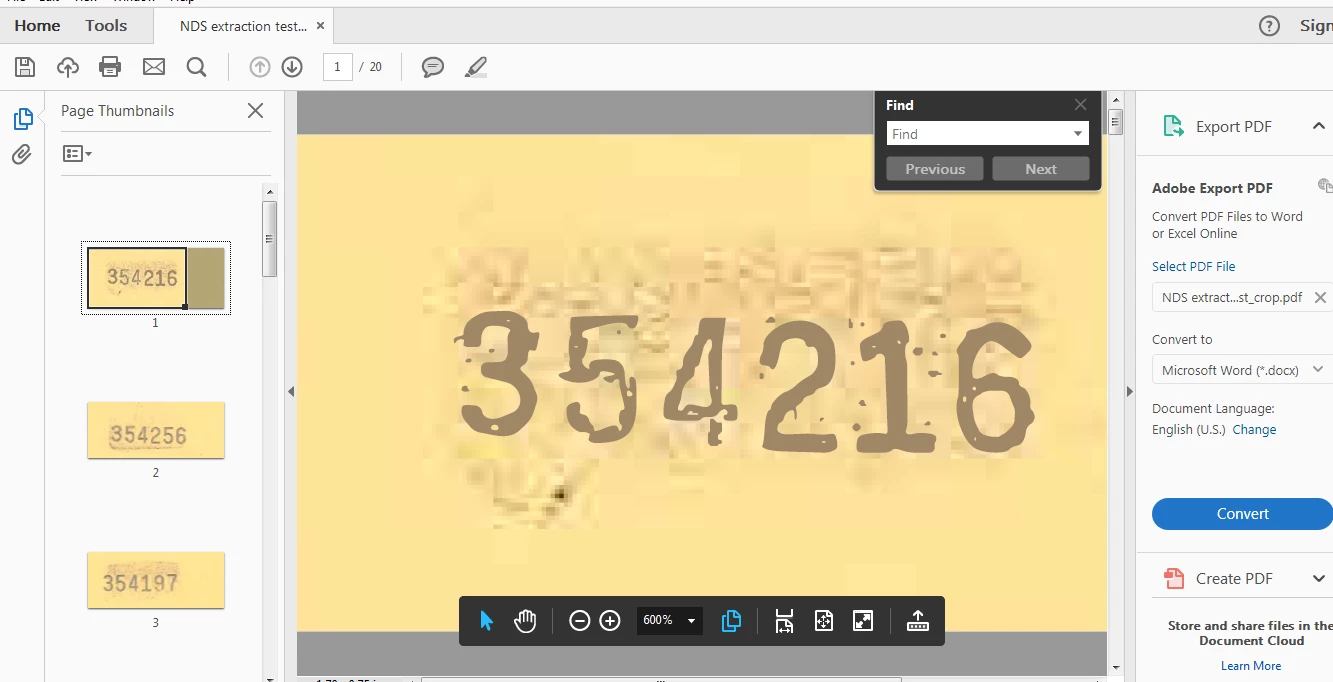
I have thousands of documents, each having a unique serial number in the top right hand corner.  How do I extract the serial numbers to one excel file?  I don't play in Adobe much and did a test where I scanned in 20 pages and cropped to just the top right corner to isolate the serial number.  I can go through with the export, but appears it's only pulling the first page of data and nothing else.
This topic has been closed for replies.

1 reply

try67
Community Expert
Community Expert
August 1, 2018

Is the text selectable? If so, can you copy and paste it into Word (for example) and it comes out correctly?

If it's not selectable it means it's just an image and you'll have to first run Text Recognition on it (and for it to be successful) before you could extract anything from it.

try67
Community Expert
Community Expert
August 1, 2018

To be able to process multiple files (or to run Text Recognition) you would need Acrobat Pro, by the way. From the screenshot it seems you only have the free Reader, which is not suited for this kind of task. It can also be done using a standalone application.

try67
Community Expert
Community Expert
August 2, 2018

THanks!  Yeah, she has Adobe Pro DC on her computer and that's what I was using to generate the doc, but couldn't figure out how to extract the text.  It was only exporting text from the first page and nothing else.  So I didn't know if there was something I was missing.  I'll be able to try again after 3:30pm EST today.


See my first reply. If you can select and copy the text then we can discuss how to automatically extract it.