


Participant
August 25, 2020
Question

fill & sign button on top menu is not working

  • August 25, 2020
  • 1 reply
  • 264 views

Hello,


we purchased installed version from Adobe acrobat DC 


we have installed it and when we click on fill & sign button is not working 


again, it is installed version not cloud & creative version 


the security digital signatures is working but it is very difficult to resize or remove 
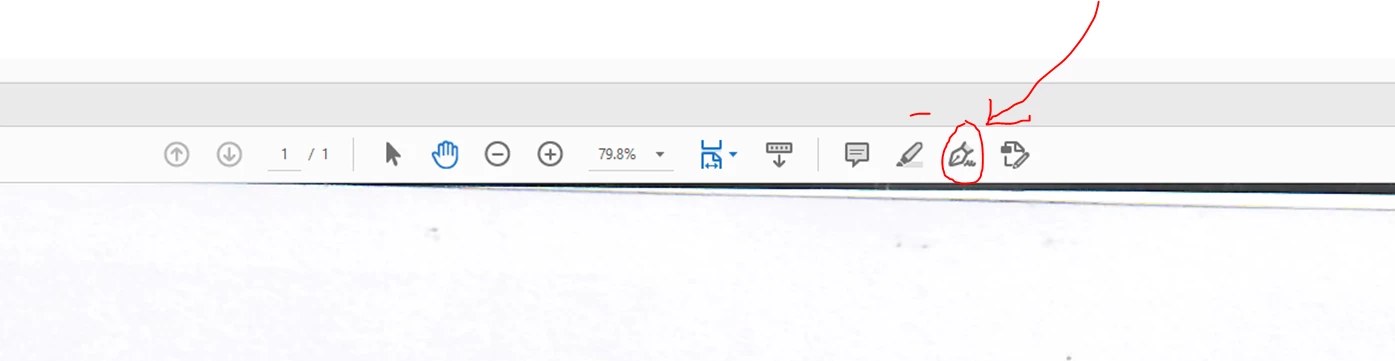


please support 


Thanks,

Adeil

This topic has been closed for replies.

1 reply

AkanchhaS8194121
Legend
September 3, 2020

Hi Adeil,


sorry for not being able to reply to your issue on time. As indicated above, this Fill & Sign tool availble at the menu-bar, does this not respond on clicking or it doesn't let you add your signature?


Try a couple of things to make this work:

1- First restart your computer. At times a simple restart solves complicated issues

2-Open a PDF file>Fill & Sign>Sign does it response?

3- Open Acrobat DC>help>run "Repair installation" (Windows only)

3- Still no luck? Seems the installation has some issues. So, use this cleaner tool to remove the application: http://labs.adobe.com/downloads/acrobatcleaner.html  and reinstall it.


Let us know the result.


Thanks,

Akanchha