

Answered
Fill & Sign Not working
Verified that PDF form is fillable. Have uninstalled and reinstalled Acrobat DC (Windows 10). Fill & Sign toolbar is missing the text typing and editing tools See screencap below. What is wrong and how do I fix it?
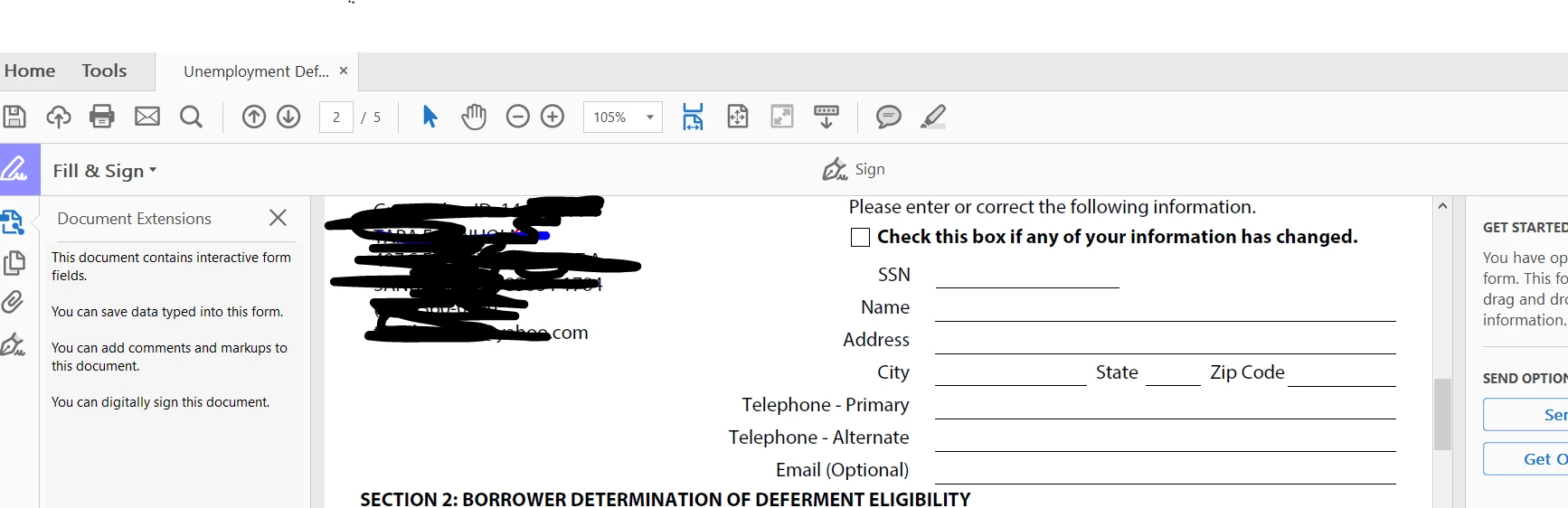

Verified that PDF form is fillable. Have uninstalled and reinstalled Acrobat DC (Windows 10). Fill & Sign toolbar is missing the text typing and editing tools See screencap below. What is wrong and how do I fix it?
If a form with existing fields (Acroform), even one field, is opened in Fill & Sign tool the toolbar along the top will only show the Signature and Initials, no text tool or annotation tools. Also the right hand panel will show a message saying that the form has fields and it will not have the personal information to drag and drop from the right hand panel as it does when a "flat" PDF is opened in the Fill & Sign tool.
The PDF you opened is likely an Acroform with at least one field.
If you open the same PDF in Fill & Sign in the Document Cloud it should allow you to add text to the form (it works differently from Acrobat and Reader currently).
Already have an account? Login
Enter your E-mail address. We'll send you an e-mail with instructions to reset your password.
 AdChoices