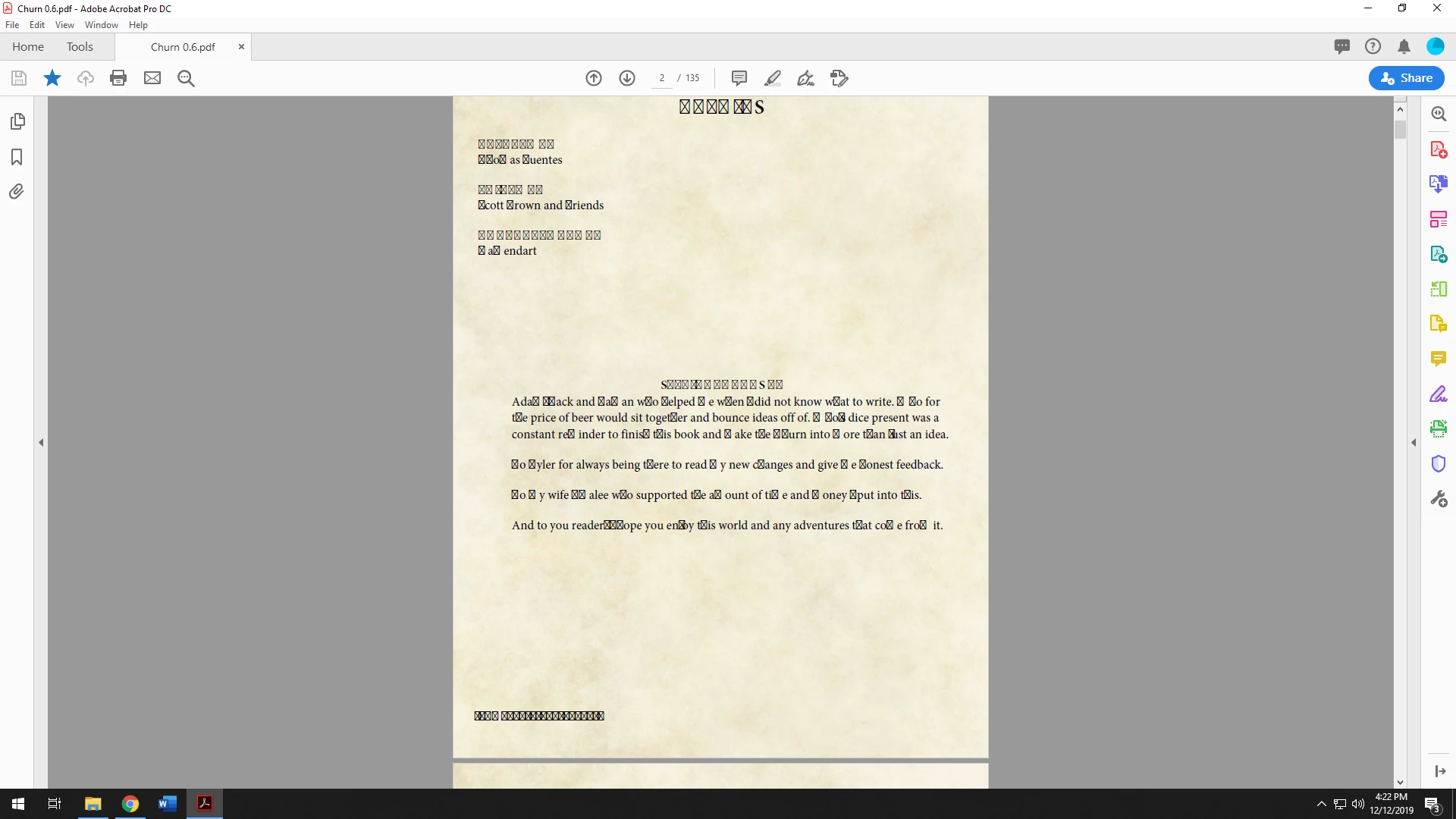
Quote: "After making changes and updates to my PDF file. I saved it and when I returned later in the day and opened the file all my text is now randomly boxes."
Whoever created the original version of the PDF did not embed the fonts, or only some of the glyphs in the fonts. In your screen capture, the boxes with X indicate that that particular glyph was not embedded into the PDF when the PDF was originally made.
First thing to try is what @Amal suggested above:
- Go to Edit > Preflight
- select the “PDF fixups” option and select “Embed missing fonts”
- Click the “Analyze and fix” button to embed any unembedded fonts
View this solution at https://community.adobe.com/t5/acrobat/text-changes-to-special-symbols-with-saving-pdf-in-acrobat/m-p/10634321
From your screen capture, it appears the PDF uses Times New Roman or some variation of Times. That's good because Acrobat might be able to use the Times New Roman version on your computer to embed the fonts into the PDF.
If this procedure doesn't work, then go back to the source document and re-export the PDF the correct way, with the fonts embedded. Instructions on how to do that are here:
https://community.adobe.com/t5/acrobat/exporting-from-word-to-adobe-pro-dc/m-p/10661883#M221559



 AdChoices