


Participant
September 26, 2018
Question

Garbled Text When Combining PDF's

  • September 26, 2018
  • 1 reply
  • 2007 views

Good Morning Everybody,

So I have been having issues with several user now. When user combined PDF's they get the below error:
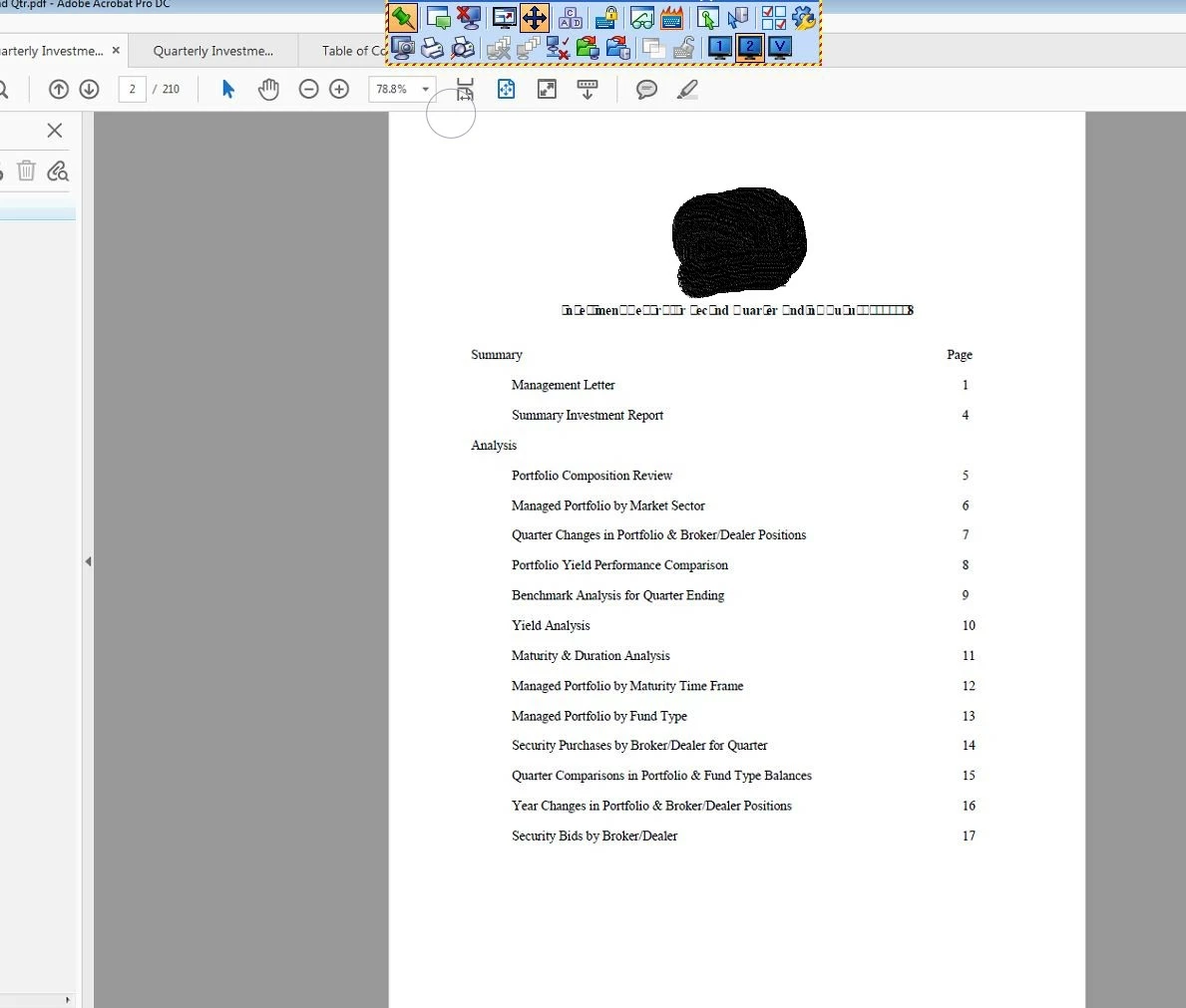
What I did, I got the word and excel docs, convert them myself and they still come out like the picture above. The document above, was a new document copied from the PDF and on my end it worked fine but the accounting user saw the above document.

Version of Adobe is 18.011.20063 which is the latest one.

Anybody have an idea as to why it could happen?

Thanks,

This topic has been closed for replies.

1 reply

gary_sc
Community Expert
Community Expert
September 26, 2018

Hi Ihchavez,

There's something unique about the font that's used in that title. Is the font there the same font as you have in the body of the text? Please remember that (for example) Times Regular is a different font than Times Bold. They are in the same family but they are different fonts.

So either your title font is corrupted or some other issue. Can you try to use a different font for the title?

IHCHAVEZAuthor
Participant
September 26, 2018

Nothing unique about the font. Same font is used through the documents (which I created) which is times new roman 11.5. I did a search earlier and it stated that the fonts could be an issue but we do not use any specialized fonts.

Any other ideas?

gary_sc
Community Expert
Community Expert
September 26, 2018

Hi Ihchavez,

Have you tried a different font?