


Copy link to clipboard
Copied
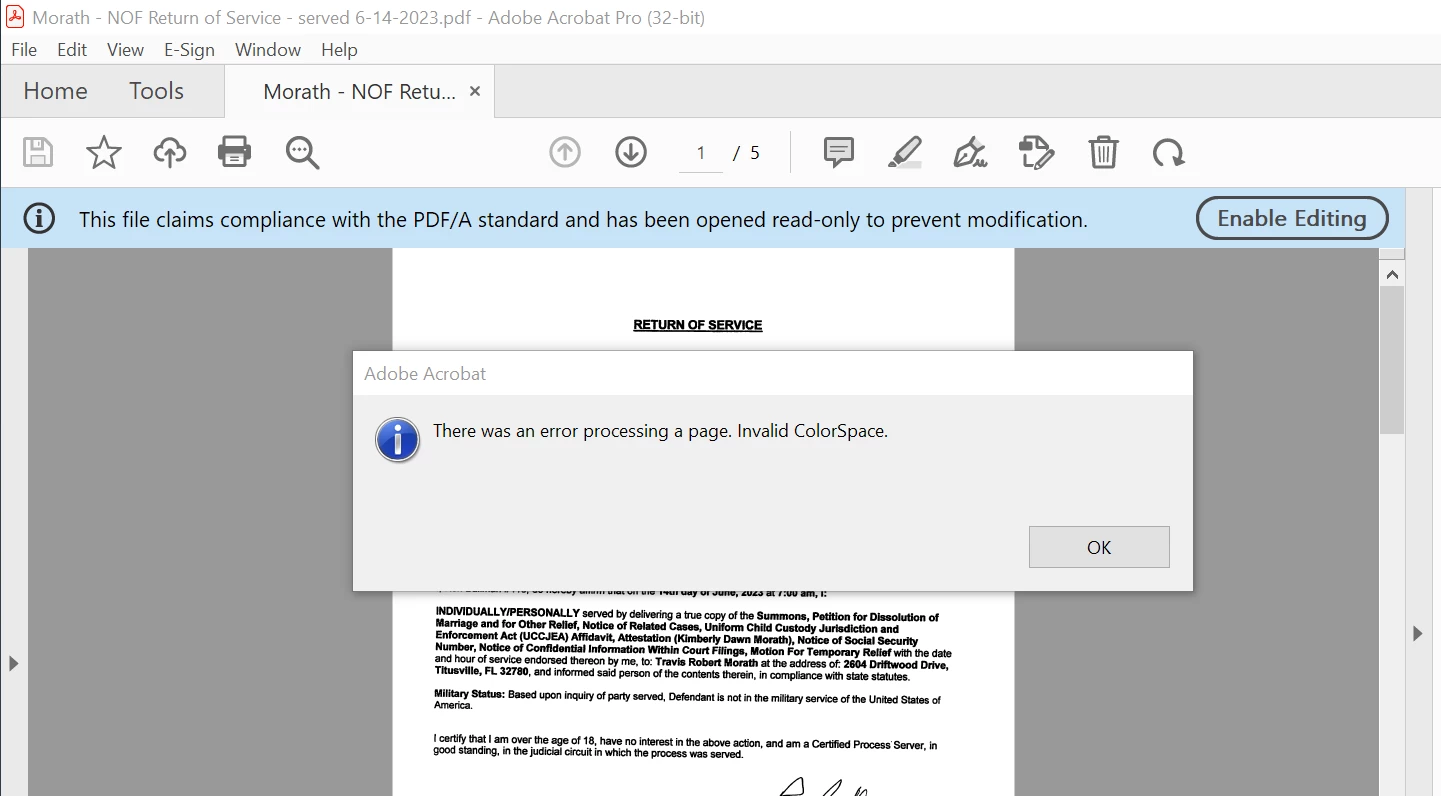
I've read through the posts that I can find but they all say that its a browser issue. I'm in adobe acrobat and keep getting this error message EVERYTIME I save a pdf as a pfd/a. The files open ok but this error message is annoying as I do this 50 times a day....Can anyone please help? Running Win10 Pro. I'd really like to get this fixed!
Copy link to clipboard
Copied
Hope you are doing well. Sorry for the delay.
You are right, this error usually occurs viewing PDF files in the browser when there is a problem with the PDF file itself, particularly for PDF files generated with third-party applications or tools.
It will not prevent you from opening the file; rather, some pages will not be visible.
a. If a non-Adobe application was used, try using an Adobe application to generate the PDF file again.
b. If it is impossible to re-generate the PDF with an Adobe application, try to resave it and/or use the PDF Optimizer tool in Acrobat. This will often fix any obvious syntax errors in the PDF.
Open PDF>file>print>print to Adobe PDF>save with a new name.
Thanks,
Akanchha
Copy link to clipboard
Copied
Thanks for the info, but I'm using adobe acrobat pro - not a browser - and I'm getting this error message. Adobe is updated regularly....This has nothing to do with a browser! Running windows 10 pro. Any info would be greatly appreciated!!
Copy link to clipboard
Copied
Exact same problem here... nothing to do with a browser. Acrobat Pro updated to the latest version (v.2024.004.20220).
Note: I noticed that this happens when highlighting and commenting on old pdfs (sometimes several years old), but not with freshly downloaded files. But most of my work is with these old pdf files, so that doesn't help at all! Any help would be greatly appreciated!!!
Copy link to clipboard
Copied
Hi there
Hope you are doing well and sorry to keep you waiting.
This error usually occurs viewing PDF files in the browser when there is a problem with the PDF file itself, particularly for PDF files generated with third-party applications or tools. It will not prevent you from opening the file, but rather, some pages will not be visible. For more information, please check the help page: https://adobe.ly/43H38Xs
Also update the application to the latest version 25.01.20521 from the help menu > check for updates and reboot the computer once and see if that helps.
Get ready! An upgraded Adobe Community experience is coming in January.
Learn more