


Help! Calculated fields auto calculating on fields not related to each other
I'm about to pull my hair out over this. I'm no script write, but I can usually fumble my way around and up until this point I've had zero issues.
I have cells adding, multiplying, and dividing and they all work perfectly on (lets say) Row A .. until you move to the row below, Row B, (which does not pertain to and should not interact with Row A at all) and then instead of calculating like Row A did, it is adding the calculation from Row B to Row A. But then sometimes it autopopulates a cell on Row C but nothing on Row B even though everything should be on Row A.
Then after I preview several times, it gets to where some of the fields won't calculate at all.
If I delete the cells and readd and set them up it will again work on Row A, but RowB/C are calucalting into Row A until I preview several times then half the fields stop working.
It's so crazy.
These are not copyed cells, I manually inserted & entered info into each Text Field for each cell that needs calculation. Each row of cells has the same type of calculations (just for the named cells on each row .. they literally do the same things just different $ amounts in the total).
The boxes should calculate up
Lin Feet 144 -- $3456 -- 24 -- 24 x $15/sq ft = $360
formula is 12'x12=144" (lin ft to lin in) -- lin in 144 x 24 (counter depth) = $3456 -- 3456 is then divided by SQFTm (144) to get the sq ft price which should be $360 as the total
I've not had any other forms have this issue, and I just cannot figure out why this form is acting up over this. Is it the form and it is corrupted and I need to start over, I'm using too many calculted cells close together, or what?!?!
I'm so frustrated about this, since my other forms have all worked correctly up until this one. They're all similar but different.
I can't figure out how to add actual file to this forum (it wants a URL) so I can add that if Dropbox files are allowed. But I have included a screen shot video so you can get a gist of what it's doing.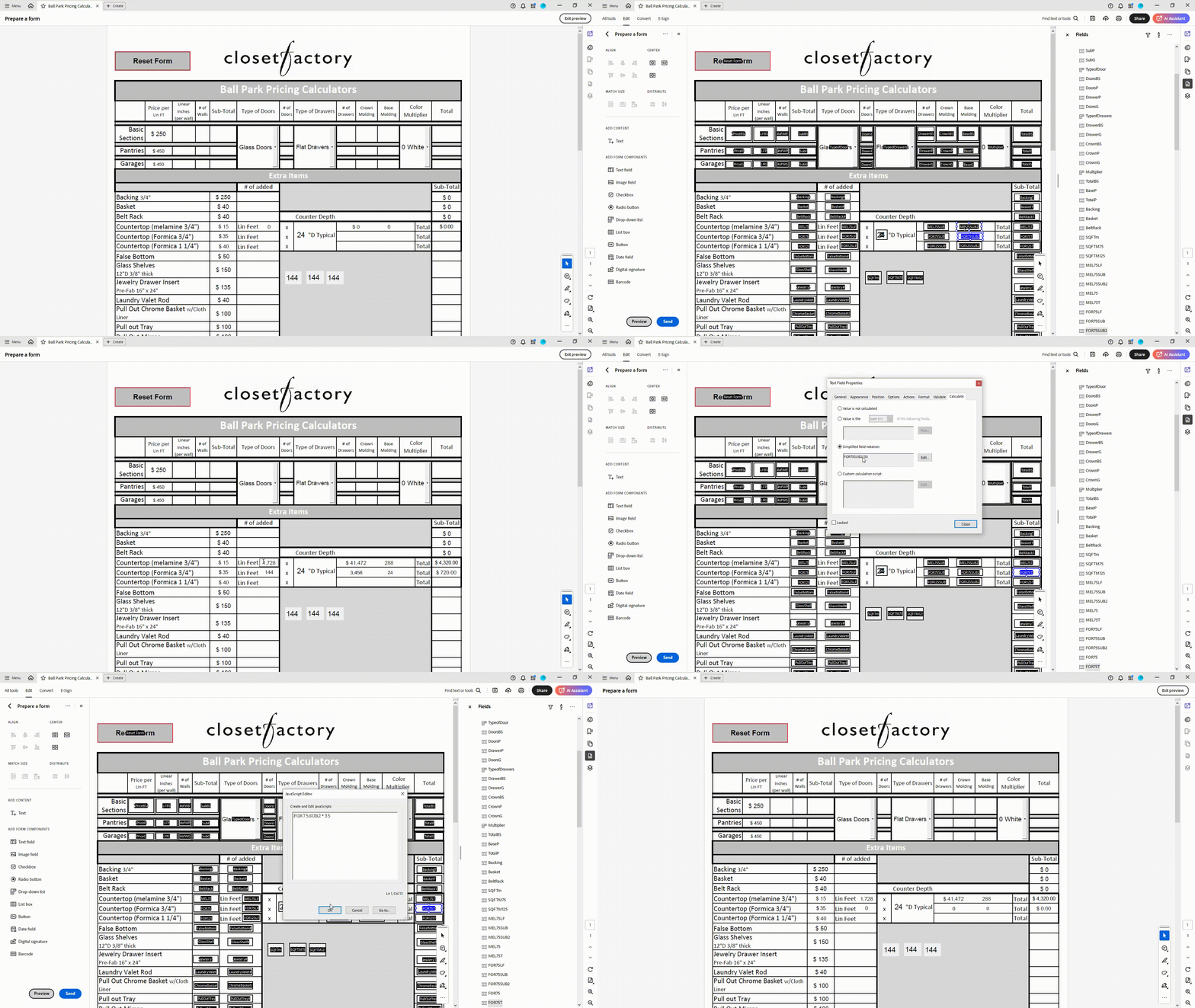
 AdChoices