


Help with hiding date format in form field.
I have tried a few options without success.
I have a startDate text field with light grey format info to inform the user (MM-DD-YYY).
When data is entered I want the date format to be replaced by the user's data.
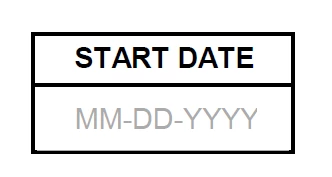
So far I have tried...
Option 1 - MM-DD-YYYY is the field default value. Unfortunately when I enter data in the field it does not replace the default value but rather just adds to it. Is there a way to select all data on field entry so that typing would replace what is selected by the date the user enters ?
Option 2 - MM-DD-YYYY is text that is under the field. The form fiels background color is transparent. I tried changing that thru javascript to white when there is data in the field - I was hoping that the white would cover the text that is underneath. Does not work - I wonder if it is because by default the form is set to highlight the form fields in white instean of the typical lighr blue.
Option 3 - MM-DD-YYYY is in a field that is locked and read only. I was hoping to change the field visibility based on the value of the date field. So if date is empty the MM-DD-YYYY field is visible, else it's hidden. The issue I have is that my start date field seems to be stuck under my disply field for the MM-DD.... I can't seem to send it to the back layer, so I can't enter data in the date field. This option worked when I was testing and the fileds were next to each other instead of on top of one another.
What would be the best practice to have this functionality ? My coding experience is very limited but I am willing to read up and follow suggestions.
Thanks,
D
 AdChoices