Participant
September 10, 2024
Answered

How can I change the name that appears by default when I comment in Adobe Acrobat?

  • September 10, 2024
  • 3 replies
  • 1149 views

Hi,


My Adobe is linked to an old email address that starts with "mad_cat" (don't judge, I was 14!)

I use this same Adobe account to proofread PDFs; however, the username that appears when I comment is "mad_c". I'd like to change this to my actual name. When I go into Preferences / Identity in the desktop app, in the Username field it says "mad_c" and is grayed out: I can't change it. When I go into the Account section on the website, I don't see mad_c anywhere and in username it says my real name. So I don't know where I have to make the change.


So: how can I change mad_c to something different AND get it to appear by default? (I'm able to force Acrobat to use another name, but I have to do it every time I comment a new document and I'd rather skip that step.)


Thanks in advance.
This topic has been closed for replies.
Correct answer JR Boulay

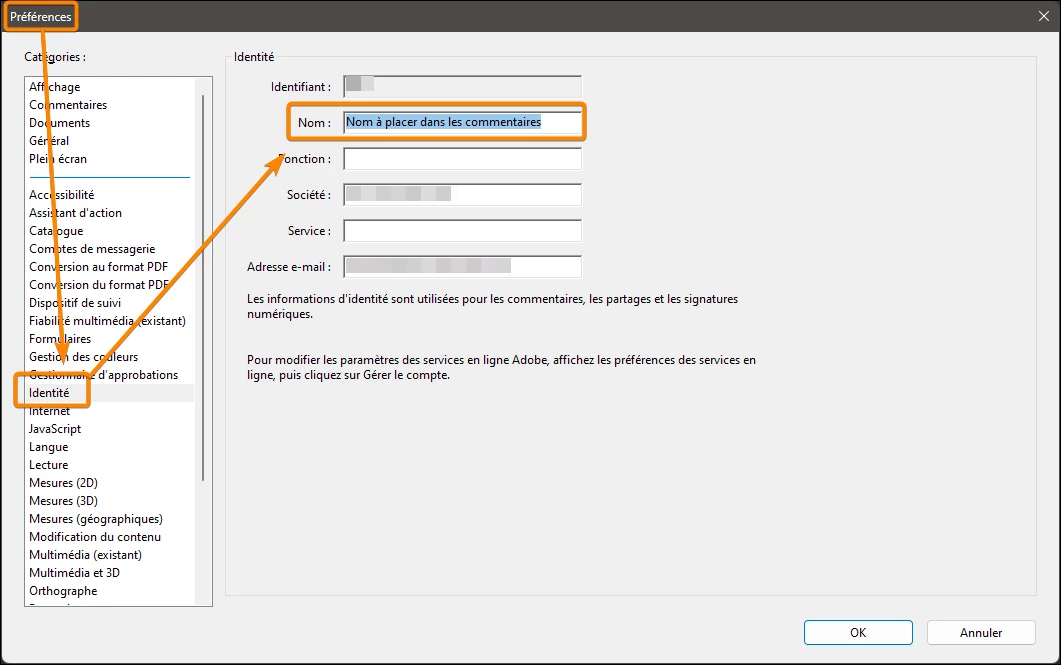
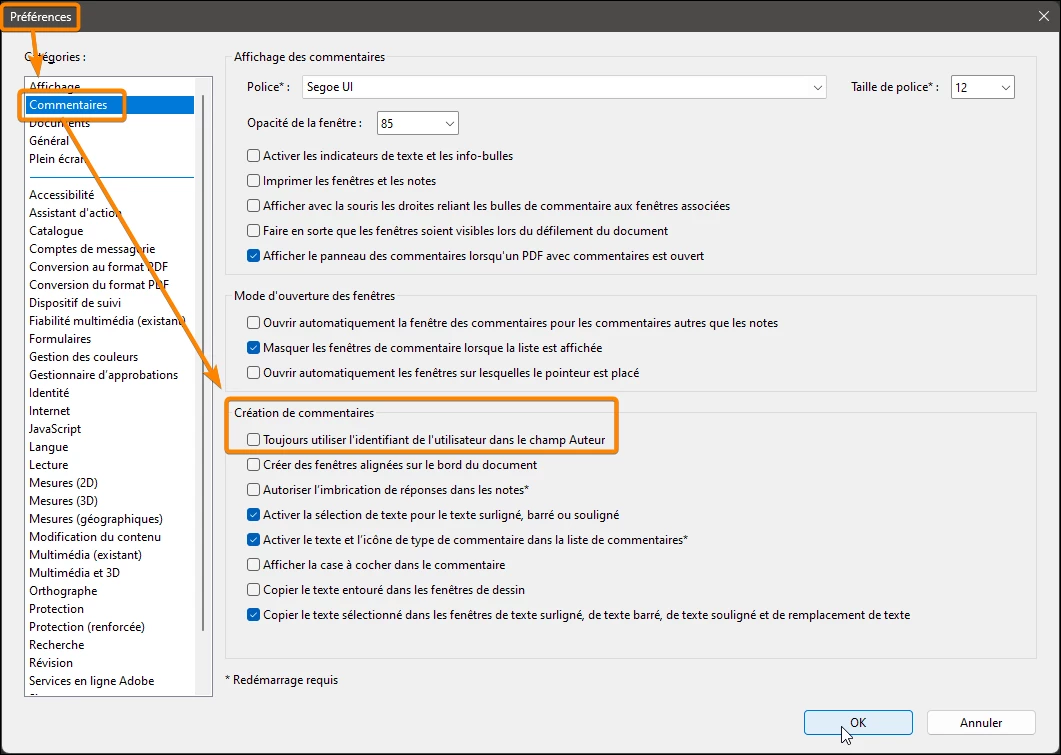
Un dessin vaut mieux qu'un long discours :


1. Décocher


2. Remplir

3 replies

JR Boulay
Community Expert
JR BoulayCommunity ExpertCorrect answer
Community Expert
September 11, 2024

Un dessin vaut mieux qu'un long discours :


1. Décocher


2. Remplir

Acrobate du PDF, InDesigner et Photoshopographe
Participant
September 13, 2024

Super, ça a marché, merci beaucoup !

 
try67
Community Expert
Community Expert
September 11, 2024

Go to the application Preferences and under Commenting tick off "Always use Log-In Name for Author name".

Then create a new comment, edit its properties and change the Author name. Then right-click it and select "Use Current Properties as New Defaults". You might have to repeat the latter step for each comment type you apply, though, but only once per type.

Participant
September 13, 2024

Great, thank you!

Participant
September 10, 2024

Bonjour, j'ai le même problème et j'aimerais également changer mon ancien nom...
Si vous avez la solution, je suis preneuse.
Merci