


Participant
April 14, 2022
Question

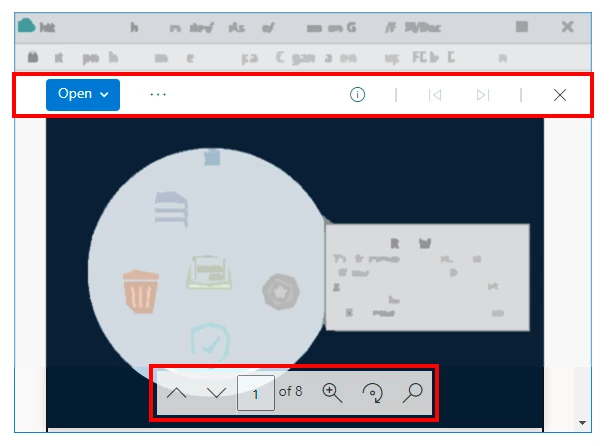
How can I force the PDF to NOT open Toolbars (as shown)

  • April 14, 2022
  • 2 replies
  • 1649 views

I have a simple PDF with a graphic and mouse clicks to other areas of the image ... how can I remove / defeat / hide the two navigation elements (toolbars) shown in red, in my example?
 

Thank you!


Sandee in NJ

This topic has been closed for replies.

2 replies

ViaSandeeAuthor
Participant
April 18, 2022

I DID IT!  It's a popup box from the landing page ... works! Seems simple now!  TNX


<a href="https://sites.xyz.com/:b:/r/sites/x/documents/filename.pdf#toolbar=0&navpanes=0&scrollbar=0" onclick="window.open(this.href,'targetWindow','toolbar=no,location=no,status=no,menubar=no,scrollbars=yes,resizable=yes,width=576,height=361,left=1000,top=300'); return false;"<img src="/sites/workspxce/x/PublishingImages/Pages/-Redesign-body1/Click.PNG" data-themekey="#" alt="" style="margin: 5px;"/><img src="img src="/sites/workspxce/x/PublishingImages/Pages/-Redesign-body1/Click.PNG" alt="Wheel Click" style="margin: 5px; width: 292px; height: 139px;"/></a>

Dave__M
Community Expert
Community Expert
April 20, 2022

Always great to see a frustrating issue solved - congrats!

Dave

Legend
April 14, 2022

This is not an Acrobat Pro window. What app is being used? Or if you are using an Adobe API, which one?

ViaSandeeAuthor
Participant
April 15, 2022

It's a Google Chrome browser window, Version 99.0.4844.51 (Official Build) (64-bit). These are the only extensions running according to the managed browser (per the firm). Thank you.  


Dave__M
Community Expert
Community Expert
April 18, 2022

If they have Acrobat installed (not sure Reader will include this), is this extension available to be enabled?  It's Adobe's, and therefore naturally more PDF-savvy than others.

My best,

Dave