Participant
October 6, 2015
Answered

How can I insert my saved signature into a pdf form in the new Adobe version?

  • October 6, 2015
  • 2 replies
  • 66506 views

I have a signature saved in Word and PDF format and I usually inserted this whenever I needed to sign pdf forms. I still have Adobe Reader XI on one computer, but on the others with Adobe Acrobat Reader DC it does not let me insert my saved pdf signature file.

How can I avoid going back to printing out pdf forms to sign manually and scan back in?

This topic has been closed for replies.
Correct answer Josh_Corey

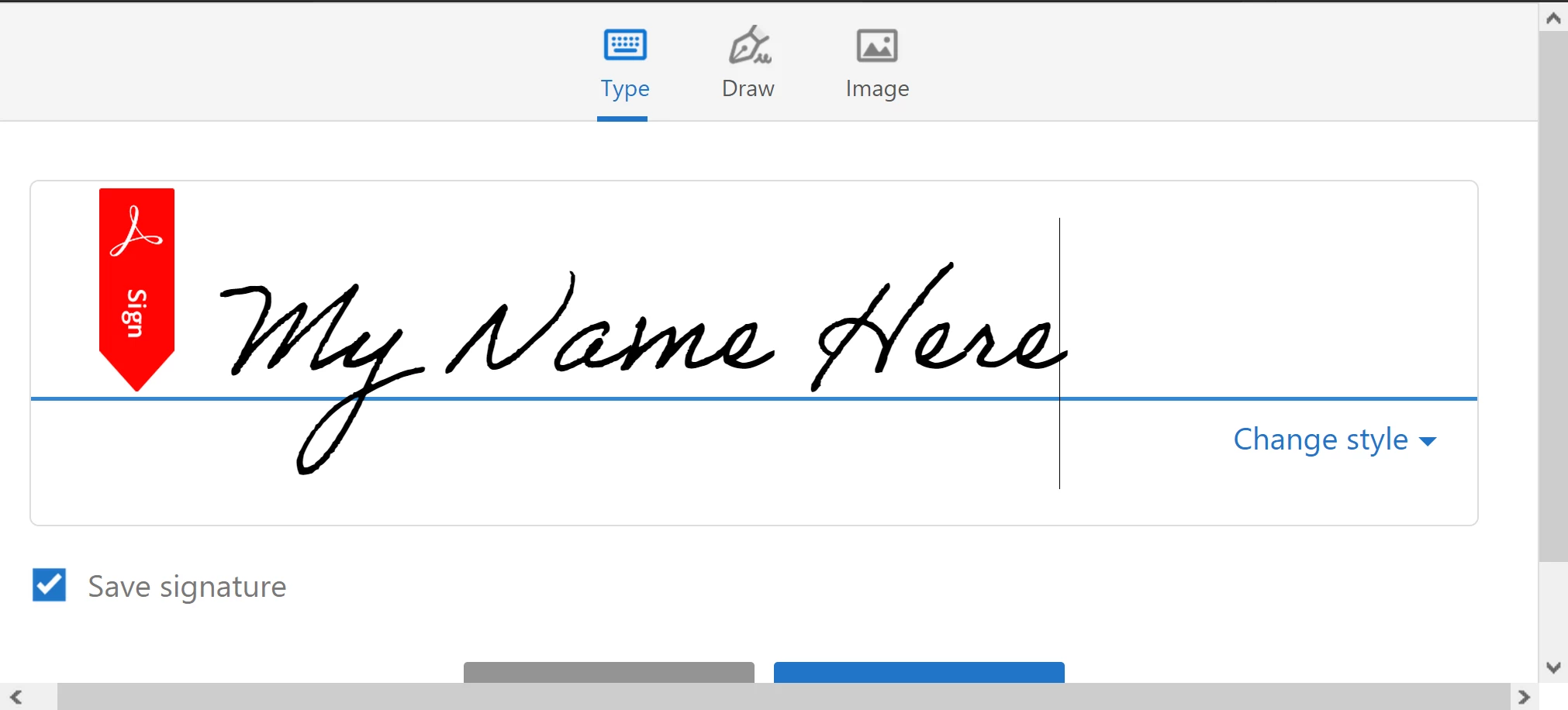
The "Adobe made up" signature is your name from your AdobeID Profile but you can replace the text in that dialog.

Regarding the "Import" not showing, is it possible that the signature dialog is just too big to fit entirely and there is a scrollbar on the right side? 

Try to scroll to the top and you should see the tabs:

It could be related to security restrictions in the PDF but that would not allow any signing and not only restrict the "Import" function.  If the above info does not help I'll provide my email and you can send me the document to inspect.

Thanks,

Josh

2 replies

September 3, 2020

Hi Adobe team, thanks for teaching us on how to add or insert a password on a PDF file. If you don't mind, I would also like to add the AceThinker PDF Writer because this tool can let you add signature on a PDF file. Thanks 🙂

Community Manager
October 6, 2015

If you click "Fill & Sign" under "Tools" that will open the Fill & Sign tools and there is a "Sign" button at the top which allows you to create and store a signature and initials.  There are three options for how to create the signature - Type, Scribble, or Import Image. 

The "Import" signature option supports image files but not PDF so you'd have to save the signature image from that PDF to an image file and then you could import it and use it to sign PDFs.

Thanks,

Josh

Participant
October 6, 2015

Thanks for your response Josh.

Any idea how I can convert the pdf signature file to an image file type?? I'm not seeing that option when I open it.

Community Manager
November 23, 2015

The Fill & Sign tool does not import a PDF signature.  If you have Acrobat you can export the image from the PDF and then import the image in Fill & Sign.  If you do not have Acrobat maybe you could use a screen capture tool to get an image of your signature from the PDF and then import the image. 

Thanks,

Josh