


March 4, 2013
Answered

How do I batch unlock/decrypt PDFs in Acrobat XI?

  • March 4, 2013
  • 3 replies
  • 34004 views

I've been trying to implement an action in the Action Wizard to batch remove the security on multiple PDFs.  I came across this post and have been trying to implement the steps it describes:

http://answers.acrobatusers.com/ViewQuestion.aspx?questionid=16649

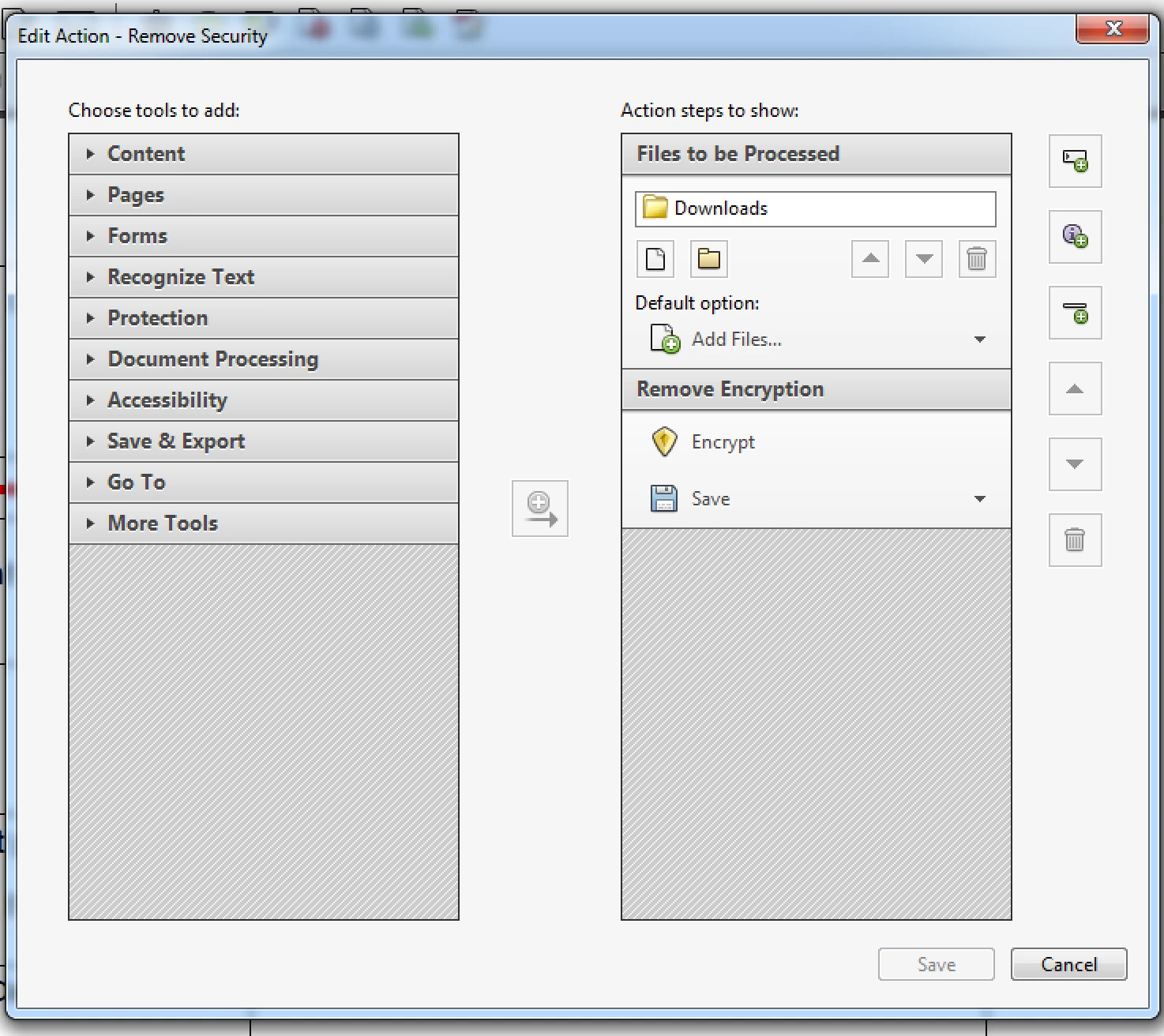
The action I've set up loads the files and saves them to a new location, but the password protection is still there when I open the new files.  The Encrypt step seems to be doing nothing at all.  I'm running Acrobat XI on a free trial at the moment, so I don't know if something changed in XI where this technique no longer works or if it's a limitation of the free trial.  My action steps look like this:
This topic has been closed for replies.
Correct answer Dave Merchant

With the native tools in Acrobat XI you can't - but you can import an Action created in Acrobat X Pro and run it, even though it's not editable.

I have made you an Action which removes the security on a selection of files - download it here and double-click the SEQU file to install it.

As the instructions say, you must set your Action Wizard preferences to Security Method = Password before running it.

3 replies

Participating Frequently
June 21, 2023

Hello,


can you do this for the actuak Adobe Acrobat Pro version from 2023? I would like to import this function.

This would be really great, than you very much!

Braniac
March 5, 2013

The workflow described on AcrobatUsers.com is no longer supported.

As it says on the Preferences dialog in Acrobat XI Pro, the concept of pre-entering a Security Method for an Action only works for scripts created with Acrobat X or earlier. If you try to do something to a secured file using an Acrobat XI Action, it will simply skip the tasks that aren't allowed.

You can see what's happening when an Acrobat XI Action completes by clicking the small "Full Report" link at the end of the Action timeline when it finishes. In your case, you'll see "skipped" against every Encryption task.

March 5, 2013

Ok, well I sort of suspected it was being skipped, but wasn't understanding why.  It's a bit confusing since obviously this was something that was supported in previous versions and there is a "None" option in the Security Method drop-down of the Encrypt action step.  If "None" is an option, you would think that would be a permitted action.  So I take it there's no way around this issue?  No other method of removing the password security?  I find it odd that you aren't permitted to batch process an action that you can do manually file by file.

Dave MerchantCorrect answer
Braniac
March 6, 2013

With the native tools in Acrobat XI you can't - but you can import an Action created in Acrobat X Pro and run it, even though it's not editable.

I have made you an Action which removes the security on a selection of files - download it here and double-click the SEQU file to install it.

As the instructions say, you must set your Action Wizard preferences to Security Method = Password before running it.

Inspiring
March 5, 2013

Open one of the PDFs and check the security. The security is not necessarily the encrypt process you are talking about (I really have not checked). If that is the case, then you have to disable the security to resolve your issue.

March 5, 2013

Well, I'm trying to remove the "Password Security".  It's my understanding that when a PDF is password protected, it's encrypted, so that's why I'm sort of using them to mean the same thing.  In the Encrypt action step, you can click on "Specify Settings" and the Security Method drop-down there is exactly the same as the Security Method drop-down when you look under the Security tab of Document Properties.  That's why I would expect password protection to be removed by setting the Encrypt step drop-down to "None".  That seems to be consistent with the instructions I've found on the web (like the one above), but those do seem written for older versions of Acrobat.