



Greg Scher
Inspiring
August 6, 2024
Question

How do I bring text to the front in Acrobate 2020 Pro

  • August 6, 2024
  • 4 replies
  • 16644 views

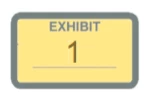
I am using Acrobat 2020 Pro and trying to mark pages as exhibits. However, when I assign a letter or number to an exhibit, it hides the text so it cannot be seen. I have tried changing the layers, but nothing seems to work. The only fix that I can find is to change the opacity of the exhibit sticker to 50%, and then everything looks washed out and extremely unprofessional.


Please help because my deadline is racing up on me!


4 replies

Participant
October 29, 2025

I signed up just to voice my support for Greg and sileth82. First of all, I have this exact same problem and I haven't solved it yet. Can't find Adjust Objects. Doesn't seem to exist in this version. Can't move text to the front. Of course, they change everything constantly so looking it up is near useless. One of the worst designed pieces of software I've ever used, and yet we have no choice because this garbage company are the only ones doing it.

Participant
January 27, 2025

Fellow paralegal fighting for my life here. I figureout what you were trying to explain. 1. Copy the Exhibit sticker as an image into word (idk why this works but it does). Then go the PDF you are trying to add the exhibit to. Edith the PDF>paste the copy image from the word doc into the PDF. DO NOT HIT SAVE. from Here go right to edit PDF>Add Text. You should be text right ontop of the Exhibit sticker. Best my dude.

try67
Community Expert
Community Expert
August 6, 2024

Change the opacity of the stamp itself, after applying it (via its Properties), not of the image within it.

Greg Scher
Inspiring
August 6, 2024

If you look at the attachment that I uploaded in the OP, you will see that the image opacity is at 50%. That is the only way you can see the numbering or lettering of the black text. I need to know how to bring the text to the front or move the image to the back, so I can increase the image opacity back to 100%

Participant
February 15, 2025

Dude, I'm just going to give up, quit the business of law, and apply to be a line cook at McDonald's! I have been farting around with this stupid stamp issue since last night. I haven't had any sleep at all, and I am nowhere closer to getting the stamps fixed than I was when I first started.


Thanks for the info. But it doesn't help.


I don't often contribute to threads of any kind, but I have to give some support to Greg's claims here.  I find myself increasingly dissapointed with Adobe Acrobat Pro in general.   The product is the most counter-intuitive that I have experienced in the last 10 years.  A task as simple as bringing a text box to the front of the document should be one of the simplest operations possible, however not only has Greg lost sleep trying to perform this simple function (I couldn't figure it out either Greg), but when he asked the question, it took him multiple tries just to get someone to answer the question he was trying to ask.   

     I've also noticed in recent updates that trying to SAVE A FILE has become increasingly difficult - with Adobe attempting to drive you to save all pdf's to the "adobe drive".   I'm not sure if this was on purpose or just another bad design flaw, but just for Adobe designers information... it communicates that you are VERY disconnected with the needs of your community of users.  

    In case anyone from Adobe who can action this reads this - PLEASE, send this to the design team - they are truly needing new leadership - the package in general is going in absolutely the wrong direction.  It is sad when one of your competitors (Microsoft Word, for example) can take YOUR FILE FORMAT, allow a user to edit it (easily, intuitively) and then save it back to YOUR FILE FORMAT 10x more efficiently than your own editor.  Really - you need to pay attention and make a change quickly.  I am normally excited when new software updates come out for any package - excited to see what new functionality and clarity the software will bring to the user.  With Adobe, I dread every new update because the interface become increasingly more difficult, and frustrating to deal with. 

kglad
Community Expert
Community Expert
August 6, 2024

in the future, to find the best place to post your message, use the list here, https://community.adobe.com/

p.s. i don't think the adobe website, and forums in particular, are easy to navigate, so don't spend a lot of time searching that forum list. do your best and we'll move the post (like this one has already been moved) if it helps you get responses.


<"moved from using the community">